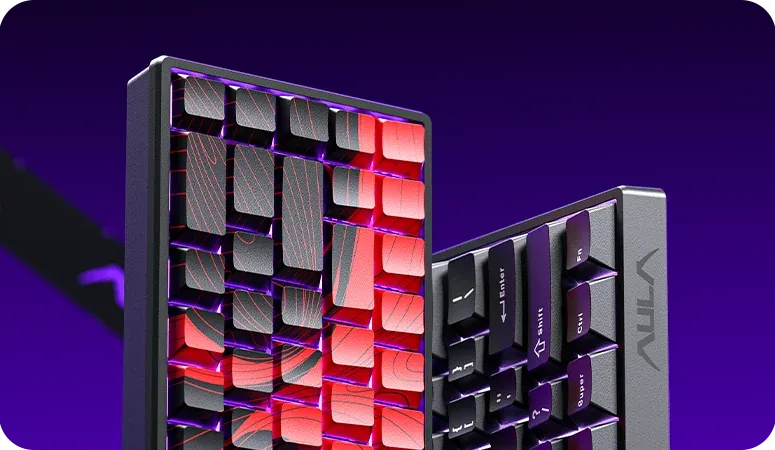
AULA WIN60 MAX — 1

AULA WIN60 MAXmagnetic keyboard

AULA WIN60 MAX (WIN 60 MAX) — magnetic keyboard.

61 keys against a desk crowded with hardware

A compact 60% board with 61 keys: Wing Chun magnetic switches, a Rapid Trigger step down to 0.01 mm and polling up to 8,000 Hz.

Version White · Wing Chun
455,000 UZS Pre-order

Expected: 18 November

Ordered in for you — GEEKSHOP confirms the exact date

Pre-order — no payment now. A GEEKSHOP manager will contact you to confirm availability, the delivery date and payment.

Price and stock come live from GeekShop

  • 61keys 60% layout
  • 8000Hz polling rate
  • 0.01mm smallest RT step
  • 302mm case length

Why people pick it

What you get

01

60% — 61 keys and a clear desk

The WIN60 MAX carries 61 keys: the alphas, the modifiers and the number row. The arrows, Home, End, PgUp and PgDn move to the Fn layer, there is no F-row and no number pad at all, and the number row on the Fn layer is taken up by media and app shortcuts. The case is 302 mm long and weighs about 627 g without the cable — exactly 19 mm shorter than the WIN68 in the same series. The space this frees goes to the mouse: at low sensitivity long swipes stop running into the keyboard.

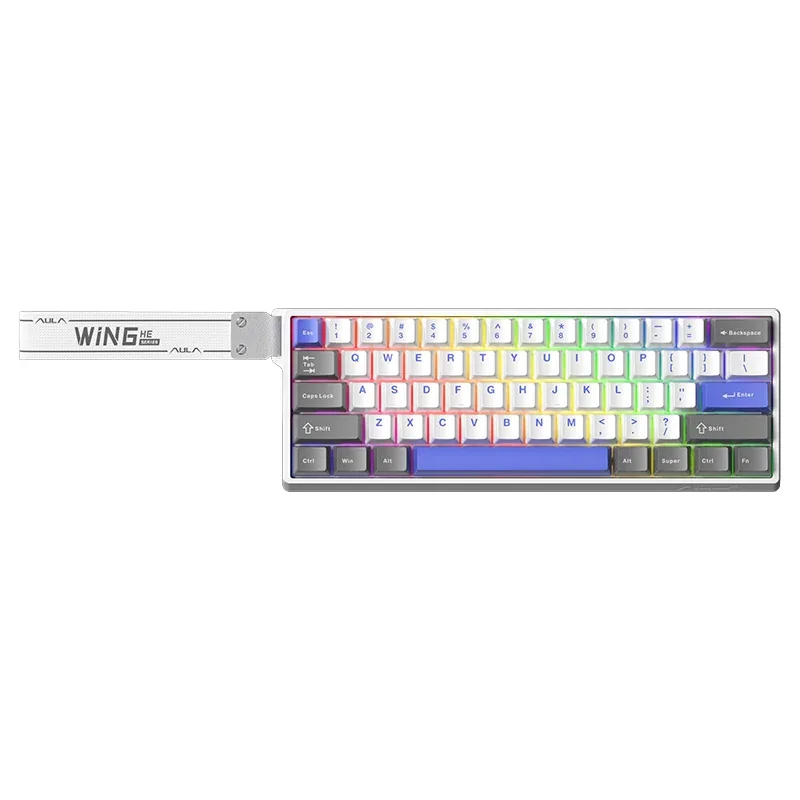
AULA WIN60 MAX keyboard in the white and blue colourway: white case, light keycaps, a blue space bar and RGB lighting
02

Wing Chun magnetic switches instead of ordinary ones

On a mechanical switch the actuation point is fixed by its contacts. Here a Hall sensor reads it, so you choose the depth yourself — from 0.1 to 3.4 mm and separately per key: WASD can be made hair-trigger while Enter and the space bar stay deep enough not to fire by accident. AULA describes the Wing Chun switch itself as 36 gf initial force, 49 gf at bottom-out and 3.4 ± 0.1 mm of total travel. Each key's magnetic field is calibrated in the driver and saved.

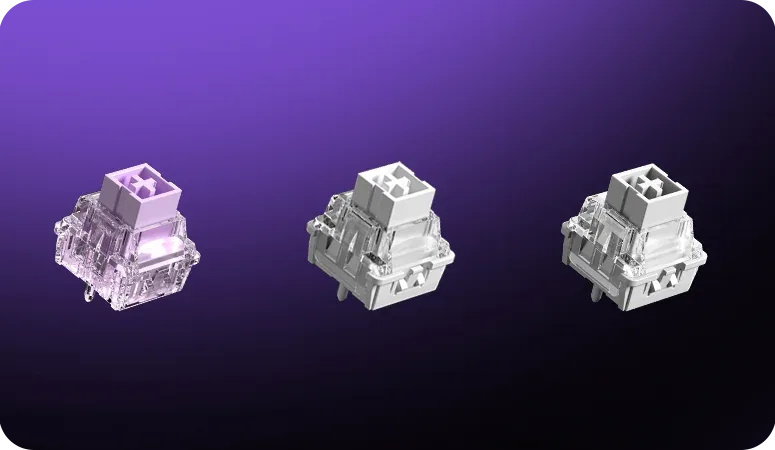
Three AULA WIN series magnetic switches close up on a purple background
03

Rapid Trigger down to 0.01 mm and the MAX modes

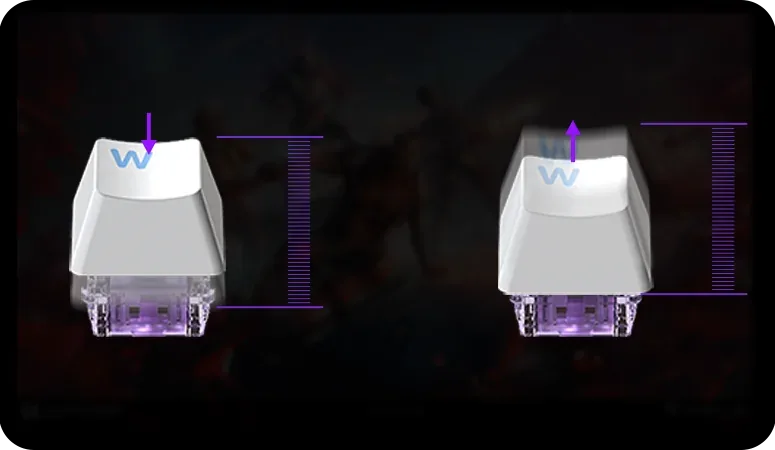
Rapid Trigger releases a key the instant the stem starts rising rather than at a fixed height: an A–D counter-strafe comes out sharper and the stop after release lands sooner. The versions in the series differ exactly in the adjustment step: AULA's manual gives MAX 0.01 mm against 0.02 mm on the standard edition (the spec block on the site quotes 0.02 mm for MAX, dropping to 0.01 mm in Beast Mode). Beyond plain RT the MAX version is listed with RS, DKS, MT, TGL and SOCD: one key can issue different commands at different depths or behave as a toggle.

A Rapid Trigger diagram: a keycap on a magnetic switch while pressed and while released, with a travel scale

8,000 Hz polling and scanning up to 32,000 Hz

AULA quotes polling up to 8,000 Hz for the whole WIN60/68 series — the board reports key state up to 8,000 times a second. The driver offers seven polling levels, so the rate can be dropped on a busy computer. The matrix is scanned at 4,000 Hz and a single key at up to 32,000 Hz, with latency stated from 0.2 ms.

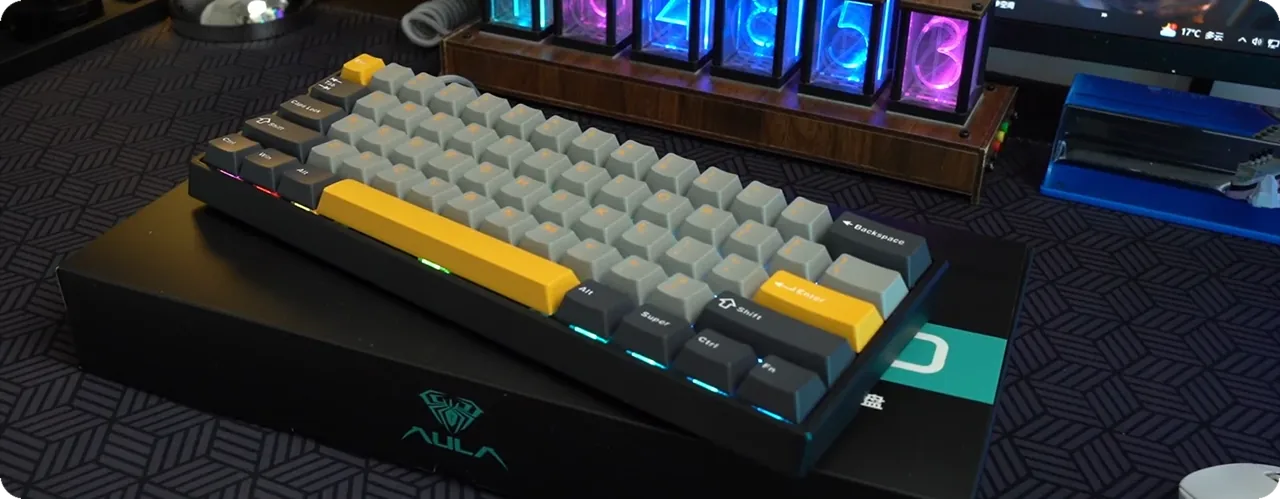
An AULA WIN60 in gray and yellow on a gaming desk, showing the Alt, Super, Ctrl, Fn bottom row and the case edge

The Fn layer: navigation and media under your hand

A short case does not mean lost functions. The Fn layer holds the arrows, Home, End, Insert, Delete, PgUp and PgDn, volume and track controls, shortcuts that launch mail, the browser, the calculator and My Computer, lighting colour, brightness and speed, the Windows-key lock and the switch between Windows and Mac modes. AULA's diagram has no ready-made F-row, but the layout and the FN layer itself can be remapped in the AULA HUB driver.

Two AULA WIN60 keyboards stood on edge, black and red and plain black, showing the case profile and the Super/Fn row

A metal plate, foam and a thickened case

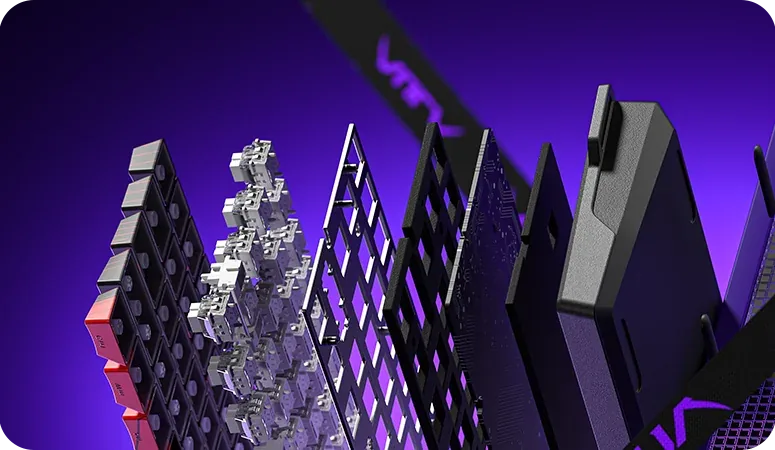
The switches are mounted on a metal positioning plate, so the rows hold more firmly than on a plastic one. A Poron sandwich layer sits between plate and PCB, another Poron layer runs along the bottom (EPDM on the standard edition), and underneath there is a thick rubber bottom shell with rubber feet. The WIN series case is thickened plastic: it flexes less under the hand, does not slide on the desk and produces no false presses from deformation.

An exploded view of an AULA WIN board: keycaps, magnetic switches, metal plate, Poron layer, PCB, bottom foam and the rubber base

Specifications

AULA WIN60 MAX specifications

60% — 61 keys and a clear desk

The WIN60 MAX carries 61 keys: the alphas, the modifiers and the number row. The arrows, Home, End, PgUp and PgDn move to the Fn layer, there is no F-row and no number pad at all, and the number row on the Fn layer is taken up by media and app shortcuts. The case is 302 mm long and weighs about 627 g without the cable — exactly 19 mm shorter than the WIN68 in the same series. The space this frees goes to the mouse: at low sensitivity long swipes stop running into the keyboard.

Wing Chun magnetic switches instead of ordinary ones

On a mechanical switch the actuation point is fixed by its contacts. Here a Hall sensor reads it, so you choose the depth yourself — from 0.1 to 3.4 mm and separately per key: WASD can be made hair-trigger while Enter and the space bar stay deep enough not to fire by accident. AULA describes the Wing Chun switch itself as 36 gf initial force, 49 gf at bottom-out and 3.4 ± 0.1 mm of total travel. Each key's magnetic field is calibrated in the driver and saved.

Rapid Trigger down to 0.01 mm and the MAX modes

Rapid Trigger releases a key the instant the stem starts rising rather than at a fixed height: an A–D counter-strafe comes out sharper and the stop after release lands sooner. The versions in the series differ exactly in the adjustment step: AULA's manual gives MAX 0.01 mm against 0.02 mm on the standard edition (the spec block on the site quotes 0.02 mm for MAX, dropping to 0.01 mm in Beast Mode). Beyond plain RT the MAX version is listed with RS, DKS, MT, TGL and SOCD: one key can issue different commands at different depths or behave as a toggle.

8,000 Hz polling and scanning up to 32,000 Hz

AULA quotes polling up to 8,000 Hz for the whole WIN60/68 series — the board reports key state up to 8,000 times a second. The driver offers seven polling levels, so the rate can be dropped on a busy computer. The matrix is scanned at 4,000 Hz and a single key at up to 32,000 Hz, with latency stated from 0.2 ms.

The Fn layer: navigation and media under your hand

A short case does not mean lost functions. The Fn layer holds the arrows, Home, End, Insert, Delete, PgUp and PgDn, volume and track controls, shortcuts that launch mail, the browser, the calculator and My Computer, lighting colour, brightness and speed, the Windows-key lock and the switch between Windows and Mac modes. AULA's diagram has no ready-made F-row, but the layout and the FN layer itself can be remapped in the AULA HUB driver.

A metal plate, foam and a thickened case

The switches are mounted on a metal positioning plate, so the rows hold more firmly than on a plastic one. A Poron sandwich layer sits between plate and PCB, another Poron layer runs along the bottom (EPDM on the standard edition), and underneath there is a thick rubber bottom shell with rubber feet. The WIN series case is thickened plastic: it flexes less under the hand, does not slide on the desk and produces no false presses from deformation.

This product is ordered in. Delivery is expected on 18 November 2026. GEEKSHOP confirms stock, the final price and delivery. This information is not a public offer.

Model specifications: the official AULA site

Connection
Wired, USB Type-C
Layout
60%, 61 keys
Switches
Wing Chun magnetic
Polling rate
Up to 8,000 Hz
Rapid Trigger step
0.01 mm — the figure AULA's manual gives for the MAX version; the spec block on the site quotes 0.02 mm for MAX, dropping to 0.01 mm in Beast Mode
Weight
About 627 g
Type
Gaming keyboard on magnetic switches (Hall sensors)
Hot-swap
Keycaps and magnetic switches go in and come out without soldering
Keycaps
PBT: two-colour injection moulding or five-sided thermal sublimation; on AULA’s diagram the MAX version uses side-sublimated keycaps (others subject to the actual product)
Dimensions
302.14 × 109.06 × 36.91 mm (±0.5 mm tolerance)
Actuation travel
0.1–3.4 mm, set in the driver
Wing Chun switch
Initial force 36 gf, bottom-out force 49 gf, total travel 3.4 ± 0.1 mm, accuracy 0.02 mm
Key adjustment
The travel range is adjustable for each key separately; AULA states operation with no blind spots
Calibration
The driver shows each key's magnetic flux; after calibration the key lights up green and the calibration is saved
Extra modes
Beyond plain Rapid Trigger the MAX version supports RS, DKS, MT, TGL and SOCD
Key scanning
4,000 Hz across all keys, up to 32,000 Hz on a single key
Latency
From 0.2 ms
Key release
The magnetic sensor registers release at once, without waiting for the stem to return
Plate
Metal positioning plate
Sound damping
A Poron (PO) sandwich layer between plate and PCB plus a bottom Poron layer; the standard edition uses EPDM at the bottom
Case
Thickened plastic; AULA explicitly compares the wall thickness with an ordinary keyboard
Bottom
A thick rubber bottom shell and rubber feet
Stabilisers
Satellite stabilisers on the long keys
Lighting
RGB, about 16 million colours, per-key customisation
Effects
A set of preset RGB modes; on the WIN60 MAX the effects switch with Fn + Tab or in the driver
Driver
AULA HUB — a web driver that runs in the browser, nothing to install
System modes
Windows and Mac, switched with an Fn combination
Fn shortcuts
Arrows, Home, End, Insert, Delete, PgUp, PgDn; volume, play-pause and track skip; launching mail, the browser, the calculator and My Computer; lighting colour, brightness and speed; Windows-key lock; Windows/Mac switching; a settings reset
Manufacturer
Dongguan Suoai Electronics Co., Ltd — the company named in AULA's official manual
Standard and marking
GB/T 14081-2010; the package carries CE, FCC, KC and RoHS marking
Country of manufacture
China

Video

Hear how it sounds.

Questions

The short answers.

When is delivery expected?

Delivery is expected on 18 November 2026. A pre-order locks the price and your place in the batch; GEEKSHOP confirms the exact date.

Where are the arrows and the F-row on a 60% board?

They have no dedicated keys. On AULA's diagram the arrows, Home, End, Insert, Delete, PgUp and PgDn are reached through Fn, together with media and app-launch shortcuts. The maker draws no ready-made F-row on that layer — keys and the FN layer can be remapped in the AULA HUB web driver if you need one. If you want the arrows as real keys, look at the WIN68 MAX instead: 68 keys with an arrow cluster and a right-hand column.

How does MAX differ from the standard WIN60 HE?

The case and layout are identical; the electronics and switches differ. In AULA's manual the standard version adjusts Rapid Trigger in 0.02 mm steps against 0.01 mm on the MAX, while the spec block on the site quotes 0.02 mm for MAX with 0.01 mm in Beast Mode. The MAX is also listed with RS, DKS, MT, TGL and SOCD plus single-key scanning up to 32,000 Hz. This batch ships with Wing Chun magnetic switches.

Does any software need to be installed?

No. Everything is configured in the AULA HUB web driver right in the browser: the actuation point, Quick Tap, key and FN-layer remapping, Super Keys with macros, lighting, switch calibration and firmware updates. The keyboard can be set up on someone else's computer without installing a thing.

How does the preorder work and when does the keyboard arrive?

The item is sold on preorder: orders open on 18 November 2026. Once a GEEKSHOP manager confirms the order and the chosen colourway, delivery takes about a month. The manager gives the exact date at confirmation.

Who confirms the price, stock and delivery?

GEEKSHOP confirms stock, the final price and delivery. The information on this site is not a public offer.

How do I order?

Add products to the cart and send the order — it opens in Telegram with a GeekShop manager, who confirms stock, the final price and timing. Nothing is paid on the site.

How much is delivery?

Delivery anywhere in Uzbekistan costs 50,000 UZS. The manager gives the timing when confirming the order.

How to buy

Three presses to your AULA.

Message on Telegram@geekshop_manager
  1. Cart

    Build the order on the site — or message the manager on Telegram straight away.

  2. Confirmation

    The order goes to GeekShop: a manager confirms stock, price and timing.

  3. Delivery

    Anywhere in Uzbekistan — 50,000 UZS. Payment is agreed with the manager after confirmation.

  • Orders through GEEKSHOP
  • 1-month warranty
  • Genuine, factory-sealed
  • Nothing paid on the site

Goes well with

AULA SC380 Pro
AULA SC380 Pro

Black 55g gaming mouse with PAW3311 and tri-mode connectivity

55 g and a PAW3311 sensor · Cable, receiver or Bluetooth · 500 mAh and charging-dock support

315,000 UZS In stock
AULA SC580X
AULA SC580X

Black tri-mode gaming mouse with 10–12K DPI and 6 programmable buttons

Solid shell, around 82 g · Three modes for desktop and laptop · Up to 1000 Hz and a 500 mAh battery

273,000 UZS In stock
AULA SC590 Pro
AULA SC590 Pro

Black 64g gaming mouse with PAW3311, 20K DPI and Smart Display

Mouse status on its display · Compact solid shell, about 64 g · Three connections and adjustable DPI

304,500 UZS In stock
AULA SC620
AULA SC620

Black 67g gaming mouse with PAW3311, 12K DPI and tri-mode

Honeycomb shell, 67 g · PAW3311 and accessible side buttons · 400 mAh and three ways to connect

262,500 UZS In stock
Full catalog

Your cart

Nothing here yet. Press any key — in the catalog.

Full catalog