AULA SC680 — 1

AULA SC680gaming mouse

AULA SC680 — gaming mouse.

A light mouse with no holes: PAW3395 and three ways to connect

A roughly 58 g wireless gaming mouse with a PAW3395 sensor, three connection modes and a 500 mAh battery.

410,000 UZS Pre-order

Expected: 18 November

Ordered in for you — GEEKSHOP confirms the exact date

Pre-order — no payment now. A GEEKSHOP manager will contact you to confirm availability, the delivery date and payment.

Price and stock come live from GeekShop

  • 58g Weight
  • 26000DPI Max DPI
  • 650IPS Tracking speed
  • 500mAh Battery

Why people pick it

What you get

01

About 58 grams, and not a single hole

Most light mice lose weight through honeycomb cut-outs. The SC680 weighs about 58 grams with a solid top shell: your fingers rest on continuous plastic, not a grid. The symmetrical shape suits palm and claw grips equally, and the skin-friendly ABS shell stays comfortable to hold through a long session.

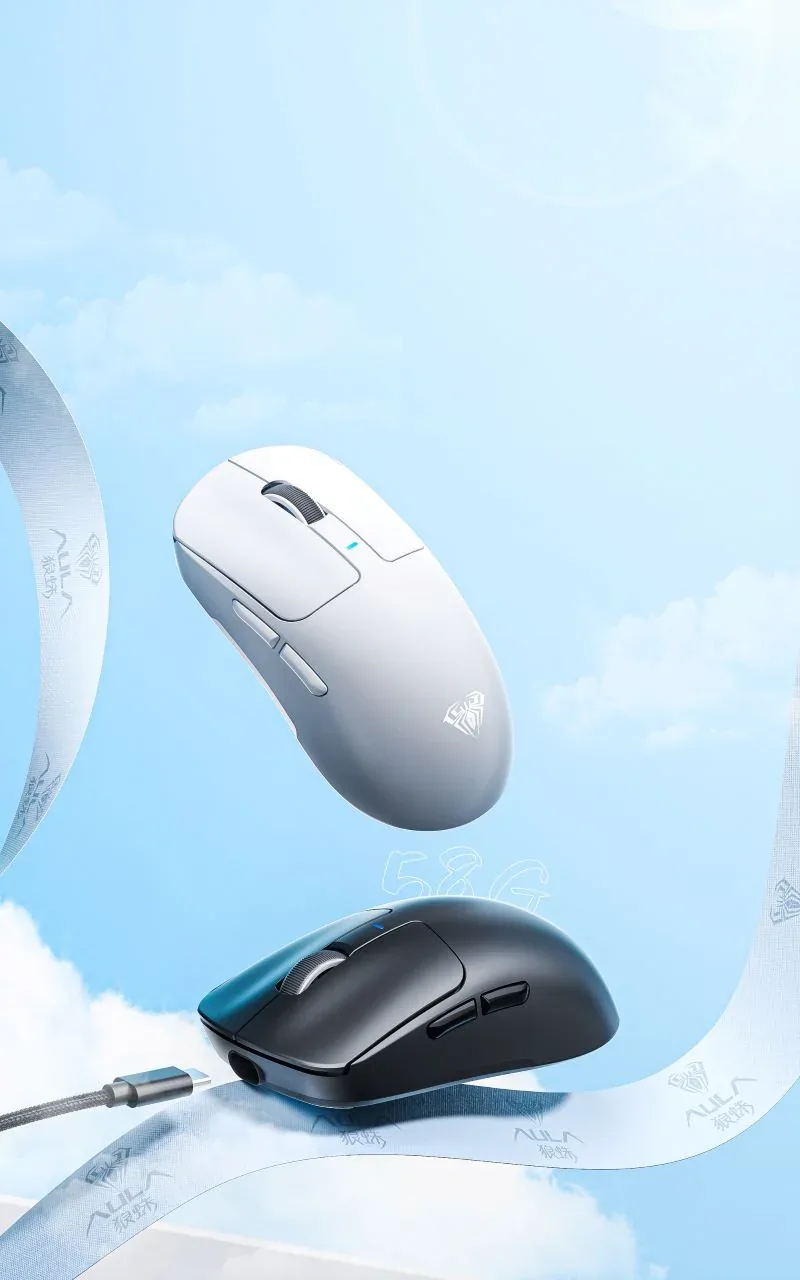
AULA SC680 gaming mice in white and black on a light blue background with a USB-C cable
02

PAW3395 with a Broadcom BK3633 controller

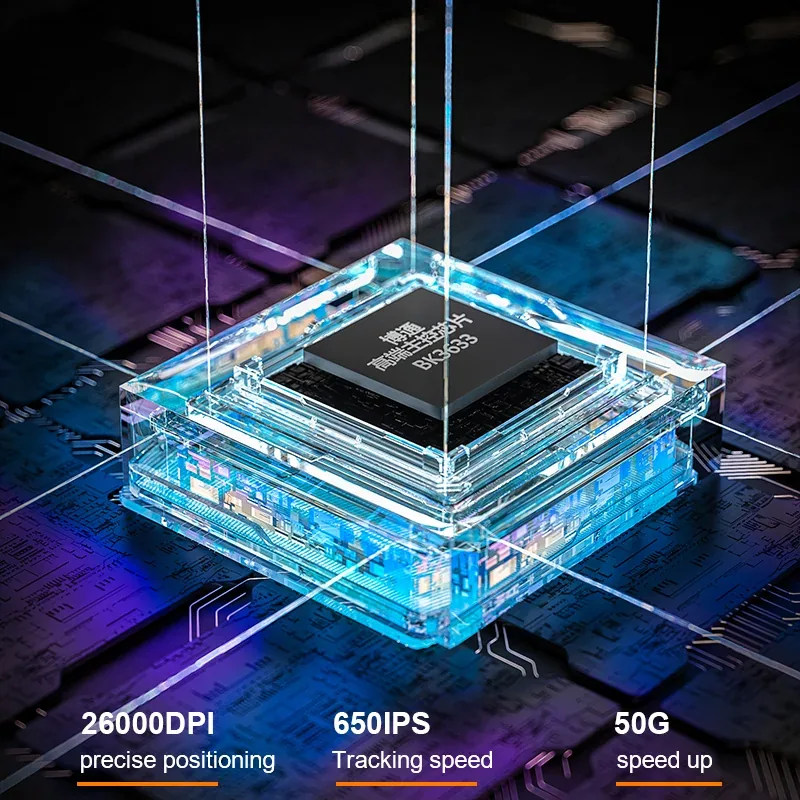
Inside sits a PixArt PAW3395 optical sensor, the same part AULA uses in its higher models. It handles up to 650 IPS and 50 G, so it keeps up with a hard flick across the whole pad. Resolution runs from 400 to 26,000 DPI and the return rate reaches 1,000 Hz. A Broadcom BK3633 controller processes the signal.

AULA illustration for the SC680: the BK3633 controller and the 26,000 DPI, 650 IPS, 50 G figures
03

Three modes and a receiver that stays put

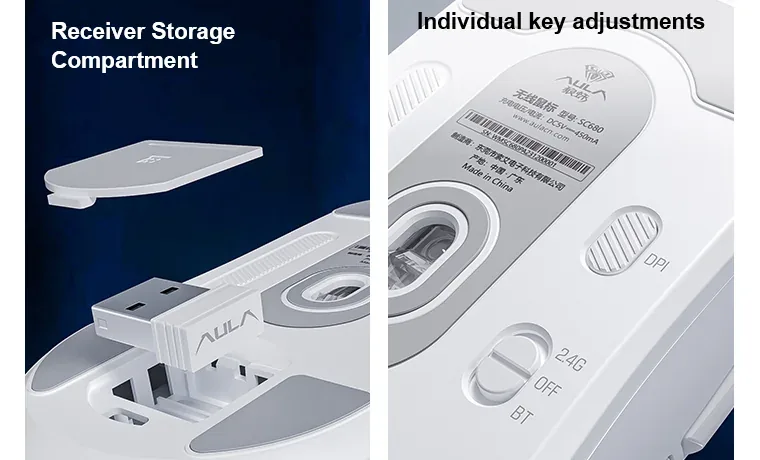
The switch on the base picks 2.4 GHz, off, or Bluetooth — the positions are marked 2.4G, OFF and BT. To pair over Bluetooth, move the switch to BT and hold the DPI key for about five seconds: the wheel flashes blue, and a steady blue light means the pairing went through. The USB-A receiver for 2.4 GHz mode lives in a bay on the base under a removable cover, so you are not digging through bag pockets on a trip.

Base of the AULA SC680: USB-A receiver bay under a removable cover, the DPI key and the 2.4G / OFF / BT switch

Five DPI steps and light from below

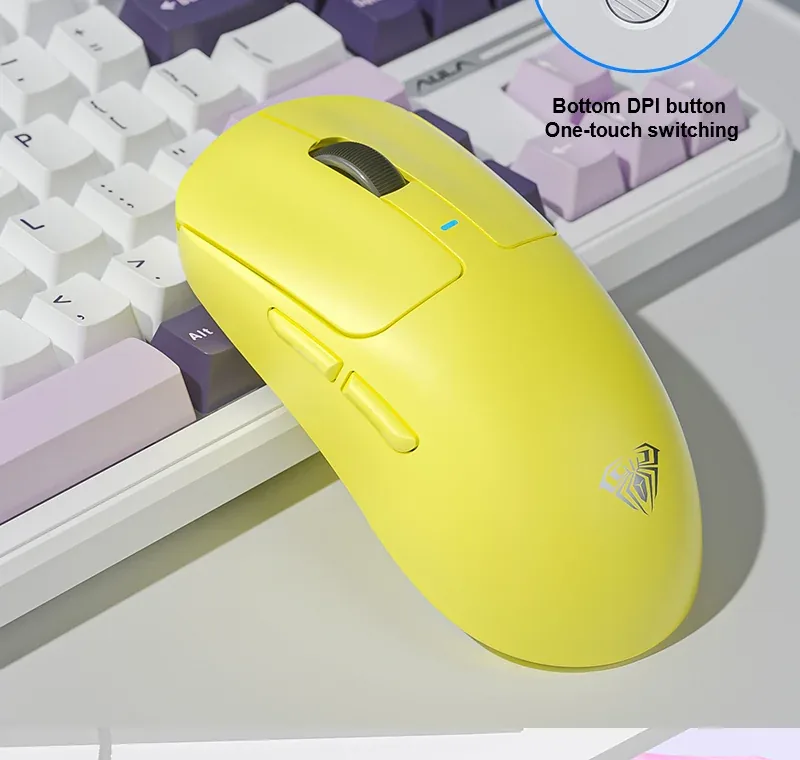
The DPI key sits on the base so you cannot hit it mid-fight. The factory steps are 400, 800 (default), 1600, 3200 and 6400 DPI, each with its own indicator colour, so the current value is readable without a screen. The AULA driver tunes the steps more finely, up to 26,000 DPI, and changes the colour, speed and brightness of the RGB light underneath.

A yellow AULA SC680 on a desk beside a keyboard, side buttons visible

Four shell colours

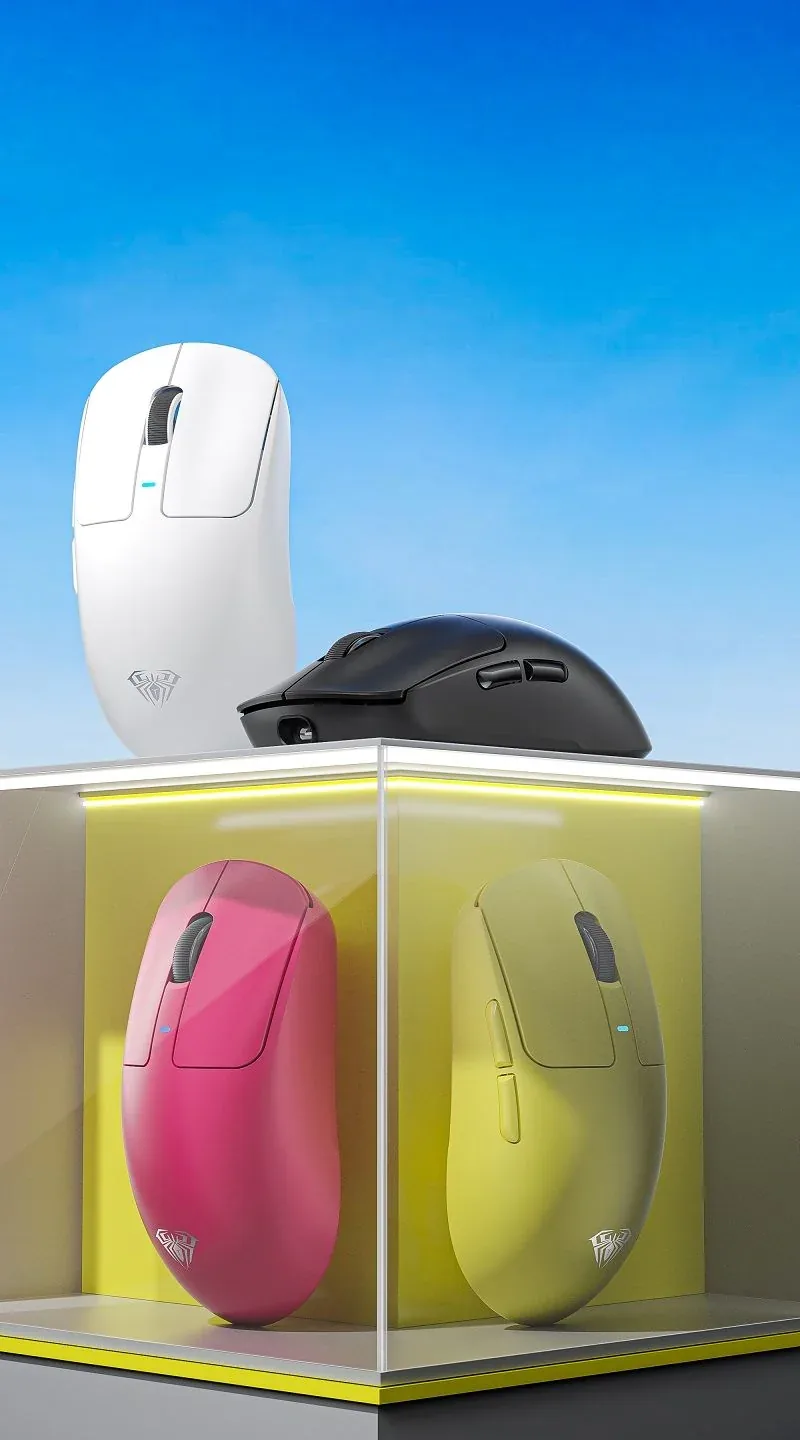
AULA builds the SC680 in black, white, pink and yellow — the same matte, non-glossy finish on all four. In the manufacturer's photos only the shell differs: the shape, buttons, sensor and connection modes are identical across all four. Which colours can actually be brought in on a given shipment is confirmed by the GEEKSHOP manager when the preorder is placed.

Four colours of the AULA SC680: white, black, pink and yellow on a display stand

Specifications

AULA SC680 specifications

About 58 grams, and not a single hole

Most light mice lose weight through honeycomb cut-outs. The SC680 weighs about 58 grams with a solid top shell: your fingers rest on continuous plastic, not a grid. The symmetrical shape suits palm and claw grips equally, and the skin-friendly ABS shell stays comfortable to hold through a long session.

PAW3395 with a Broadcom BK3633 controller

Inside sits a PixArt PAW3395 optical sensor, the same part AULA uses in its higher models. It handles up to 650 IPS and 50 G, so it keeps up with a hard flick across the whole pad. Resolution runs from 400 to 26,000 DPI and the return rate reaches 1,000 Hz. A Broadcom BK3633 controller processes the signal.

Three modes and a receiver that stays put

The switch on the base picks 2.4 GHz, off, or Bluetooth — the positions are marked 2.4G, OFF and BT. To pair over Bluetooth, move the switch to BT and hold the DPI key for about five seconds: the wheel flashes blue, and a steady blue light means the pairing went through. The USB-A receiver for 2.4 GHz mode lives in a bay on the base under a removable cover, so you are not digging through bag pockets on a trip.

Five DPI steps and light from below

The DPI key sits on the base so you cannot hit it mid-fight. The factory steps are 400, 800 (default), 1600, 3200 and 6400 DPI, each with its own indicator colour, so the current value is readable without a screen. The AULA driver tunes the steps more finely, up to 26,000 DPI, and changes the colour, speed and brightness of the RGB light underneath.

Four shell colours

AULA builds the SC680 in black, white, pink and yellow — the same matte, non-glossy finish on all four. In the manufacturer's photos only the shell differs: the shape, buttons, sensor and connection modes are identical across all four. Which colours can actually be brought in on a given shipment is confirmed by the GEEKSHOP manager when the preorder is placed.

This product is ordered in. Delivery is expected on 18 November 2026. GEEKSHOP confirms stock, the final price and delivery. This information is not a public offer.

Model specifications: the official AULA site

Weight
about 58 g
Sensor
PixArt PAW3395
Max DPI
26,000 DPI
Connection
2.4 GHz / Bluetooth 5.2 / USB-C
Battery
500 mAh
Type
Wireless gaming mouse
Model
AULA SC680
Shell shape
Symmetrical, solid, no perforation
Dimensions
123.2 × 62.4 × 39.5 mm (±0.2 mm)
Shell material
Skin-friendly ABS plastic
Shell colours at the manufacturer
Black, white, pink, yellow
Controller chip
Broadcom BK3633
DPI range
400-26 000 DPI
DPI steps
400 / 800 / 1600 / 3200 / 6400 DPI
Fine DPI tuning
In the AULA driver, up to 26,000 DPI
Speed and acceleration
650 IPS / 50 G
Return rate
up to 1,000 Hz
Number of keys
7
Main switches
Ringnox pink dot, about 80 million clicks
DPI button
On the base, one-touch switching
DPI indicator
By colour: 400 red, 800 green, 1600 blue, 3200 purple, 6400 cyan
Lighting
RGB on the base, five modes; colour, speed and brightness in the driver
Connection modes
2.4 GHz, Bluetooth 5.2, wired USB-C
Mode switch
On the base: 2.4G / OFF / BT
Receiver
USB-A, 2.4 GHz, included
Receiver storage
Bay on the base under a removable cover
Bluetooth pairing
Set the switch to BT, then hold the DPI key for about 5 seconds
Charging port
USB Type-C
Cable
Braided, included
Operating systems
Windows 2000 / XP / Vista / 7 / 8 / 10, Linux, macOS
In the box

  • AULA SC680 mouse
  • 2.4 GHz receiver
  • Braided USB-C cable
  • Spare Teflon foot patch

Questions

The short answers.

When is delivery expected?

Delivery is expected on 18 November 2026. A pre-order locks the price and your place in the batch; GEEKSHOP confirms the exact date.

How does the mouse switch between computers?

With the switch on the base: the positions are marked 2.4G, OFF and BT. In 2.4 GHz mode the mouse uses the bundled USB-A receiver, in BT mode it connects straight over Bluetooth 5.2, and the USB-C cable gives a wired link at any time. Bluetooth pairing starts when you hold the DPI key for about five seconds: the wheel flashes blue, and a steady blue light means the pairing succeeded.

Is the SC680 a 1,000 Hz or an 8,000 Hz mouse?

AULA's specification for the SC680 lists a maximum return rate of 1,000 Hz. The SC680 spec lists no 8,000 Hz receiver. For most games 1,000 Hz is plenty; if you specifically need an 8K receiver, ask the GEEKSHOP manager about the lighter SC800, which the supplier lists with an 8K receiver.

Will the mouse suit a left-handed grip?

The shell is symmetrical, so the shape itself is comfortable left-handed. Both extra buttons, however, sit on the left side — for a left-hander they land under the little finger rather than the thumb. The main functions work the same in either grip.

How does the preorder work and when does the mouse arrive?

The SC680 is ordered in a dedicated batch. You place a preorder, a GEEKSHOP manager confirms the item and the colour, and delivery then takes roughly a month. The manager gives the exact date when the order is confirmed.

Who confirms the price, stock and delivery?

GEEKSHOP confirms stock, the final price and delivery. The information on this site is not a public offer.

How do I order?

Add products to the cart and send the order — it opens in Telegram with a GeekShop manager, who confirms stock, the final price and timing. Nothing is paid on the site.

How much is delivery?

Delivery anywhere in Uzbekistan costs 50,000 UZS. The manager gives the timing when confirming the order.

How to buy

Three presses to your AULA.

Message on Telegram@geekshop_manager
  1. Cart

    Build the order on the site — or message the manager on Telegram straight away.

  2. Confirmation

    The order goes to GeekShop: a manager confirms stock, price and timing.

  3. Delivery

    Anywhere in Uzbekistan — 50,000 UZS. Payment is agreed with the manager after confirmation.

  • Orders through GEEKSHOP
  • 1-month warranty
  • Genuine, factory-sealed
  • Nothing paid on the site

Goes well with

AULA F108Pro
AULA F108Pro

Full-size gasket keyboard with TFT screen

104 keys for numbers and navigation · Screen and knob within reach · Two cells, 8000 mAh total

840,000 UZS In stock
AULA F75
AULA F75

75% gasket-mount wireless keyboard with hot-swap

80 keys, arrows and a knob · Gasket, a PC plate and five layers · Three modes without changing keyboards

640,500 UZS In stock
AULA F75 Wired Version

75% gasket wired keyboard with knob and hot-swap

Black/red F75 without a numpad · USB-C: connect and start typing · Gasket mounting and one-knob control

388,500 UZS In stock
AULA F87Pro V2
AULA F87Pro V2

TKL gasket wireless keyboard with 8K polling and 10000mAh

TKL: 87 keys without a numpad · LED matrix and dual 8K reporting · Three modes and replaceable switches

745,500 UZS In stock
Full catalog

Your cart

Nothing here yet. Press any key — in the catalog.

Full catalog