AULA S99 — 1

AULA S99keyboard

AULA S99 — keyboard.

A quiet 98% board with a knob, macros and three channels

A 98% keyboard with 99 keys: three connection modes, a knob, M1-M3 macro keys, PBT caps and a 2,000 mAh battery.

245,000 UZS Pre-order

Expected: 18 November

Ordered in for you — GEEKSHOP confirms the exact date

Pre-order — no payment now. A GEEKSHOP manager will contact you to confirm availability, the delivery date and payment.

Price and stock come live from GeekShop

  • 99 keys (98%)
  • 3 connection modes
  • 2000mAh battery
  • 4.0mm total key travel

Why people pick it

What you get

01

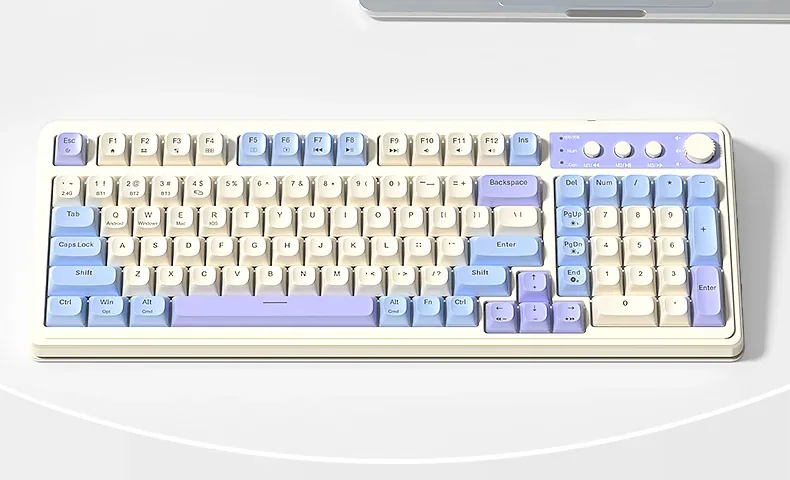
A 98% layout: the number pad without the width

The layout has 99 keys and loses none of the important ones: number pad, full F row, arrows and navigation are all there. The clusters sit tight against each other, so the case is only 412.4 mm wide — almost 4 cm narrower than a full-size board. The space you win goes to the mouse, which matters more than it sounds on a desk under a metre wide.

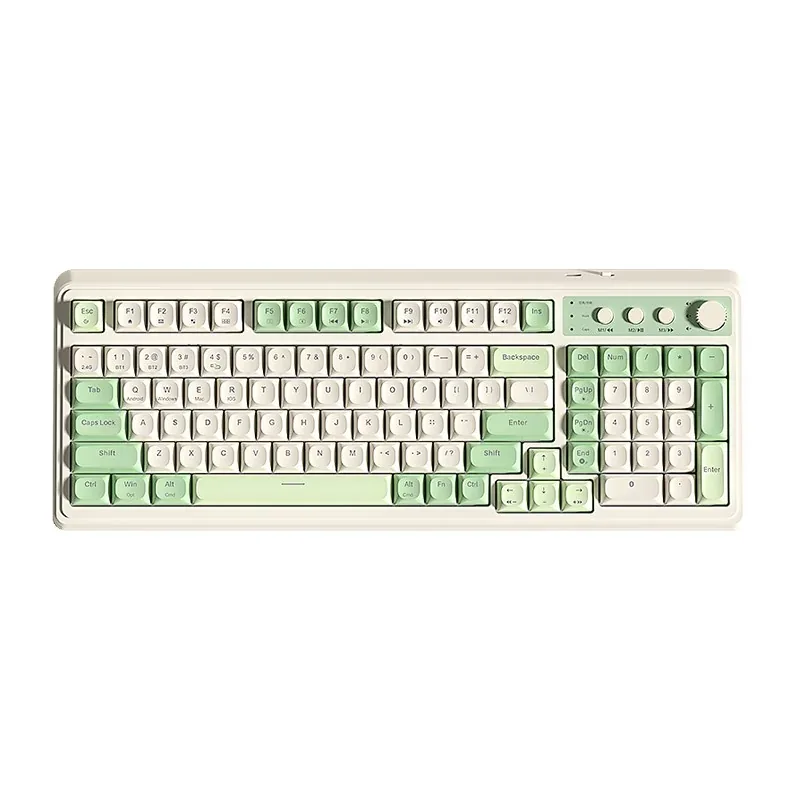
The 99-key, 98% layout of the AULA S99 seen from above
02

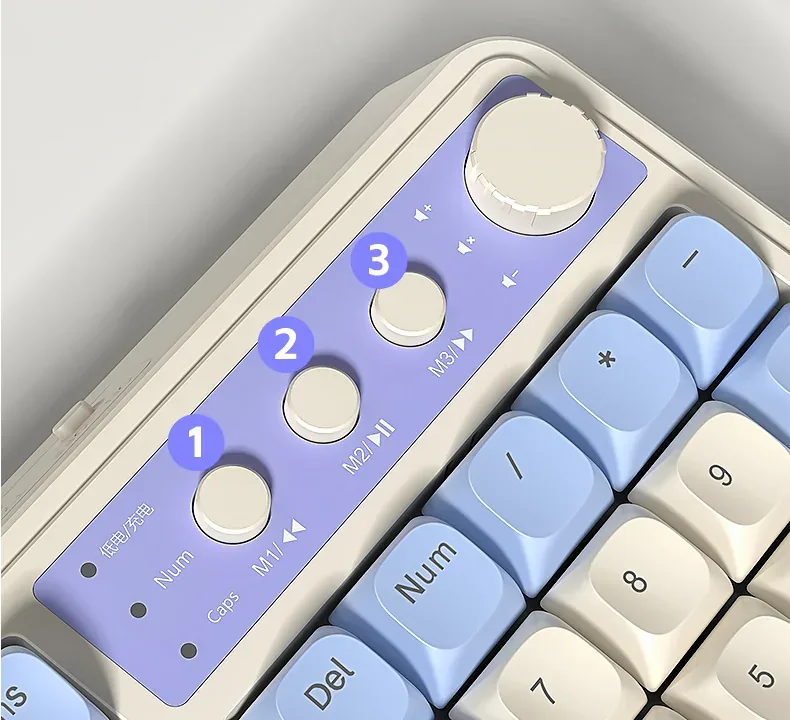
A knob and three keys you set up yourself

Three round keys — M1, M2 and M3 — and a knob sit in the top right corner. Out of the box M1-M3 control music (previous track, pause, next), but Fn+Ins records hardware macros onto them: the keyboard memorises the sequence itself, with no software. The knob has two modes — gaming and office — and a long press swaps between them while the lighting blinks three times. In one mode turning sets backlight brightness, in the other volume, and a press mutes.

Close-up of the AULA S99: the knob, the round M1-M3 keys and the charge, Num and Caps indicators
03

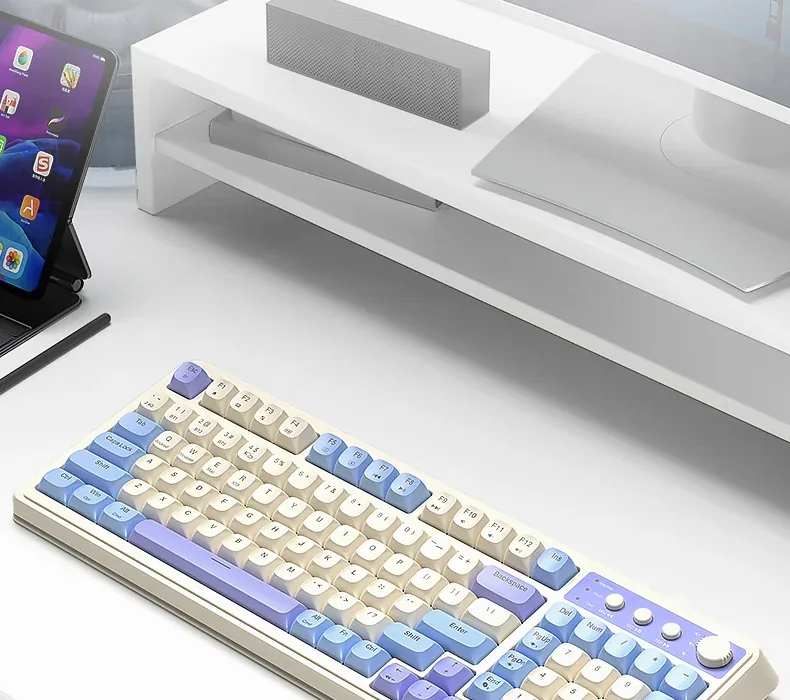
Three channels and four systems

Bluetooth keeps three devices on separate BT1, BT2 and BT3 channels, the 2.4 GHz receiver adds a fourth link, and the Type-C cable stays as the fallback when the battery runs flat. The operating-system profile is a separate switch: Fn+W for Windows, Fn+E for macOS, Fn+R for iOS and Fn+Q for Android, so modifiers and the F row behave the way each system expects.

The AULA S99 on a desk with a monitor and a tablet

Spherical PBT keycaps

The caps are PBT — a denser plastic than ABS that does not go shiny under fingertips and does not turn slippery. The profile is spherical, with a clear dish on every key that guides the fingertip to the centre. Legends are printed crisply and stay readable, and PBT gives a deeper, tighter sound than thin ABS.

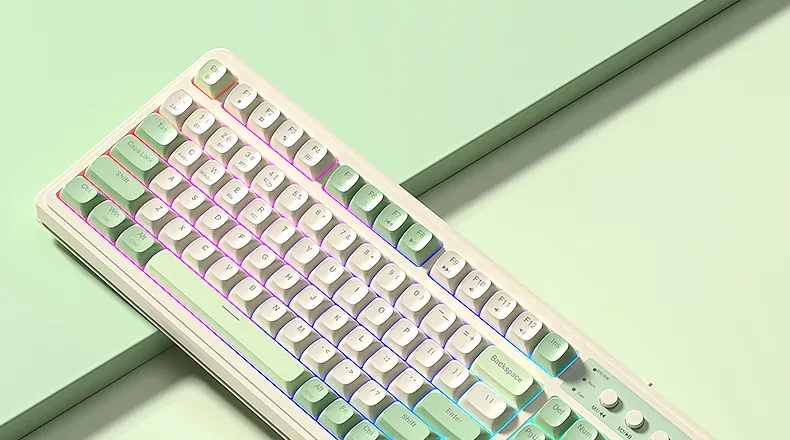
AULA S99 RGB lighting against a light green background

2,000 mAh, three angles and one charging rule

AULA says the built-in 2,000 mAh cell lasts for months with the lighting off; with RGB running it drains much faster, and the knob makes it easy to dim. The maker is explicit about charging: use a computer USB port, because a wall charger is not supported. Underneath are two-section feet that give the case three typing angles.

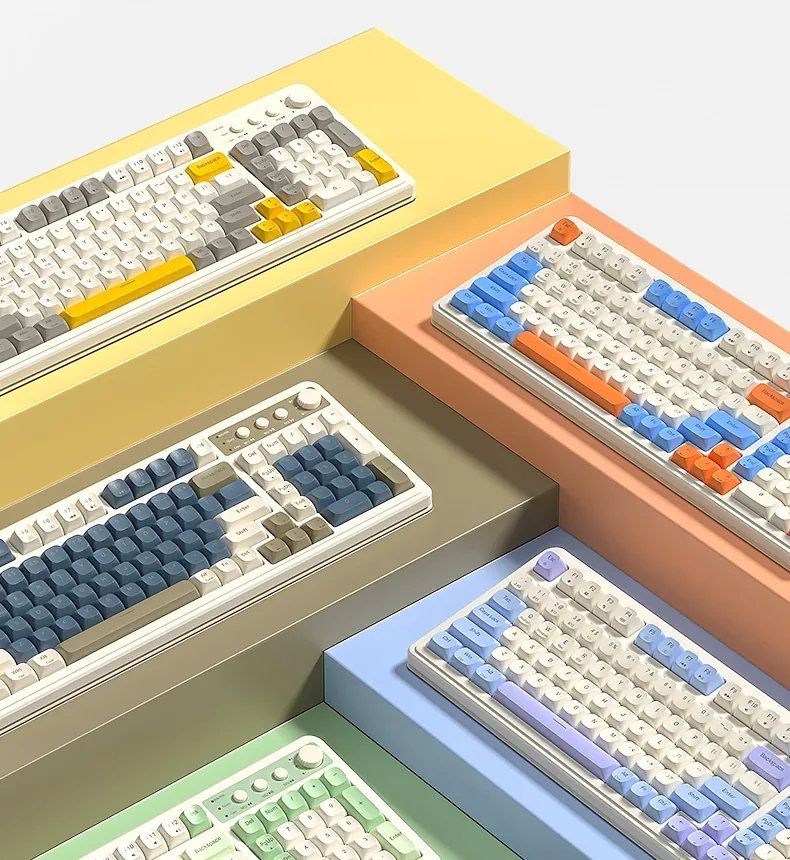
Five AULA S99 colourways: yellow, orange with blue, navy, blue-violet and green

Specifications

AULA S99 specifications

A 98% layout: the number pad without the width

The layout has 99 keys and loses none of the important ones: number pad, full F row, arrows and navigation are all there. The clusters sit tight against each other, so the case is only 412.4 mm wide — almost 4 cm narrower than a full-size board. The space you win goes to the mouse, which matters more than it sounds on a desk under a metre wide.

A knob and three keys you set up yourself

Three round keys — M1, M2 and M3 — and a knob sit in the top right corner. Out of the box M1-M3 control music (previous track, pause, next), but Fn+Ins records hardware macros onto them: the keyboard memorises the sequence itself, with no software. The knob has two modes — gaming and office — and a long press swaps between them while the lighting blinks three times. In one mode turning sets backlight brightness, in the other volume, and a press mutes.

Three channels and four systems

Bluetooth keeps three devices on separate BT1, BT2 and BT3 channels, the 2.4 GHz receiver adds a fourth link, and the Type-C cable stays as the fallback when the battery runs flat. The operating-system profile is a separate switch: Fn+W for Windows, Fn+E for macOS, Fn+R for iOS and Fn+Q for Android, so modifiers and the F row behave the way each system expects.

Spherical PBT keycaps

The caps are PBT — a denser plastic than ABS that does not go shiny under fingertips and does not turn slippery. The profile is spherical, with a clear dish on every key that guides the fingertip to the centre. Legends are printed crisply and stay readable, and PBT gives a deeper, tighter sound than thin ABS.

2,000 mAh, three angles and one charging rule

AULA says the built-in 2,000 mAh cell lasts for months with the lighting off; with RGB running it drains much faster, and the knob makes it easy to dim. The maker is explicit about charging: use a computer USB port, because a wall charger is not supported. Underneath are two-section feet that give the case three typing angles.

This product is ordered in. Delivery is expected on 18 November 2026. GEEKSHOP confirms stock, the final price and delivery. This information is not a public offer.

Model specifications: the official AULA site

Layout
99 keys, 98% layout
Connection
Bluetooth, 2.4 GHz, Type-C
Battery
2,000 mAh
Keycaps
PBT, spherical profile
Total key travel
4.0 mm
Weight
≈750 g
Type
98% membrane keyboard with three connection modes
Model
S99
Wireless
Bluetooth for three devices (BT1-BT3) and 2.4 GHz via the receiver
Wired mode
Cable into the Type-C socket on the keyboard
Channel switching
Fn+1 / Fn+2 / Fn+3 for Bluetooth, Fn+~ for 2.4 GHz, Fn+4 for cable
Supported systems
Windows, macOS, iOS, Android (Fn+W, Fn+E, Fn+R, Fn+Q)
Control knob
A long press swaps the gaming/office mode (the backlight blinks three times); in one mode turning sets backlight brightness, in the other volume, and a press mutes
M1-M3 keys
Three round keys: previous track, pause and next track by default; macro recording with Fn+Ins
Backlight
RGB; colour with Fn+End, effects with Fn+PgUp and Fn+PgDn, brightness and speed with Fn and the arrows
Media shortcuts
Fn+F1 to F12: volume, playback, screen brightness, file explorer, Alt+Tab
Indicators
Charge, Num, Caps
Switch type
Membrane, quiet action
Feet
Two-section, three typing angles
Dimensions
412.4 × 158 × 51.7 mm (±0.5 mm)
Rated voltage
DC 3.7 V
Rated current
no more than 150 mA
Charging
Over Type-C from a computer USB port only; AULA does not support a wall adapter
Runtime
AULA states months of use with the lighting off
In the box

  • AULA S99 keyboard
  • Cable with a Type-C plug
  • 2.4 GHz receiver

Video

Hear how it sounds.

Questions

The short answers.

When is delivery expected?

Delivery is expected on 18 November 2026. A pre-order locks the price and your place in the batch; GEEKSHOP confirms the exact date.

Is this a mechanical keyboard?

No, the S99 is a membrane model that AULA sells as the quiet alternative to mechanical boards: 4.0 mm of total travel, a soft press and a muted sound. The caps, though, are spherical PBT like those on custom mechanical boards, so it feels noticeably denser under the fingers than a plain office keyboard.

Which colourway will arrive?

AULA makes the S99 in several colour combinations - green, blue with orange, navy, grey with yellow or blue-violet keys on a cream body, plus a pink version. The supplier lists the model as a single 'RGB, EN layout' line, so check the available colourway with a GEEKSHOP manager when the preorder is confirmed.

How should I charge it?

With the Type-C cable from a computer USB port — that is exactly what AULA's official description says, and the maker does not support a wall adapter. The indicator left of the M1-M3 keys shows charging and low battery, and the keyboard switches itself off when the cell is deeply discharged.

When does a preorder arrive?

The model is sold on preorder: you leave a request, a GEEKSHOP manager confirms the order and the terms, and delivery then takes about a month. The manager gives the exact date at confirmation.

Who confirms the price, stock and delivery?

GEEKSHOP confirms stock, the final price and delivery. The information on this site is not a public offer.

How do I order?

Add products to the cart and send the order — it opens in Telegram with a GeekShop manager, who confirms stock, the final price and timing. Nothing is paid on the site.

How much is delivery?

Delivery anywhere in Uzbekistan costs 50,000 UZS. The manager gives the timing when confirming the order.

How to buy

Three presses to your AULA.

Message on Telegram@geekshop_manager
  1. Cart

    Build the order on the site — or message the manager on Telegram straight away.

  2. Confirmation

    The order goes to GeekShop: a manager confirms stock, price and timing.

  3. Delivery

    Anywhere in Uzbekistan — 50,000 UZS. Payment is agreed with the manager after confirmation.

  • Orders through GEEKSHOP
  • 1-month warranty
  • Genuine, factory-sealed
  • Nothing paid on the site

Goes well with

AULA SC380 Pro
AULA SC380 Pro

Black 55g gaming mouse with PAW3311 and tri-mode connectivity

55 g and a PAW3311 sensor · Cable, receiver or Bluetooth · 500 mAh and charging-dock support

315,000 UZS In stock
AULA SC580X
AULA SC580X

Black tri-mode gaming mouse with 10–12K DPI and 6 programmable buttons

Solid shell, around 82 g · Three modes for desktop and laptop · Up to 1000 Hz and a 500 mAh battery

273,000 UZS In stock
AULA SC590 Pro
AULA SC590 Pro

Black 64g gaming mouse with PAW3311, 20K DPI and Smart Display

Mouse status on its display · Compact solid shell, about 64 g · Three connections and adjustable DPI

304,500 UZS In stock
AULA SC620
AULA SC620

Black 67g gaming mouse with PAW3311, 12K DPI and tri-mode

Honeycomb shell, 67 g · PAW3311 and accessible side buttons · 400 mAh and three ways to connect

262,500 UZS In stock
Full catalog

Your cart

Nothing here yet. Press any key — in the catalog.

Full catalog