AULA S18 — 1

AULA S18gaming mouse

AULA S18 — gaming mouse.

A full-palm grip, four weights and seven programmable buttons

A wired mouse with a Sunplus 6698A sensor, four DPI steps up to 6400, seven programmable buttons and removable weights.

130,000 UZS Pre-order

Expected: 18 November

Ordered in for you — GEEKSHOP confirms the exact date

Pre-order — no payment now. A GEEKSHOP manager will contact you to confirm availability, the delivery date and payment.

Price and stock come live from GeekShop

  • 6400DPI sensor maximum
  • 1000Hz polling rate
  • 7keys programmable buttons
  • 4pcs removable weights

Why people pick it

What you get

01

A big shell for a full palm grip

The S18 is noticeably larger than a regular office mouse: 127 × 91 × 41 mm, with a wide back and a pronounced thumb rest. The palm sits on it completely and the fingers do not hang over the edges, which makes it comfortable for a palm grip and for larger hands. The surface is matte, non-slip and wear-resistant — a point AULA makes specifically in its description of the shell.

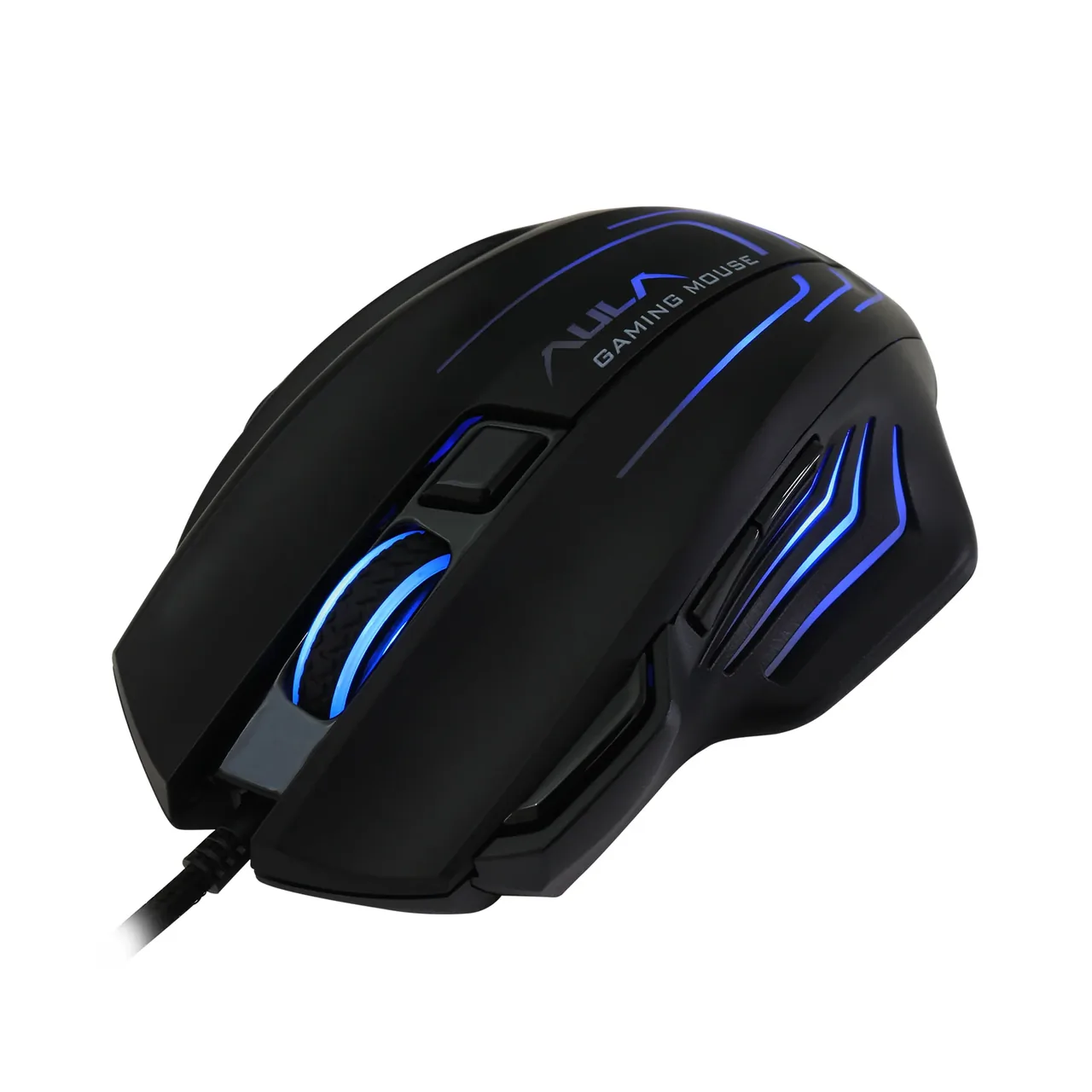
Black AULA S18 gaming mouse at three-quarter angle with a lit logo and its USB cable
02

Four DPI steps with a colour cue

The button under the wheel cycles four sensitivity steps — 1200, 2400, 3200 and 6400 DPI. So you never have to guess which one is active, the lighting changes colour: green, purple, blue, red. The lower steps suit precise aiming and document work, the top one suits fast turns and high-resolution monitors. The driver offers twelve values starting at 200 DPI, and any four of them can replace the factory set.

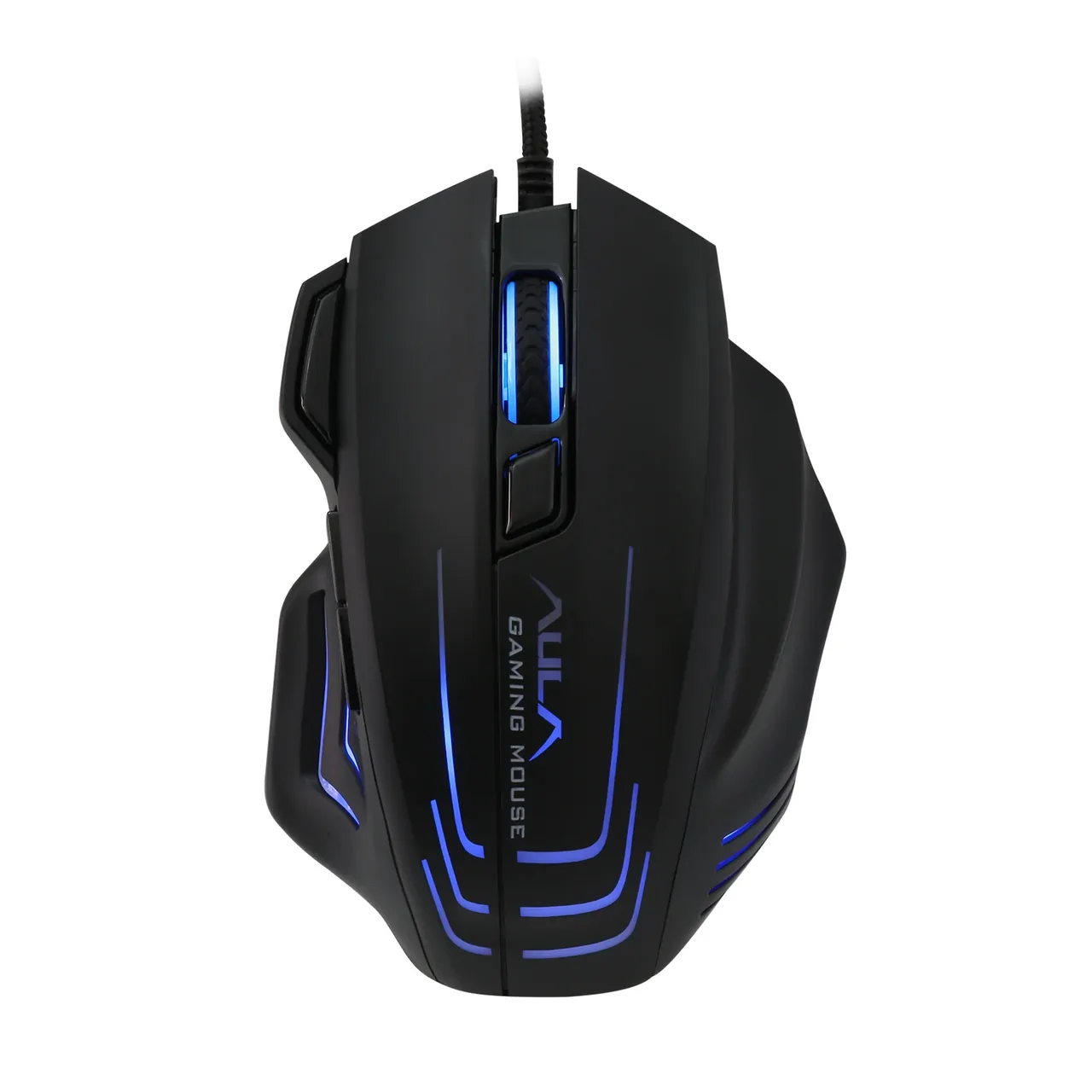
AULA S18 gaming mouse from above: wheel, DPI button and blue lighting along the side strips
03

Seven buttons, macros and a rapid-fire key

Besides the left, right and wheel click, the S18 has a DPI switch, two forward/back keys under the thumb and a separate rapid-fire button next to the left click. In the AULA driver for Windows each of the seven buttons can be given its own function or macro: a burst of shots, a key combination, a program launch or a media command. The settings live in a profile, while the basic functions work even without the software installed.

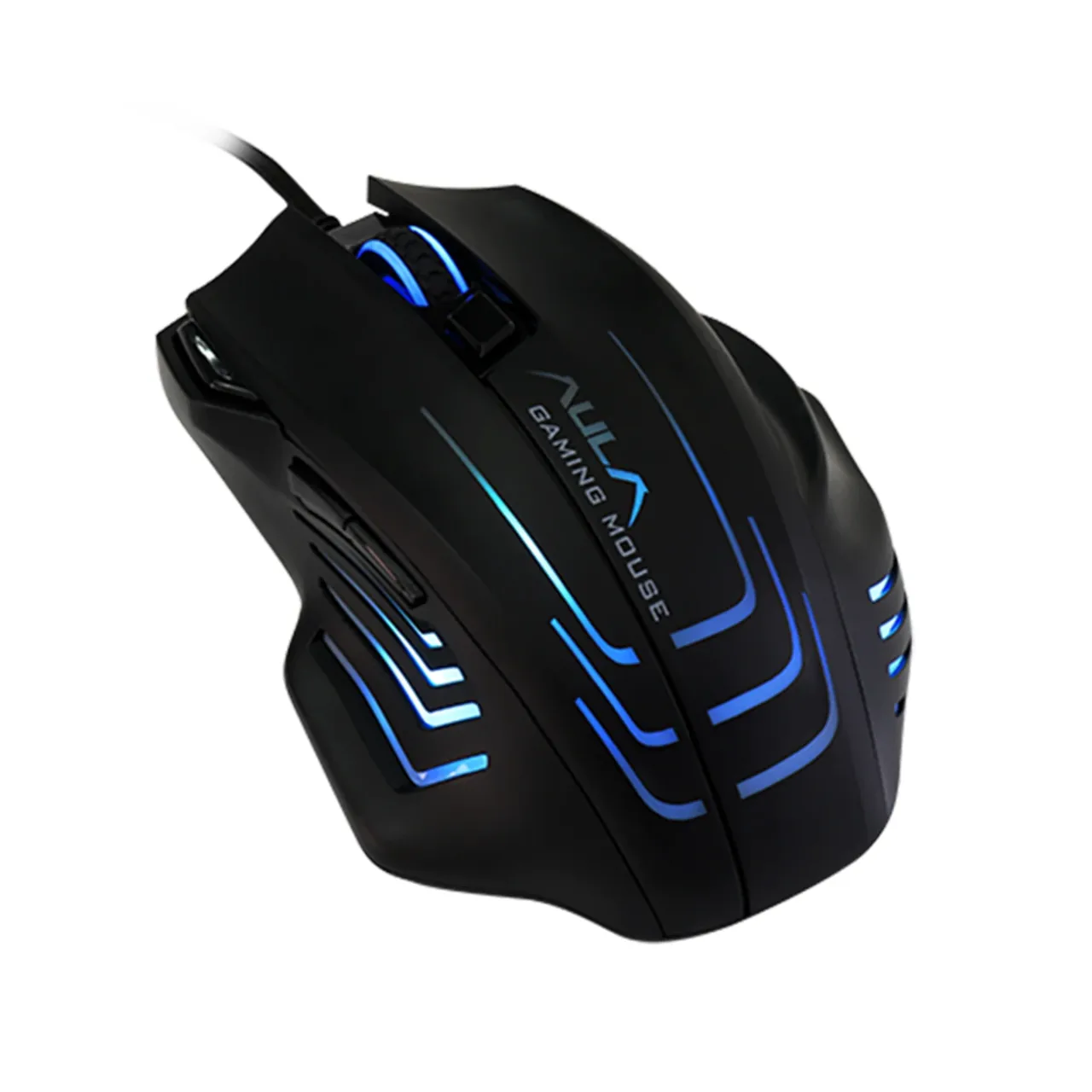
AULA S18 at a three-quarter angle from the left: thumb buttons and the lit inserts in the shell

Light and weight tuned to you

The lighting runs seven colours and several modes: a smooth fade, a flash on each click, a single-colour breathing effect or a colour tied to the current DPI step. Brightness and effects are adjustable. Four weight blocks sit under the bottom cover — take them out one by one if the mouse feels heavy, or leave them all in when you want inertia for steady aiming.

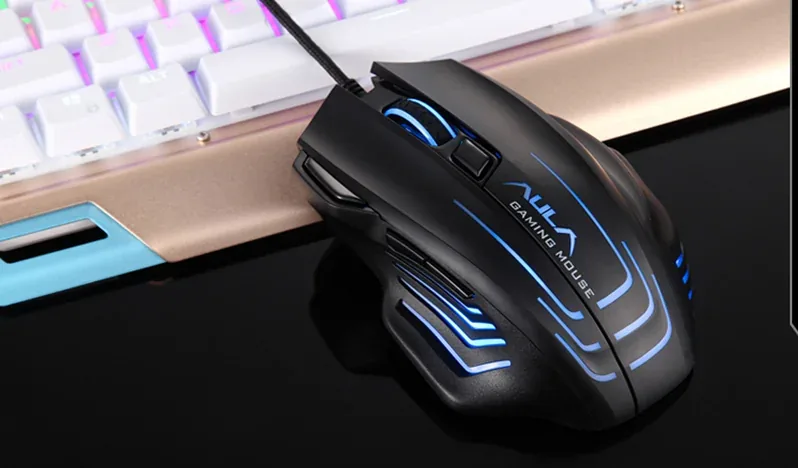
AULA S18 on a desk next to a keyboard, its shell strips glowing

Specifications

AULA S18 specifications

A big shell for a full palm grip

The S18 is noticeably larger than a regular office mouse: 127 × 91 × 41 mm, with a wide back and a pronounced thumb rest. The palm sits on it completely and the fingers do not hang over the edges, which makes it comfortable for a palm grip and for larger hands. The surface is matte, non-slip and wear-resistant — a point AULA makes specifically in its description of the shell.

Four DPI steps with a colour cue

The button under the wheel cycles four sensitivity steps — 1200, 2400, 3200 and 6400 DPI. So you never have to guess which one is active, the lighting changes colour: green, purple, blue, red. The lower steps suit precise aiming and document work, the top one suits fast turns and high-resolution monitors. The driver offers twelve values starting at 200 DPI, and any four of them can replace the factory set.

Seven buttons, macros and a rapid-fire key

Besides the left, right and wheel click, the S18 has a DPI switch, two forward/back keys under the thumb and a separate rapid-fire button next to the left click. In the AULA driver for Windows each of the seven buttons can be given its own function or macro: a burst of shots, a key combination, a program launch or a media command. The settings live in a profile, while the basic functions work even without the software installed.

Light and weight tuned to you

The lighting runs seven colours and several modes: a smooth fade, a flash on each click, a single-colour breathing effect or a colour tied to the current DPI step. Brightness and effects are adjustable. Four weight blocks sit under the bottom cover — take them out one by one if the mouse feels heavy, or leave them all in when you want inertia for steady aiming.

This product is ordered in. Delivery is expected on 18 November 2026. GEEKSHOP confirms stock, the final price and delivery. This information is not a public offer.

Model specifications: the official AULA site

Connection
USB-A, wired
Sensor
optical Sunplus 6698A
Resolution
up to 6400 DPI, 4 steps
Buttons
7, programmable
Polling rate
up to 1000 Hz
Switch rating
20 million clicks
Type
Wired gaming mouse
Model
S18
Series
Mountain
DPI steps on the mouse
1200 / 2400 / 3200 / 6400 DPI, shown in green, purple, blue and red
DPI steps in the driver
12 values from 200 to 6400 DPI, four of them stored in the mouse
Button count
7 (left, right, wheel click, DPI, rapid fire, forward, back)
Dimensions
127 × 91 × 41 mm
Weight
117 g without the cable on AULA's model page; 170 g in AULA's parameter table
Weights
4 built-in weight blocks, installed or removed separately
Finish
Matte non-slip plastic
Main key travel
0.8 mm
Actuation force
65 ± 5 g
Power
5 V DC, under 100 mA (over USB)
Lighting
Seven-colour, with adjustable brightness and effects
Lighting modes
Random colour breathing, click flash, multi-colour cycling, single-colour breathing, mixed colour and DPI-linked colour
Software
AULA driver for Windows: key assignment, macros, DPI and lighting
Operating systems
Windows 2000 / XP / 7 / 8 / 10 (as listed by AULA)
Body colour
Black

In the box

  • AULA S18 mouse with a 1.8 m cable
  • 4 weight blocks fitted inside the body

Questions

The short answers.

When is delivery expected?

Delivery is expected on 18 November 2026. A pre-order locks the price and your place in the batch; GEEKSHOP confirms the exact date.

Is a driver required, and how do I set up macros?

For everyday use no driver is needed: the mouse is recognised as a standard USB device and the DPI steps are cycled with the button under the wheel. The software matters if you want to remap buttons, record macros, pick your own DPI steps from the twelve available or change the lighting mode. The S18 driver is published in the download section of aulastar.com and is released for Windows.

What does the mouse weigh and how do the weights work?

Four weight blocks sit in the body and can be removed or refitted one at a time through the bottom cover, which is how you tune the feel. AULA's own materials give two different figures: the model page says 117 g without the cable, the parameter table says 170 g. The manufacturer does not explain what each figure includes and does not publish the mass of a single block, so we quote both as they stand. The simplest way to know your own unit is to weigh it once the order arrives.

Will it work with a laptop that only has USB-C ports?

The mouse has a fixed 1.8 m cable with a USB-A plug. A laptop without a full-size port needs a simple USB-C adapter or a hub; the mouse still behaves as an ordinary USB device and needs no setup. No adapter is included.

How does the preorder work and when does the mouse arrive?

This model is sold on preorder. Once you place the request a GEEKSHOP manager contacts you and confirms the order; delivery takes roughly a month from that confirmation. The manager gives the exact timing at confirmation, as it depends on the batch and the shipping.

Who confirms the price, stock and delivery?

GEEKSHOP confirms stock, the final price and delivery. The information on this site is not a public offer.

How do I order?

Add products to the cart and send the order — it opens in Telegram with a GeekShop manager, who confirms stock, the final price and timing. Nothing is paid on the site.

How much is delivery?

Delivery anywhere in Uzbekistan costs 50,000 UZS. The manager gives the timing when confirming the order.

How to buy

Three presses to your AULA.

Message on Telegram@geekshop_manager
  1. Cart

    Build the order on the site — or message the manager on Telegram straight away.

  2. Confirmation

    The order goes to GeekShop: a manager confirms stock, price and timing.

  3. Delivery

    Anywhere in Uzbekistan — 50,000 UZS. Payment is agreed with the manager after confirmation.

  • Orders through GEEKSHOP
  • 1-month warranty
  • Genuine, factory-sealed
  • Nothing paid on the site

Goes well with

AULA F108Pro
AULA F108Pro

Full-size gasket keyboard with TFT screen

104 keys for numbers and navigation · Screen and knob within reach · Two cells, 8000 mAh total

840,000 UZS In stock
AULA F75
AULA F75

75% gasket-mount wireless keyboard with hot-swap

80 keys, arrows and a knob · Gasket, a PC plate and five layers · Three modes without changing keyboards

640,500 UZS In stock
AULA F75 Wired Version

75% gasket wired keyboard with knob and hot-swap

Black/red F75 without a numpad · USB-C: connect and start typing · Gasket mounting and one-knob control

388,500 UZS In stock
AULA F87Pro V2
AULA F87Pro V2

TKL gasket wireless keyboard with 8K polling and 10000mAh

TKL: 87 keys without a numpad · LED matrix and dual 8K reporting · Three modes and replaceable switches

745,500 UZS In stock
Full catalog

Your cart

Nothing here yet. Press any key — in the catalog.

Full catalog