AULA S11 — 1

AULA S11gaming mouse

AULA S11 — gaming mouse.

A honeycomb glow and four DPI steps

A wired mouse with a honeycomb top shell, seven-colour lighting and four DPI steps up to 3600.

41,000 UZS Pre-order

Expected: 18 November

Ordered in for you — GEEKSHOP confirms the exact date

Pre-order — no payment now. A GEEKSHOP manager will contact you to confirm availability, the delivery date and payment.

Price and stock come live from GeekShop

  • 3600DPI sensor maximum
  • 4keys buttons
  • 7colors lighting colours

Why people pick it

What you get

01

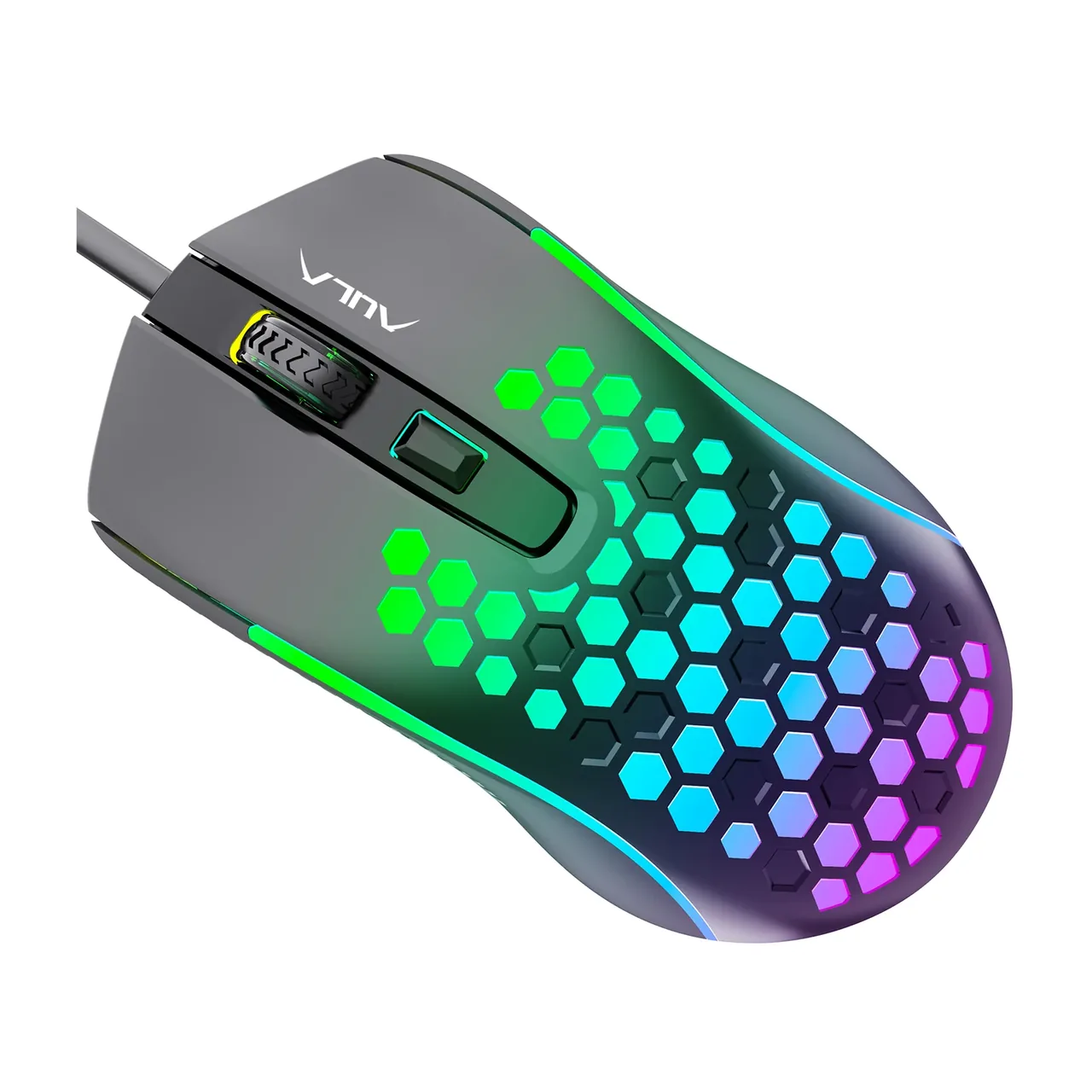
Light through the honeycomb

The top shell is cut with hexagonal openings and the lighting shines straight through them, so the pattern reads both in daylight and in the dark. AULA calls the mode a seven-colour breathing effect: the colours fade into one another, among them red, green, light blue, navy and pink. Glowing strips along the sides pick up the same colour.

AULA S11 gaming mouse from above: honeycomb cut-outs lit with multicolour RGB
02

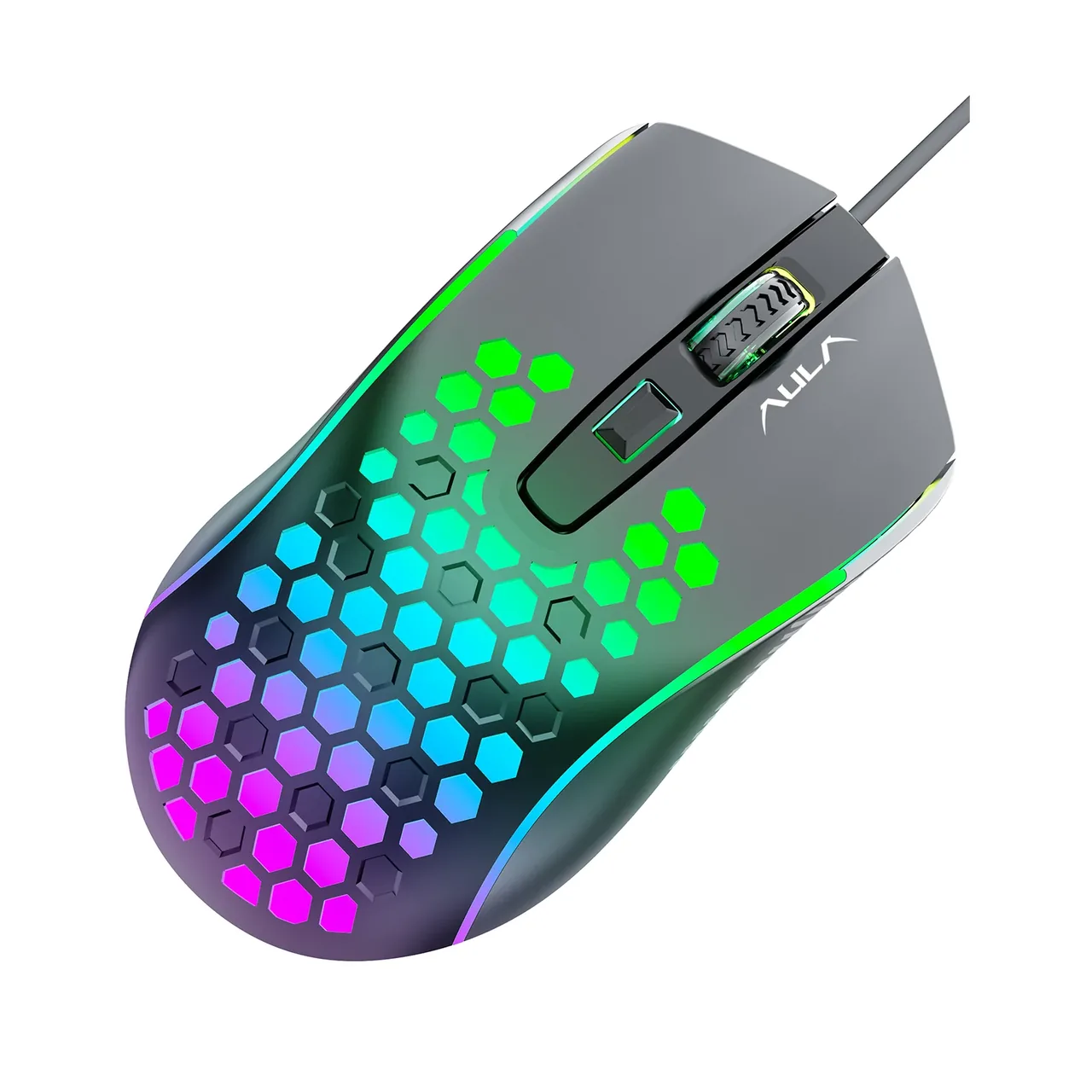
Four sensitivity steps

AULA names the sensor in this mouse A603 and lists four DPI steps, from 1200 to 3600. The lower steps suit precise aiming and text work, the top one suits fast turns and large monitors. You cycle the steps with the button under the wheel, on the fly and without any software.

AULA S11 from an angled top view: the ridged wheel, the DPI button and the lit honeycomb
03

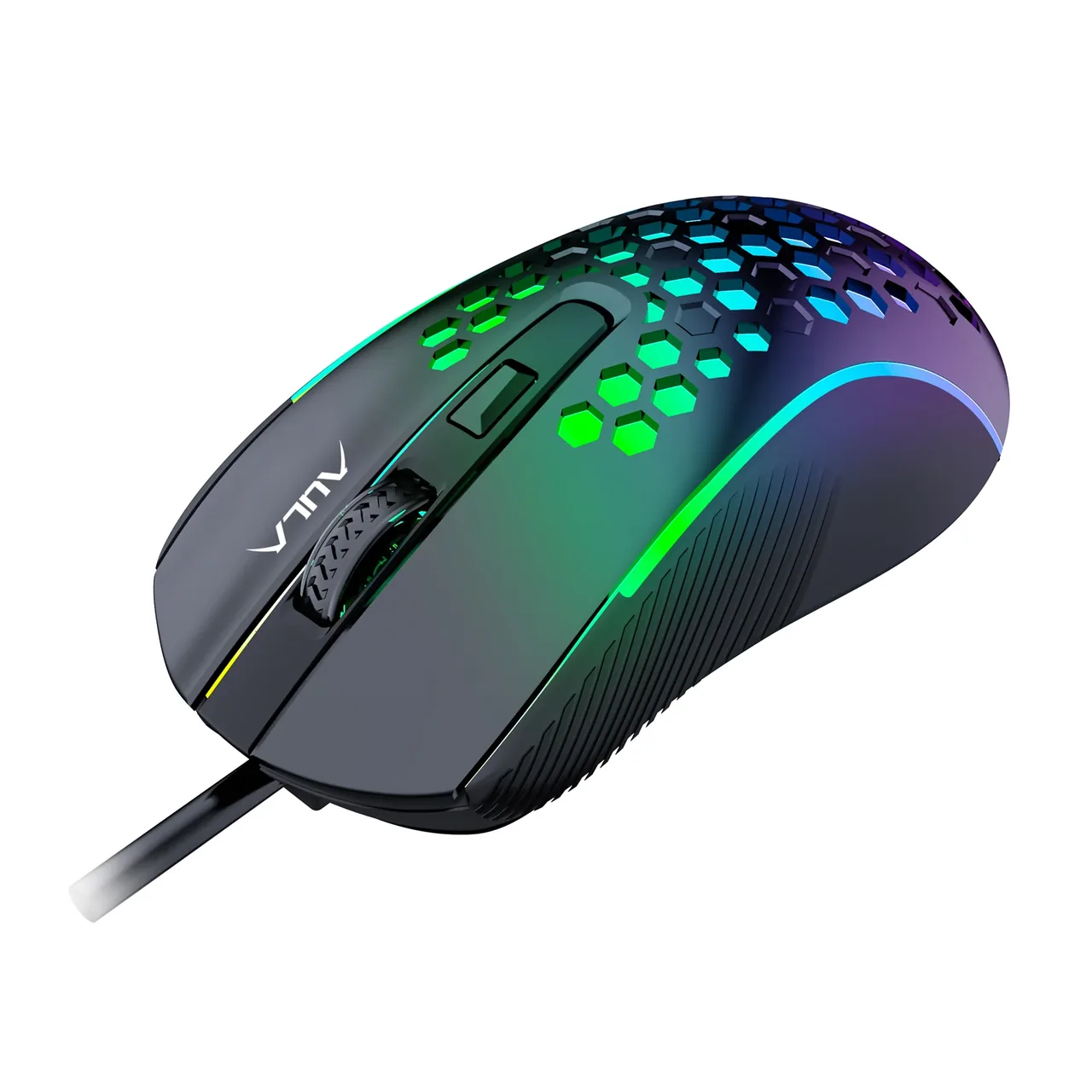
A palm shape and a ridged wheel

The body is elongated with a raised back, so the whole hand rests on it and the wrist does not hang. The side panels are ribbed — AULA calls them anti-slip side wings — so the thumb and little finger keep their hold. The wheel is rubberised with deep ridges: your finger does not slip on long pages and each scroll step is clearly felt.

AULA S11 from an angled top-left view: the elongated palm shape, the lit honeycomb and the USB cable

What this mouse does and does not do

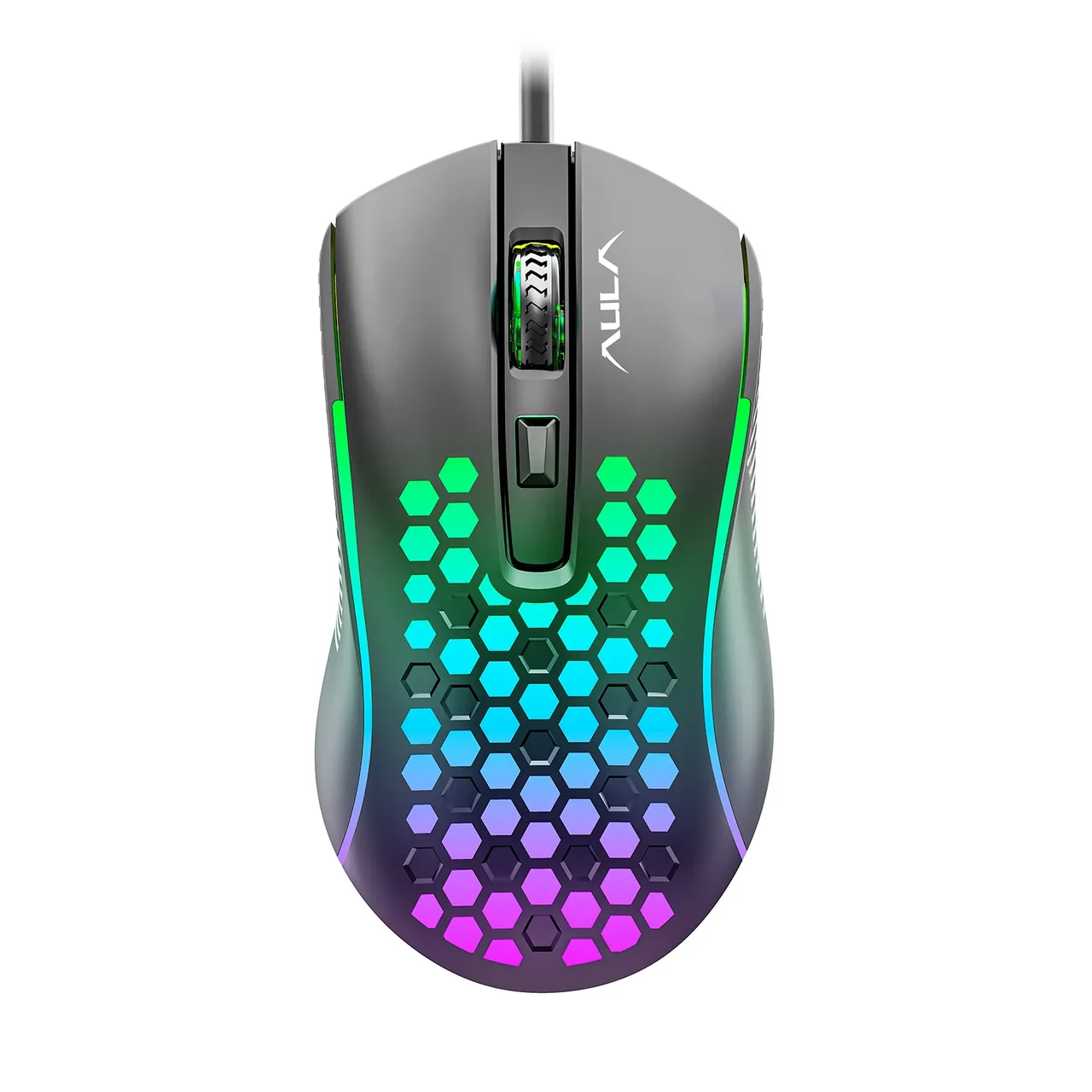
The S11 is an honest basic model. It has four buttons: left, right, wheel click and the DPI switch. There are no side buttons, no macros and no onboard profiles, and AULA does not state a polling rate for it. Take the S11 as an inexpensive mouse for study, office work and casual gaming rather than as a tool for competitive shooters.

AULA S11 at three-quarter angle with its USB cable and glowing side strips

Specifications

AULA S11 specifications

Light through the honeycomb

The top shell is cut with hexagonal openings and the lighting shines straight through them, so the pattern reads both in daylight and in the dark. AULA calls the mode a seven-colour breathing effect: the colours fade into one another, among them red, green, light blue, navy and pink. Glowing strips along the sides pick up the same colour.

Four sensitivity steps

AULA names the sensor in this mouse A603 and lists four DPI steps, from 1200 to 3600. The lower steps suit precise aiming and text work, the top one suits fast turns and large monitors. You cycle the steps with the button under the wheel, on the fly and without any software.

A palm shape and a ridged wheel

The body is elongated with a raised back, so the whole hand rests on it and the wrist does not hang. The side panels are ribbed — AULA calls them anti-slip side wings — so the thumb and little finger keep their hold. The wheel is rubberised with deep ridges: your finger does not slip on long pages and each scroll step is clearly felt.

What this mouse does and does not do

The S11 is an honest basic model. It has four buttons: left, right, wheel click and the DPI switch. There are no side buttons, no macros and no onboard profiles, and AULA does not state a polling rate for it. Take the S11 as an inexpensive mouse for study, office work and casual gaming rather than as a tool for competitive shooters.

This product is ordered in. Delivery is expected on 18 November 2026. GEEKSHOP confirms stock, the final price and delivery. This information is not a public offer.

Model specifications: the official AULA site
Connection
USB-A, wired
Sensor
optical, A603
Resolution
up to 3600 DPI, 4 steps
Buttons
4
Lighting
RGB, seven colours
Type
Wired gaming mouse
Model
S11
Series
Mountain
DPI steps
1200 / 1600 / 2400 / 3600 DPI (four steps)
Button count
4 (left, right, wheel click, DPI switch)
Top shell
Plastic with honeycomb cut-outs, the light shows through the holes
Scroll wheel
Rubberised, with deep ridges
Glide pads
Four non-slip pads on the base
Cable length
1.5 m (per AULA's parameter card)
Operating systems
Windows 2000 / XP / 7 / 8 / 10 (as listed by AULA)
Software and macros
Not provided: DPI is switched by the button on the mouse

Questions

The short answers.

When is delivery expected?

Delivery is expected on 18 November 2026. A pre-order locks the price and your place in the batch; GEEKSHOP confirms the exact date.

Does the mouse need software, and can I assign macros?

No software is required: the mouse is recognised as a standard USB device and works as soon as it is plugged in, while the DPI steps are cycled with the button under the wheel. AULA's download section lists no separate driver for the S11, so the model has no macros or programmable buttons. If you need macros, the AULA S12 with seven programmable buttons is the one to look at.

How is the S11 different from the S11 Pro?

The S11 has four buttons, a honeycomb panel over the rear of the shell and an A603 sensor stepping through 1200 / 1600 / 2400 / 3600 DPI. The S11 Pro has six buttons, including two thumb keys, a honeycomb relief across almost the whole top cover and datasheet figures of 92 g, 123 × 63 × 42 mm and 125 Hz, with steps of 1200 / 1800 / 2400 / 3600 DPI. Both top out at 3600 DPI, so the real difference is the back and forward thumb keys.

Will it work with a laptop that only has USB-C ports?

The mouse has a USB-A cable about 1.5 m long. A laptop without a full-size USB-A port needs a simple USB-C adapter or a hub; the mouse still behaves as a standard USB device and needs no setup. No adapter is included.

How does the preorder work and when will the mouse arrive?

This model is sold on preorder. After you place the request a GEEKSHOP manager contacts you and confirms the order, and delivery takes roughly a month from that confirmation. The manager gives the exact timing at confirmation, as it depends on the batch and shipping.

Who confirms the price, stock and delivery?

GEEKSHOP confirms stock, the final price and delivery. The information on this site is not a public offer.

How do I order?

Add products to the cart and send the order — it opens in Telegram with a GeekShop manager, who confirms stock, the final price and timing. Nothing is paid on the site.

How much is delivery?

Delivery anywhere in Uzbekistan costs 50,000 UZS. The manager gives the timing when confirming the order.

How to buy

Three presses to your AULA.

Message on Telegram@geekshop_manager
  1. Cart

    Build the order on the site — or message the manager on Telegram straight away.

  2. Confirmation

    The order goes to GeekShop: a manager confirms stock, price and timing.

  3. Delivery

    Anywhere in Uzbekistan — 50,000 UZS. Payment is agreed with the manager after confirmation.

  • Orders through GEEKSHOP
  • 1-month warranty
  • Genuine, factory-sealed
  • Nothing paid on the site

Goes well with

AULA F108Pro
AULA F108Pro

Full-size gasket keyboard with TFT screen

104 keys for numbers and navigation · Screen and knob within reach · Two cells, 8000 mAh total

840,000 UZS In stock
AULA F75
AULA F75

75% gasket-mount wireless keyboard with hot-swap

80 keys, arrows and a knob · Gasket, a PC plate and five layers · Three modes without changing keyboards

640,500 UZS In stock
AULA F75 Wired Version

75% gasket wired keyboard with knob and hot-swap

Black/red F75 without a numpad · USB-C: connect and start typing · Gasket mounting and one-knob control

388,500 UZS In stock
AULA F87Pro V2
AULA F87Pro V2

TKL gasket wireless keyboard with 8K polling and 10000mAh

TKL: 87 keys without a numpad · LED matrix and dual 8K reporting · Three modes and replaceable switches

745,500 UZS In stock
Full catalog

Your cart

Nothing here yet. Press any key — in the catalog.

Full catalog