AULA S102 Pro — 1

AULA S102 Prokeyboard

AULA S102 Pro (S102Pro) — keyboard.

Full size, wireless freedom and the charge on screen

A full-size keyboard with three connection modes, a control knob, a battery display, RGB and a 2,000 mAh cell.

Version Light Green + White + Dark Green
240,000 UZS Pre-order

Expected: 18 November

Ordered in for you — GEEKSHOP confirms the exact date

Pre-order — no payment now. A GEEKSHOP manager will contact you to confirm availability, the delivery date and payment.

Price and stock come live from GeekShop

  • 105 keys
  • 3 connection modes
  • 2000mAh battery
  • 125Hz polling rate

Why people pick it

What you get

01

A display that answers the main question

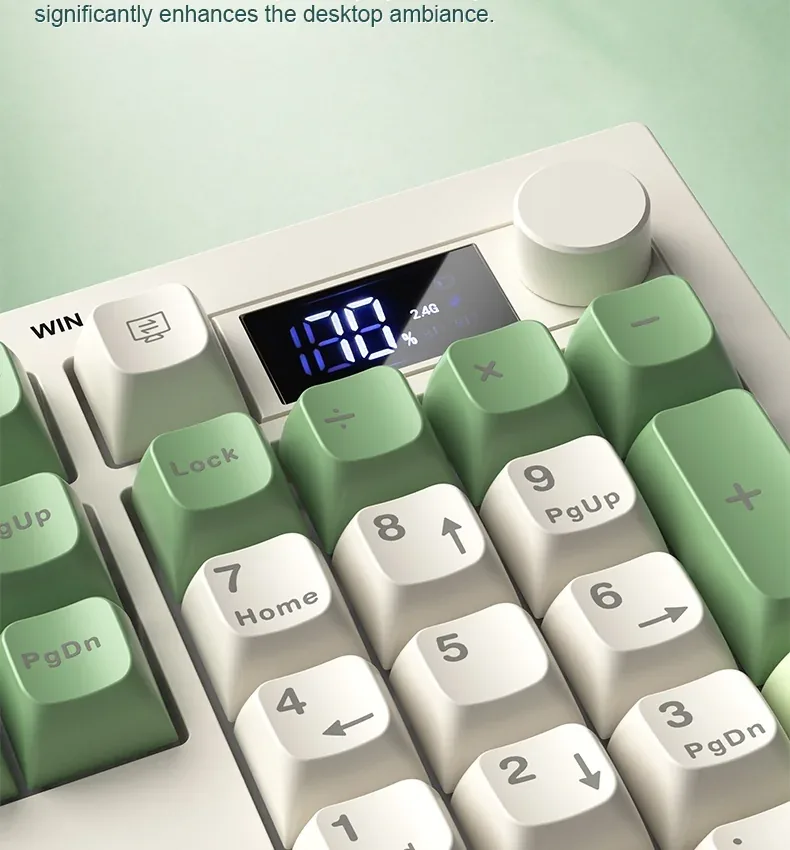
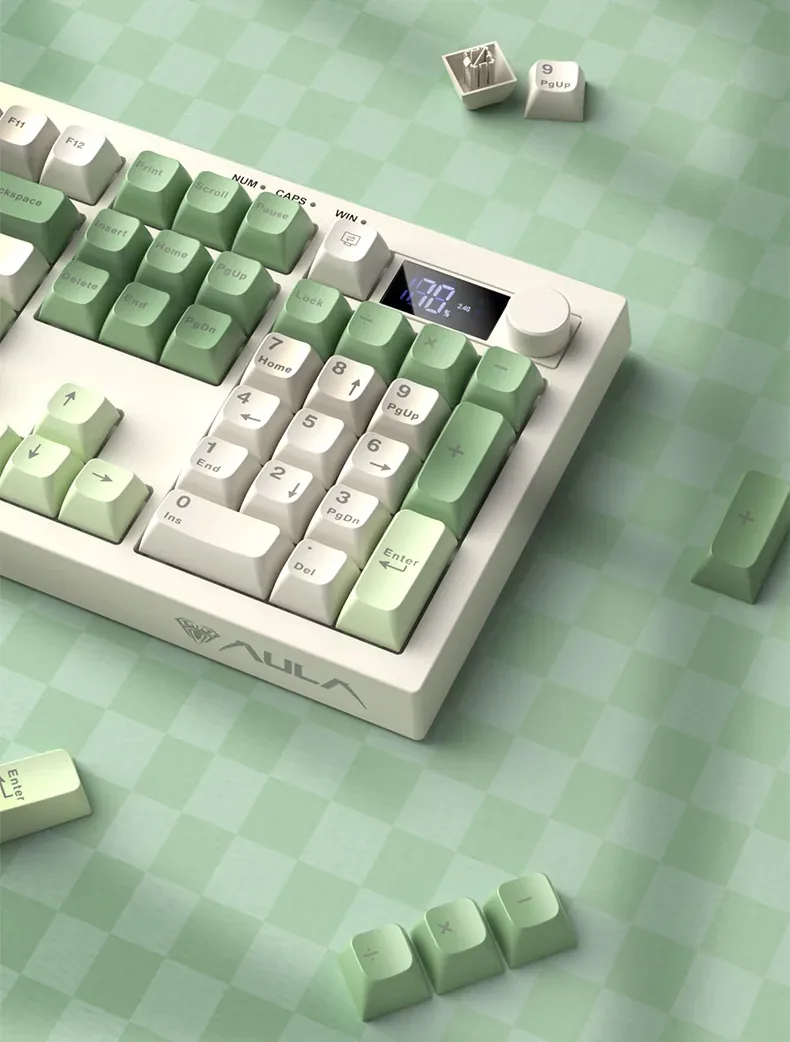
A small segment screen sits in the top right corner. It shows the charge as a percentage and lights up the active channel — 2.4G, BT1 or BT2. That removes the usual guesswork of a wireless keyboard: which device you are typing on and how much battery is left. The familiar Num, Caps and Win indicators sit beside it.

Close-up of the AULA S102 Pro display and knob above the number pad
02

A knob with two sets of functions

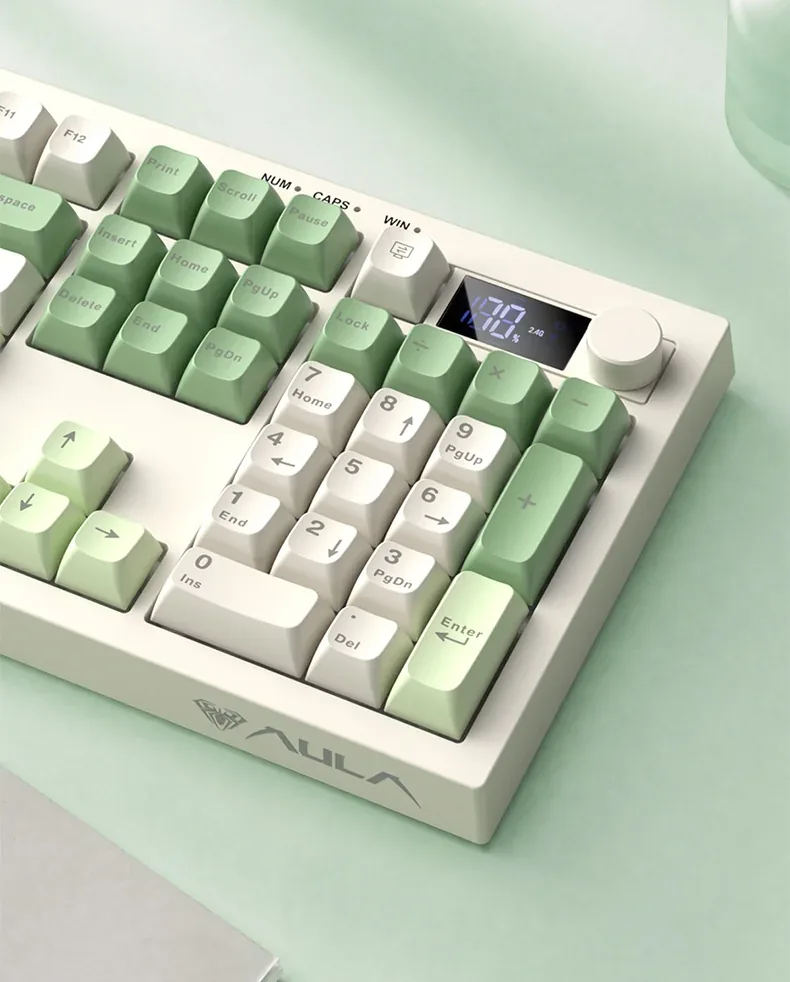
By default the knob runs audio: turn it for volume, press it to mute instantly. Hold it for five seconds and it flips to a second mode where turning sets backlight brightness and a press cycles the lighting effects. One control covers both sound and light without pulling you away from your work.

The AULA S102 Pro control knob and number pad seen up close
03

Three channels and three systems

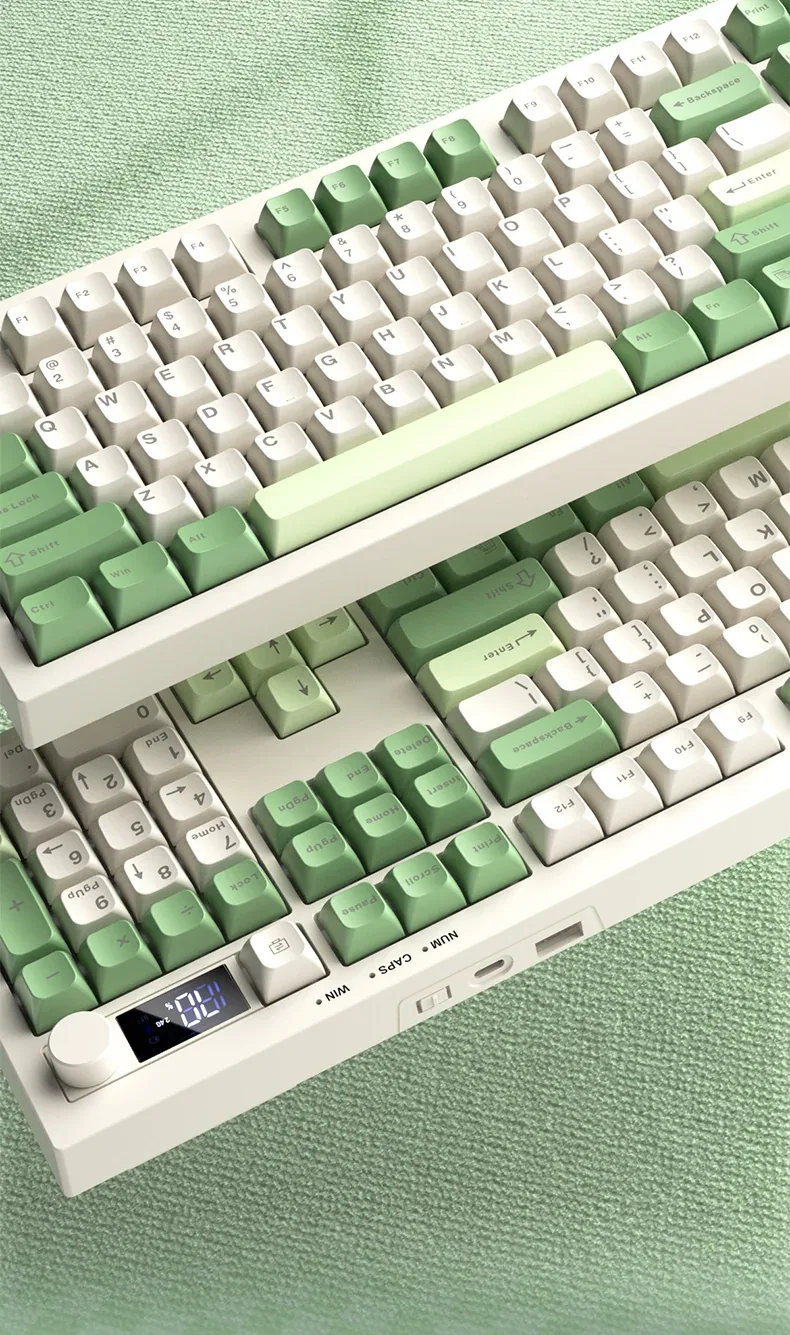
The S102 Pro holds two devices over Bluetooth 5.0 and a third on the 2.4 GHz link through its receiver; when the battery runs out or you want the shortest path, the Type-C cable is still there. The polling rate is the same 125 Hz in all three modes. Fn+A and Fn+S move the keyboard between Windows, macOS, iOS and Android layouts.

The AULA S102 Pro at an angle: the rear edge with the Type-C socket and mode switch, display and knob

2,000 mAh and an honest charging rule

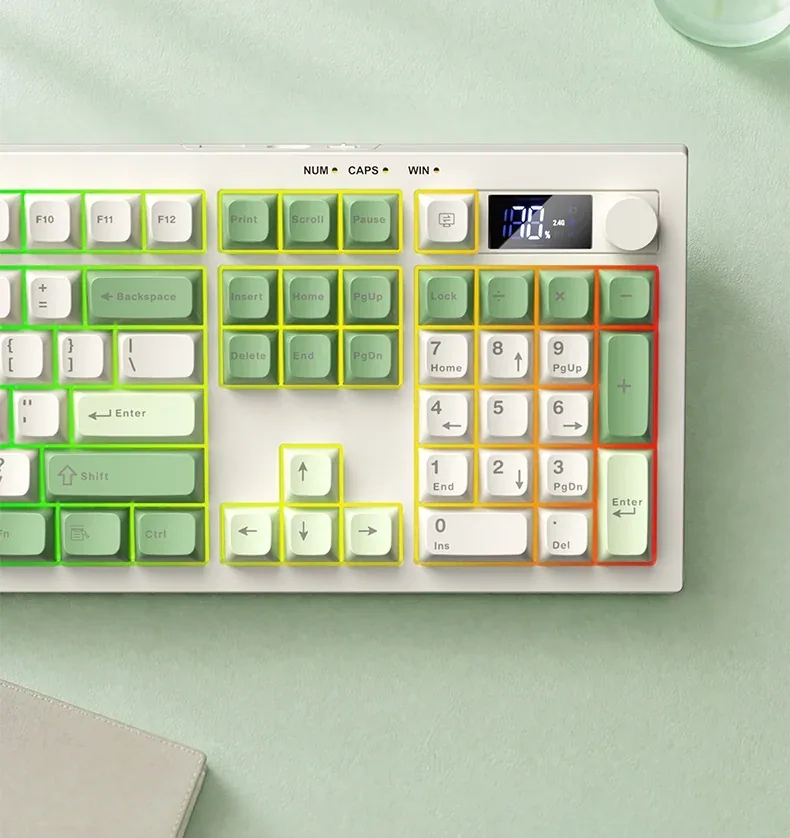
AULA says the built-in 2,000 mAh lithium cell runs for months with the lighting switched off; with the lights on, of course, it drains faster. The maker is explicit about one rule: charge from a computer USB port, because a wall adapter is not supported. There is no fast charging — a full cycle takes about 7–8 hours at no more than 250 mA.

AULA S102 Pro RGB lighting with a rainbow wash across the keys, top view

A full layout with a soft stroke

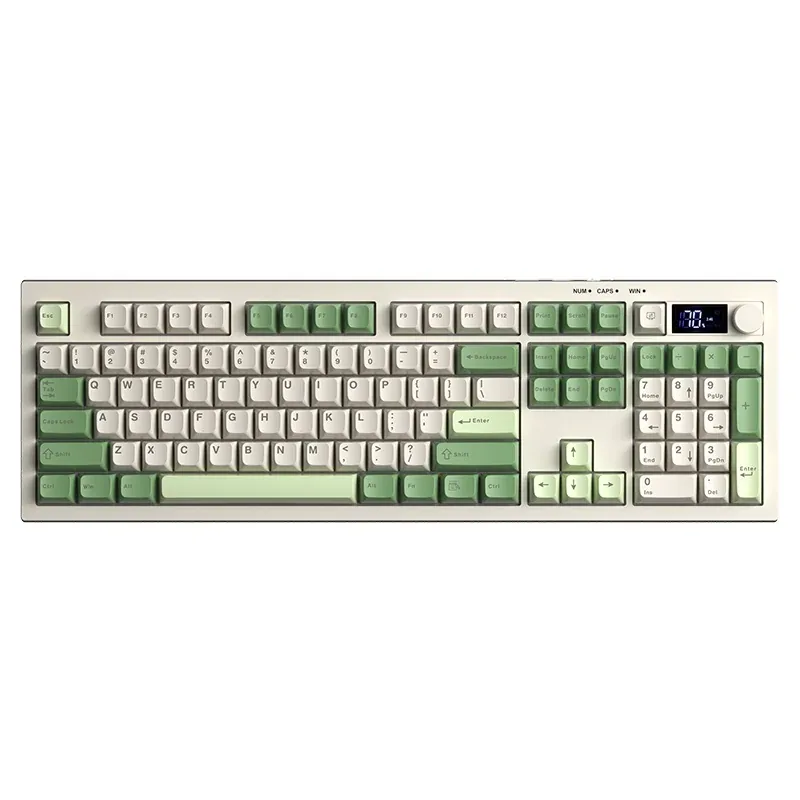
105 keys give you a real number pad, the F row and navigation, in a case just 20.1 mm tall and 831 g heavy. Under the keys is a membrane mechanism with silicone damping: a soft stroke and a muted sound rather than a sharp knock on plastic. The ABS caps keep an even matte finish that, AULA says, does not go shiny.

Removed ABS keycaps of the AULA S102 Pro next to the keyboard and its display

Specifications

AULA S102 Pro specifications

A display that answers the main question

A small segment screen sits in the top right corner. It shows the charge as a percentage and lights up the active channel — 2.4G, BT1 or BT2. That removes the usual guesswork of a wireless keyboard: which device you are typing on and how much battery is left. The familiar Num, Caps and Win indicators sit beside it.

A knob with two sets of functions

By default the knob runs audio: turn it for volume, press it to mute instantly. Hold it for five seconds and it flips to a second mode where turning sets backlight brightness and a press cycles the lighting effects. One control covers both sound and light without pulling you away from your work.

Three channels and three systems

The S102 Pro holds two devices over Bluetooth 5.0 and a third on the 2.4 GHz link through its receiver; when the battery runs out or you want the shortest path, the Type-C cable is still there. The polling rate is the same 125 Hz in all three modes. Fn+A and Fn+S move the keyboard between Windows, macOS, iOS and Android layouts.

2,000 mAh and an honest charging rule

AULA says the built-in 2,000 mAh lithium cell runs for months with the lighting switched off; with the lights on, of course, it drains faster. The maker is explicit about one rule: charge from a computer USB port, because a wall adapter is not supported. There is no fast charging — a full cycle takes about 7–8 hours at no more than 250 mA.

A full layout with a soft stroke

105 keys give you a real number pad, the F row and navigation, in a case just 20.1 mm tall and 831 g heavy. Under the keys is a membrane mechanism with silicone damping: a soft stroke and a muted sound rather than a sharp knock on plastic. The ABS caps keep an even matte finish that, AULA says, does not go shiny.

This product is ordered in. Delivery is expected on 18 November 2026. GEEKSHOP confirms stock, the final price and delivery. This information is not a public offer.

Model specifications: the official AULA site

Layout
105 keys, 100%
Connection
Bluetooth 5.0, 2.4 GHz, Type-C
Battery
2,000 mAh
Controls
control knob and display
Backlight
RGB with effects
Weight
≈831 g
Type
Full-size membrane keyboard with three connection modes
Model
S102 Pro
Wireless
Bluetooth 5.0 (two devices, BT1 and BT2) and 2.4 GHz via the receiver
Wired mode
Cable into the Type-C socket on the keyboard
Polling rate
125 Hz in all three modes
Supported systems
Windows, macOS, iOS, Android (switched with Fn+A / Fn+S)
Display
Segment display showing battery percentage and the active channel (2.4G / BT1 / BT2)
Control knob
Turn for volume, press to mute; hold for 5 s to switch to brightness and lighting effects
Indicators
Num, Caps, Win
Switch type
Membrane with a silicone sound-dampening layer
Keycaps
ABS, shine-resistant
Colourways
Light green + white, light pink + blue, white + grey
Dimensions
450.15 × 144.15 × 20.10 mm (±1 mm)
Rated voltage
DC 3.7 V
Charging current
no more than 250 mA
Charging time
about 7–8 hours; fast charging is not supported
Charging source
A computer USB port only; AULA does not support a wall adapter
Battery protection
Low-battery indicator; the keyboard powers off automatically when the cell is deeply discharged
In the box

  • AULA S102 Pro keyboard
  • Cable with a Type-C plug
  • 2.4 GHz receiver

Questions

The short answers.

When is delivery expected?

Delivery is expected on 18 November 2026. A pre-order locks the price and your place in the batch; GEEKSHOP confirms the exact date.

Can I charge it from a phone charger?

AULA does not support it: the official description states plainly that charging should come from a computer USB port rather than a wall adapter. A full cycle takes about 7–8 hours and the model has no fast charging.

How is the S102 Pro different from the plain S102?

The case and colourways are the same, but the Pro runs in three modes — Bluetooth 5.0, 2.4 GHz and cable — and adds a 2,000 mAh battery, a battery display, a control knob and RGB lighting. It has 105 keys instead of 108, because the screen and knob take the space on the right. The plain S102 is wired only and costs less.

How many devices does Bluetooth remember?

Two: the BT1 and BT2 channels, switched with Fn combinations, with the active one lit on the display. The 2.4 GHz link through the receiver is the third channel, so up to three devices stay connected to the keyboard at once.

When does a preorder arrive?

The keyboard is sold on preorder. After you send a request a GEEKSHOP manager contacts you to confirm the model, the colourway and the terms; delivery takes about a month from that confirmation.

Who confirms the price, stock and delivery?

GEEKSHOP confirms stock, the final price and delivery. The information on this site is not a public offer.

How do I order?

Add products to the cart and send the order — it opens in Telegram with a GeekShop manager, who confirms stock, the final price and timing. Nothing is paid on the site.

How much is delivery?

Delivery anywhere in Uzbekistan costs 50,000 UZS. The manager gives the timing when confirming the order.

How to buy

Three presses to your AULA.

Message on Telegram@geekshop_manager
  1. Cart

    Build the order on the site — or message the manager on Telegram straight away.

  2. Confirmation

    The order goes to GeekShop: a manager confirms stock, price and timing.

  3. Delivery

    Anywhere in Uzbekistan — 50,000 UZS. Payment is agreed with the manager after confirmation.

  • Orders through GEEKSHOP
  • 1-month warranty
  • Genuine, factory-sealed
  • Nothing paid on the site

Goes well with

AULA SC380 Pro
AULA SC380 Pro

Black 55g gaming mouse with PAW3311 and tri-mode connectivity

55 g and a PAW3311 sensor · Cable, receiver or Bluetooth · 500 mAh and charging-dock support

315,000 UZS In stock
AULA SC580X
AULA SC580X

Black tri-mode gaming mouse with 10–12K DPI and 6 programmable buttons

Solid shell, around 82 g · Three modes for desktop and laptop · Up to 1000 Hz and a 500 mAh battery

273,000 UZS In stock
AULA SC590 Pro
AULA SC590 Pro

Black 64g gaming mouse with PAW3311, 20K DPI and Smart Display

Mouse status on its display · Compact solid shell, about 64 g · Three connections and adjustable DPI

304,500 UZS In stock
AULA SC620
AULA SC620

Black 67g gaming mouse with PAW3311, 12K DPI and tri-mode

Honeycomb shell, 67 g · PAW3311 and accessible side buttons · 400 mAh and three ways to connect

262,500 UZS In stock
Full catalog

Your cart

Nothing here yet. Press any key — in the catalog.

Full catalog