AULA HERO 99 — 1

AULA HERO 99magnetic keyboard

AULA HERO 99 (HERO99) — magnetic keyboard.

A full set of keys, with a trigger point you set yourself

A wired 99% magnetic keyboard: 101 keys, an actuation point you tune in 0.005 mm steps, and 8,000 Hz polling.

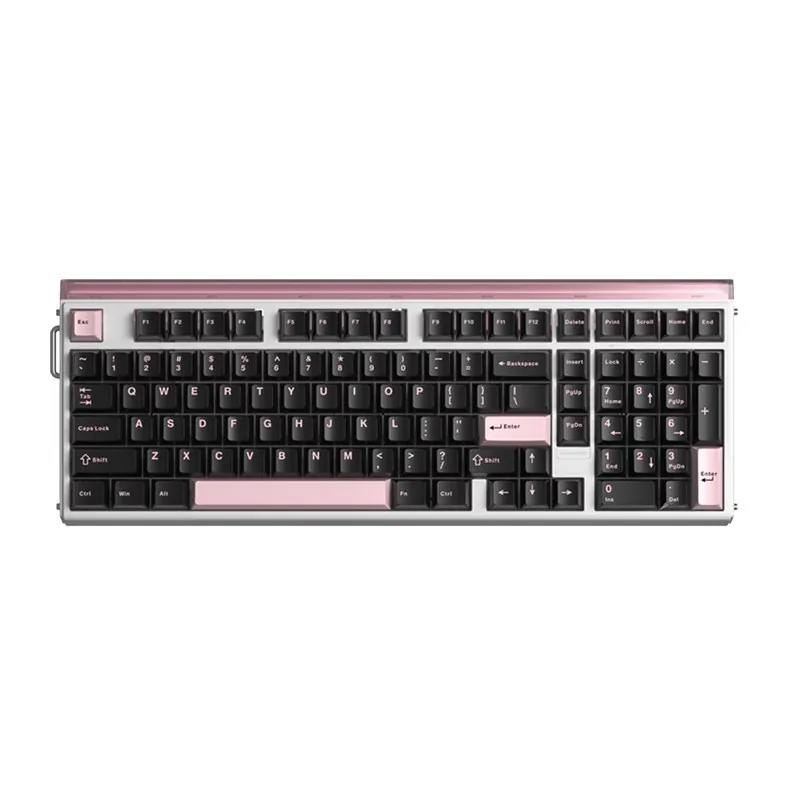
Version Black Pink · Wing Chun
655,000 UZS Pre-order

Expected: 18 November

Ordered in for you — GEEKSHOP confirms the exact date

Pre-order — no payment now. A GEEKSHOP manager will contact you to confirm availability, the delivery date and payment.

Price and stock come live from GeekShop

  • 0.005mm RT adjustment step
  • 8000Hz polling rate
  • 101keys keys, 99% layout
  • 48kHz full-key scanning

Why people pick it

What you get

01

99% — every key, without the extra centimetres

The HERO 99 carries 101 keys: the function row, the navigation cluster, separate arrows and a full number pad. What separates it from an ordinary full-size board is that the gaps between the blocks are almost entirely removed, which brings the case down to 401 mm wide and 148 mm deep. You get more room for the mouse and nothing to relearn — every key sits where your hand already looks for it.

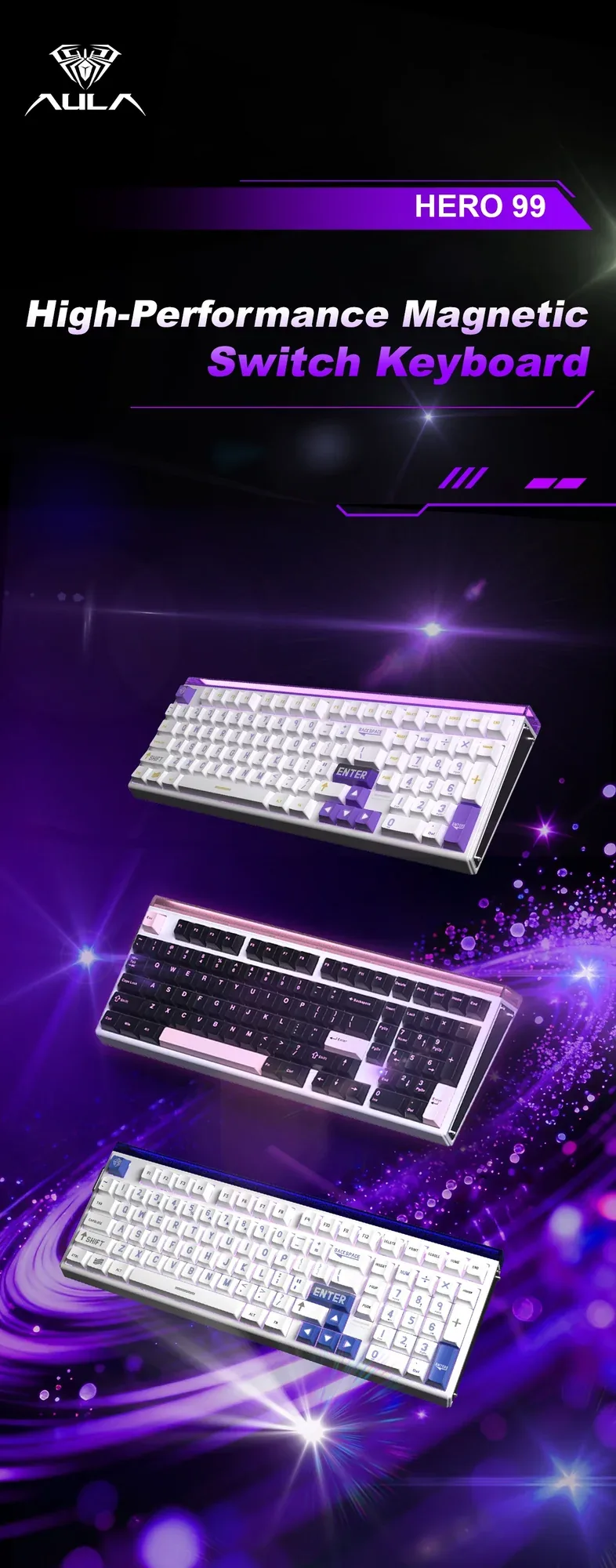
The three AULA HERO 99 colourways on a purple brand backdrop: black-pink, white-purple and white-blue
02

Magnetic switches: the trigger point is yours to set

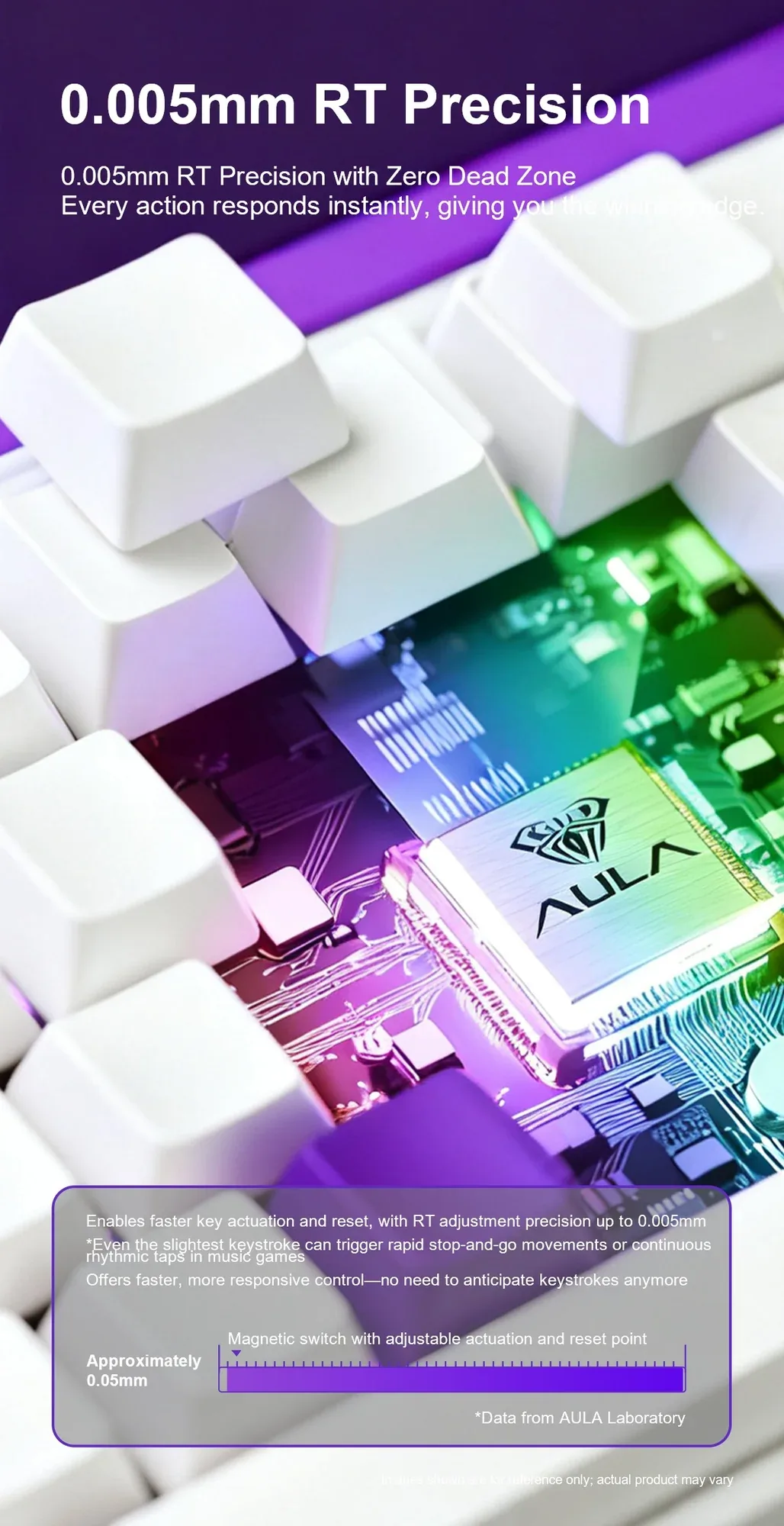
Under the keycaps sit Hall-effect magnetic switches. The board reads stem position continuously, so you set the actuation and reset points by hand — from roughly 0.05 mm within a 3.4 mm total travel. Rapid Trigger resolves in steps down to 0.005 mm: the key resets the instant you start lifting and is ready for the next press without returning all the way. You notice it in counter-strafing and in rhythm games that need fast repeat taps.

Keycaps lifted off the AULA HERO 99 to show the controller board: 0.005 mm Rapid Trigger precision
03

8,000 Hz polling and a 48 kHz full-key sweep

The keyboard reports to the computer 8,000 times a second. Inside, the matrix is read faster still: a full sweep of every key runs at 48 kHz, so simultaneous presses do not queue up behind one another. AULA's laboratory measurements put this at zero-dead-zone contact with the factory switches. Because everyone presses with a different force, the maker suggests keeping the dead zone inside the recommended range.

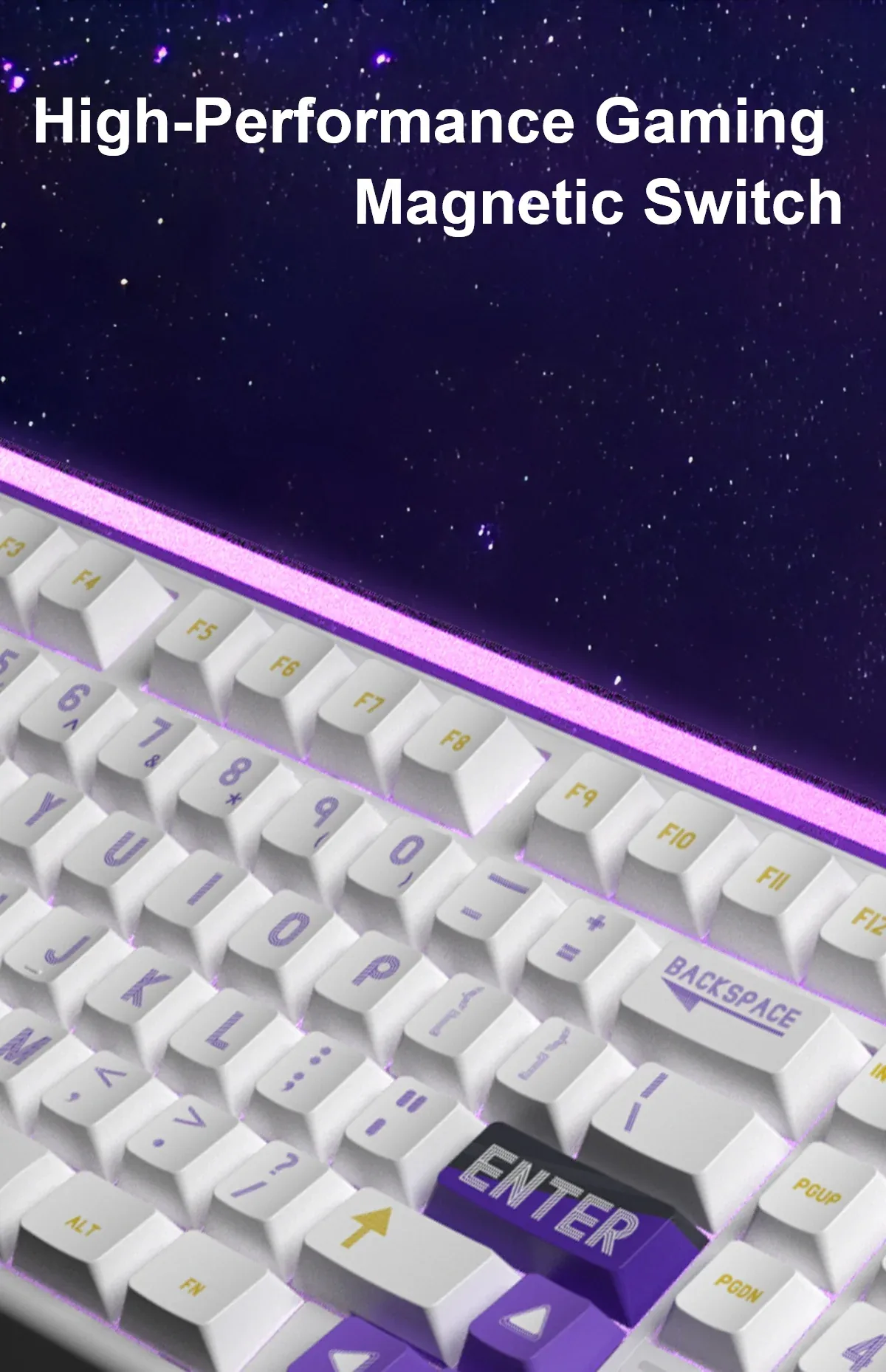
Close-up of the AULA HERO 99 keys with magnetic switches and backlighting

Five layers take the hollowness out of the case

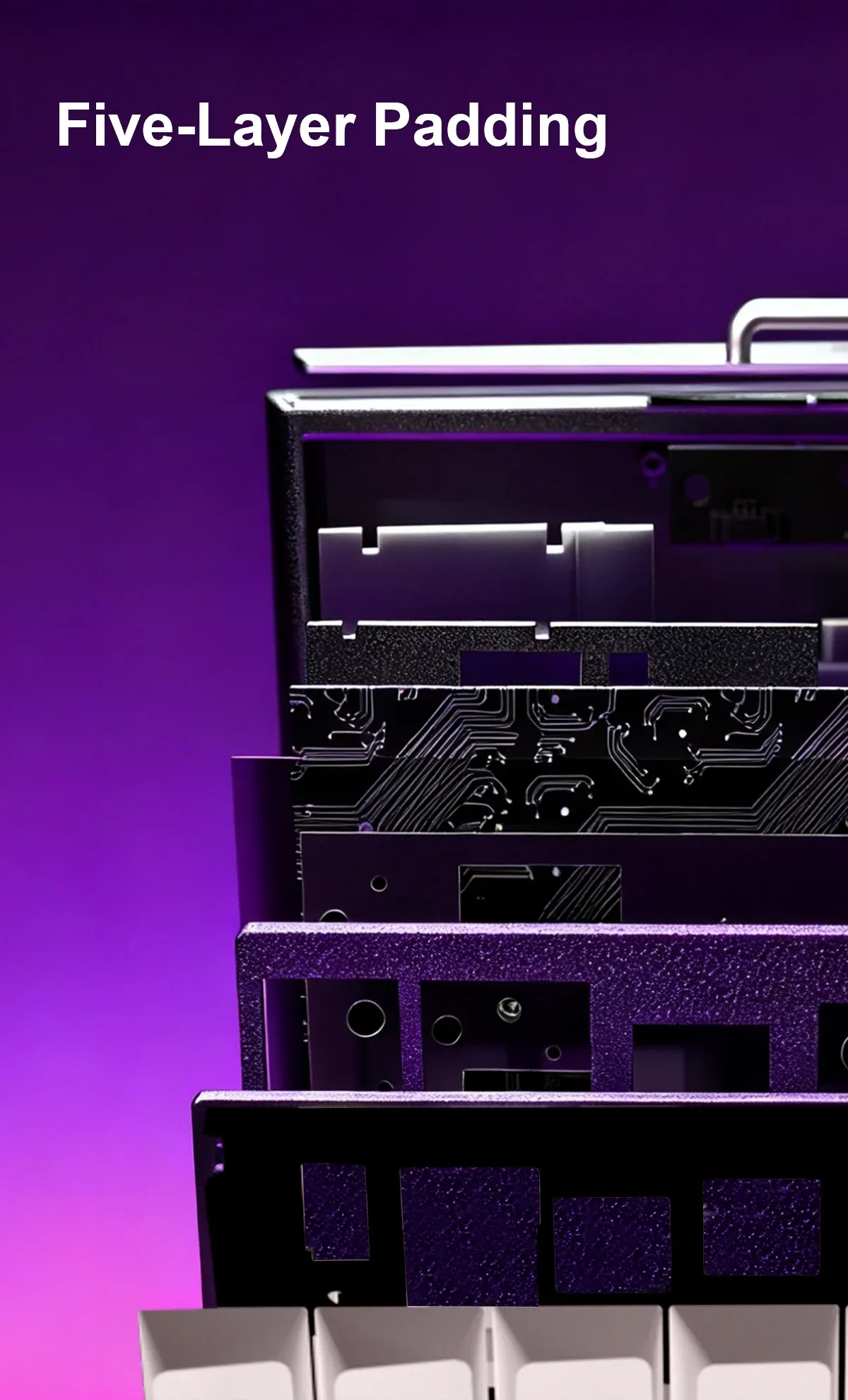
Five damping layers sit between the keycaps and the bottom of the case: foam sheets, silicone pads and a rubber base. AULA calls the package Five-Layer Padding and shows it in the board's exploded view. Together they remove the hollow resonance a plastic case normally produces and leave a short, dense keypress. The positioning plate and the hot-swap sockets stay accessible — the damping stack does not get in the way of changing switches.

The AULA HERO 99 case broken out into layers: damping sheets, PCB and positioning plate

A neon bar, 20 effects and a driver in the browser

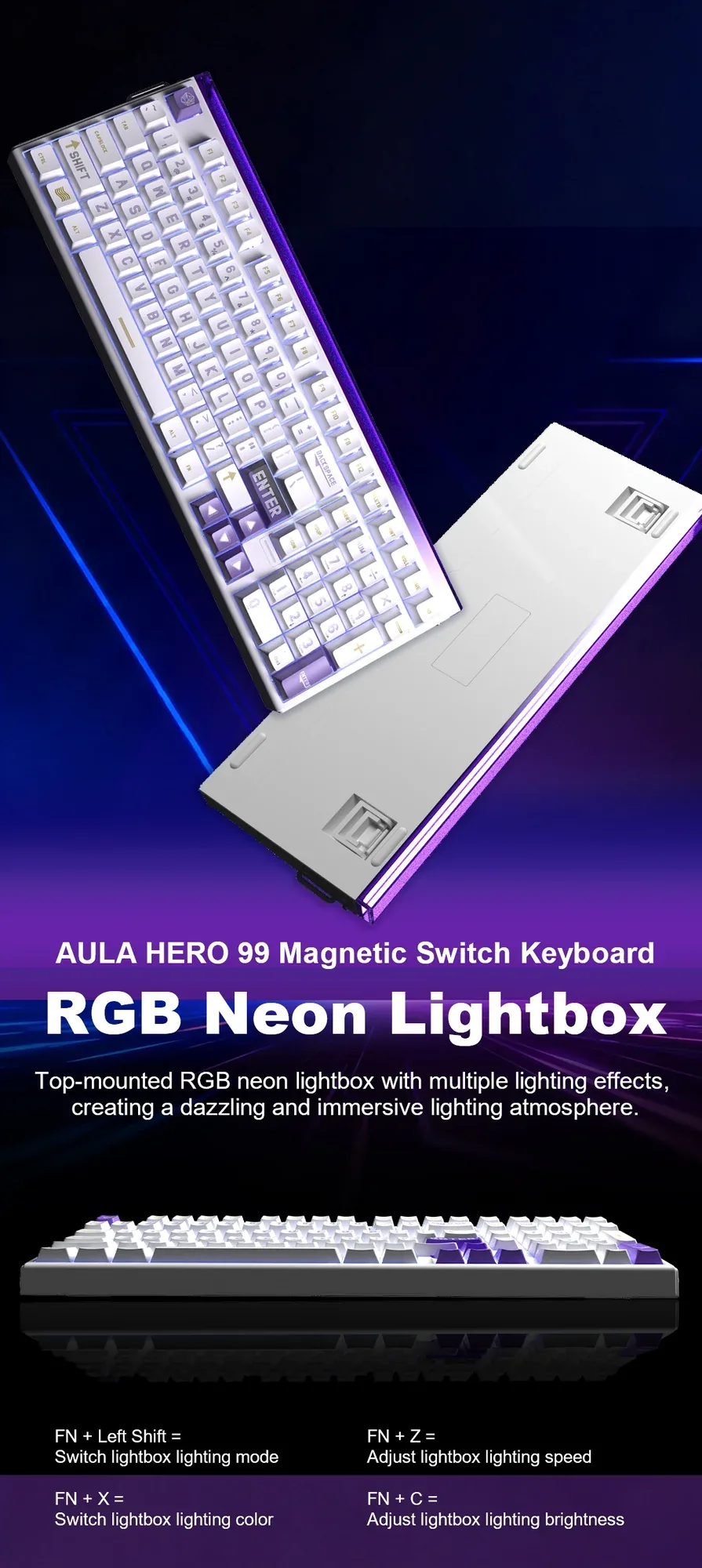
A separate neon RGB bar runs along the top edge: FN + Left Shift changes its mode, FN + X the colour, FN + Z the speed and FN + C the brightness. The per-key backlight covers roughly 16 million shades and 20 built-in effects, cycled with FN + PgUp. Everything else — actuation depth, Rapid Trigger, key mapping and lighting scenes — lives in AULA's web driver at hero.aulastar.com: plug the keyboard in, open the page, save the profile to the board's own memory.

The neon RGB bar along the top edge of the AULA HERO 99, with the FN shortcut reference

Specifications

AULA HERO 99 specifications

99% — every key, without the extra centimetres

The HERO 99 carries 101 keys: the function row, the navigation cluster, separate arrows and a full number pad. What separates it from an ordinary full-size board is that the gaps between the blocks are almost entirely removed, which brings the case down to 401 mm wide and 148 mm deep. You get more room for the mouse and nothing to relearn — every key sits where your hand already looks for it.

Magnetic switches: the trigger point is yours to set

Under the keycaps sit Hall-effect magnetic switches. The board reads stem position continuously, so you set the actuation and reset points by hand — from roughly 0.05 mm within a 3.4 mm total travel. Rapid Trigger resolves in steps down to 0.005 mm: the key resets the instant you start lifting and is ready for the next press without returning all the way. You notice it in counter-strafing and in rhythm games that need fast repeat taps.

8,000 Hz polling and a 48 kHz full-key sweep

The keyboard reports to the computer 8,000 times a second. Inside, the matrix is read faster still: a full sweep of every key runs at 48 kHz, so simultaneous presses do not queue up behind one another. AULA's laboratory measurements put this at zero-dead-zone contact with the factory switches. Because everyone presses with a different force, the maker suggests keeping the dead zone inside the recommended range.

Five layers take the hollowness out of the case

Five damping layers sit between the keycaps and the bottom of the case: foam sheets, silicone pads and a rubber base. AULA calls the package Five-Layer Padding and shows it in the board's exploded view. Together they remove the hollow resonance a plastic case normally produces and leave a short, dense keypress. The positioning plate and the hot-swap sockets stay accessible — the damping stack does not get in the way of changing switches.

A neon bar, 20 effects and a driver in the browser

A separate neon RGB bar runs along the top edge: FN + Left Shift changes its mode, FN + X the colour, FN + Z the speed and FN + C the brightness. The per-key backlight covers roughly 16 million shades and 20 built-in effects, cycled with FN + PgUp. Everything else — actuation depth, Rapid Trigger, key mapping and lighting scenes — lives in AULA's web driver at hero.aulastar.com: plug the keyboard in, open the page, save the profile to the board's own memory.

This product is ordered in. Delivery is expected on 18 November 2026. GEEKSHOP confirms stock, the final price and delivery. This information is not a public offer.

Model specifications: the official AULA site

Layout
99%, 101 keys
Switches
Magnetic, hot-swap
RT step
0.005 mm
Polling rate
8,000 Hz
Connection
USB, wired
Lighting
RGB + neon bar
Model
AULA HERO 99 (listed as HERO 99 HE on the driver page)
Type
Wired magnetic gaming keyboard
Dimensions
401 × 148.23 × 44.27 ± 0.1 mm
Power
DC 5 V, current up to 750 mA
FN key
Multifunctional, with its own shortcut layer
Switch type
Magnetic, Hall-effect
Hot-swap sockets
Yes, mixed magnetic-switch builds are supported
Total travel
3.4 mm
Minimum actuation point
Approximately 0.05 mm
Rapid Trigger step
Down to 0.005 mm
Key scanning
Full-key scanning at 48 kHz (AULA laboratory figure)
Wing Chun — initial force
36 ± 5 gf
Wing Chun — travel and bottom-out
3.4 ± 0.1 mm, 49 ± 5 gf
Graywood — initial force
32 ± 5 gf
Graywood — travel and bottom-out
3.4 ± 0.4 mm, 50 ± 5 gf
Bottom-out flux
480 ± 60 Gs (both types)
Per-key backlight
RGB, around 16 million shades, 20 effects (FN + PgUp)
Neon light bar
Top-mounted RGB bar (AULA calls it the Neon Lightbox): mode FN + Left Shift, colour FN + X, speed FN + Z, brightness FN + C
Sound damping
Five-layer acoustic package: foam, silicone and rubber between the PCB and the case bottom
Driver
AULA web driver (hero.aulastar.com), nothing to install
What you can set
Actuation point, Rapid Trigger and reset sensitivity, lighting, key assignments
Video

Hear how it sounds.

Questions

The short answers.

When is delivery expected?

Delivery is expected on 18 November 2026. A pre-order locks the price and your place in the batch; GEEKSHOP confirms the exact date.

How does a magnetic keyboard differ from a normal mechanical one?

An ordinary mechanical switch has a fixed contact point, so the key always fires at the same depth. A magnetic switch has no contact at all — the board measures stem position with a Hall sensor. That lets you set the actuation and reset points yourself, from roughly 0.05 mm, and turn on Rapid Trigger with steps down to 0.005 mm.

Do I need to install software to configure it?

No. AULA uses a browser-based driver: connect the keyboard with its cable and open hero.aulastar.com. Actuation depth, Rapid Trigger, key assignments and lighting are all set there, and the profile is stored in the keyboard's own memory.

Can I change the switches?

Yes — the sockets are removable and AULA explicitly allows mixed builds, for example Wing Chun under WASD and Graywood everywhere else. Keep in mind that these are magnetic switches; ordinary mechanical switches do not belong in these sockets.

How soon will my order arrive?

This model ships as a preorder. Once a GEEKSHOP manager confirms the order, delivery takes about a month. The manager will give you the exact timing at confirmation.

Who confirms the price, stock and delivery?

GEEKSHOP confirms stock, the final price and delivery. The information on this site is not a public offer.

How do I order?

Add products to the cart and send the order — it opens in Telegram with a GeekShop manager, who confirms stock, the final price and timing. Nothing is paid on the site.

How much is delivery?

Delivery anywhere in Uzbekistan costs 50,000 UZS. The manager gives the timing when confirming the order.

How to buy

Three presses to your AULA.

Message on Telegram@geekshop_manager
  1. Cart

    Build the order on the site — or message the manager on Telegram straight away.

  2. Confirmation

    The order goes to GeekShop: a manager confirms stock, price and timing.

  3. Delivery

    Anywhere in Uzbekistan — 50,000 UZS. Payment is agreed with the manager after confirmation.

  • Orders through GEEKSHOP
  • 1-month warranty
  • Genuine, factory-sealed
  • Nothing paid on the site

Goes well with

AULA SC380 Pro
AULA SC380 Pro

Black 55g gaming mouse with PAW3311 and tri-mode connectivity

55 g and a PAW3311 sensor · Cable, receiver or Bluetooth · 500 mAh and charging-dock support

315,000 UZS In stock
AULA SC580X
AULA SC580X

Black tri-mode gaming mouse with 10–12K DPI and 6 programmable buttons

Solid shell, around 82 g · Three modes for desktop and laptop · Up to 1000 Hz and a 500 mAh battery

273,000 UZS In stock
AULA SC590 Pro
AULA SC590 Pro

Black 64g gaming mouse with PAW3311, 20K DPI and Smart Display

Mouse status on its display · Compact solid shell, about 64 g · Three connections and adjustable DPI

304,500 UZS In stock
AULA SC620
AULA SC620

Black 67g gaming mouse with PAW3311, 12K DPI and tri-mode

Honeycomb shell, 67 g · PAW3311 and accessible side buttons · 400 mAh and three ways to connect

262,500 UZS In stock
Full catalog

Your cart

Nothing here yet. Press any key — in the catalog.

Full catalog