AULA HERO 68 HE — 1

AULA HERO 68 HEmagnetic keyboard

AULA HERO 68 HE (HERO68HE) — magnetic keyboard.

Sixty-eight keys that trigger exactly where you tell them to

A 65% wired magnetic keyboard with 0.01 mm actuation steps, 8,000 Hz polling and a neon RGB bar along the top edge.

Version White · Meteor
505,000 UZS Pre-order

Expected: 18 November

Ordered in for you — GEEKSHOP confirms the exact date

Pre-order — no payment now. A GEEKSHOP manager will contact you to confirm availability, the delivery date and payment.

Price and stock come live from GeekShop

  • 0.01mm actuation step
  • 8000Hz polling rate
  • 68keys keys, 65% layout
  • 32LED in the neon bar

Why people pick it

What you get

01

65% without losing the arrows

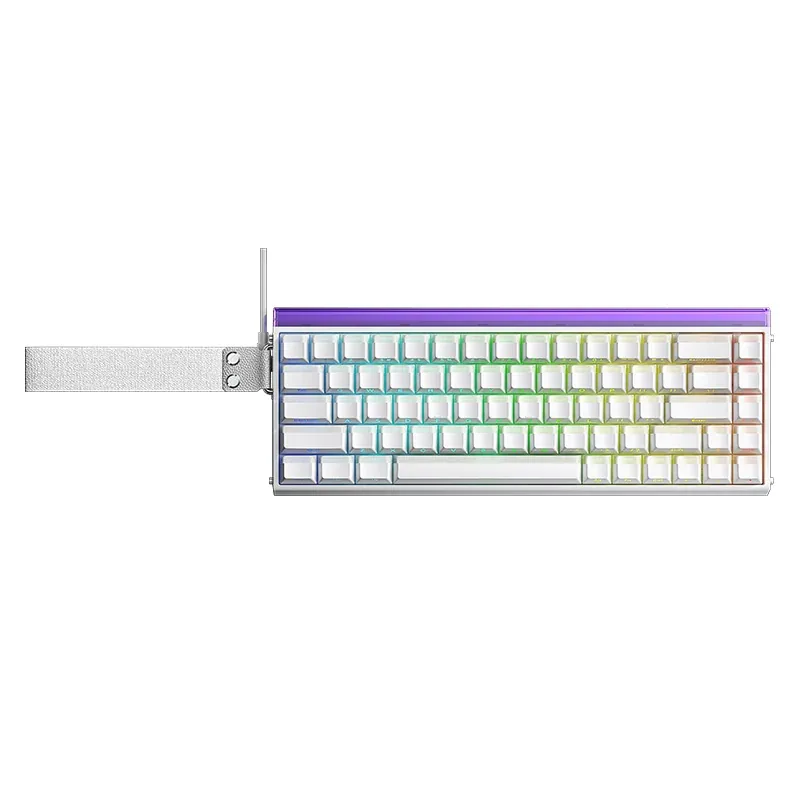
The HERO 68 HE has 68 keys: the numpad and the top function row are gone, while the arrows and the right-hand column with Ins, Del, PgUp and PgDn stay. For shooters that is a sensible compromise — the mouse hand gets almost the whole right half of the desk, and you never have to reach the arrows through an FN layer. With the side panels the case is 322.4 mm long, without them 313.7 mm.

AULA HERO 68 HE in white with white keycaps, top view, the neon bar lit
02

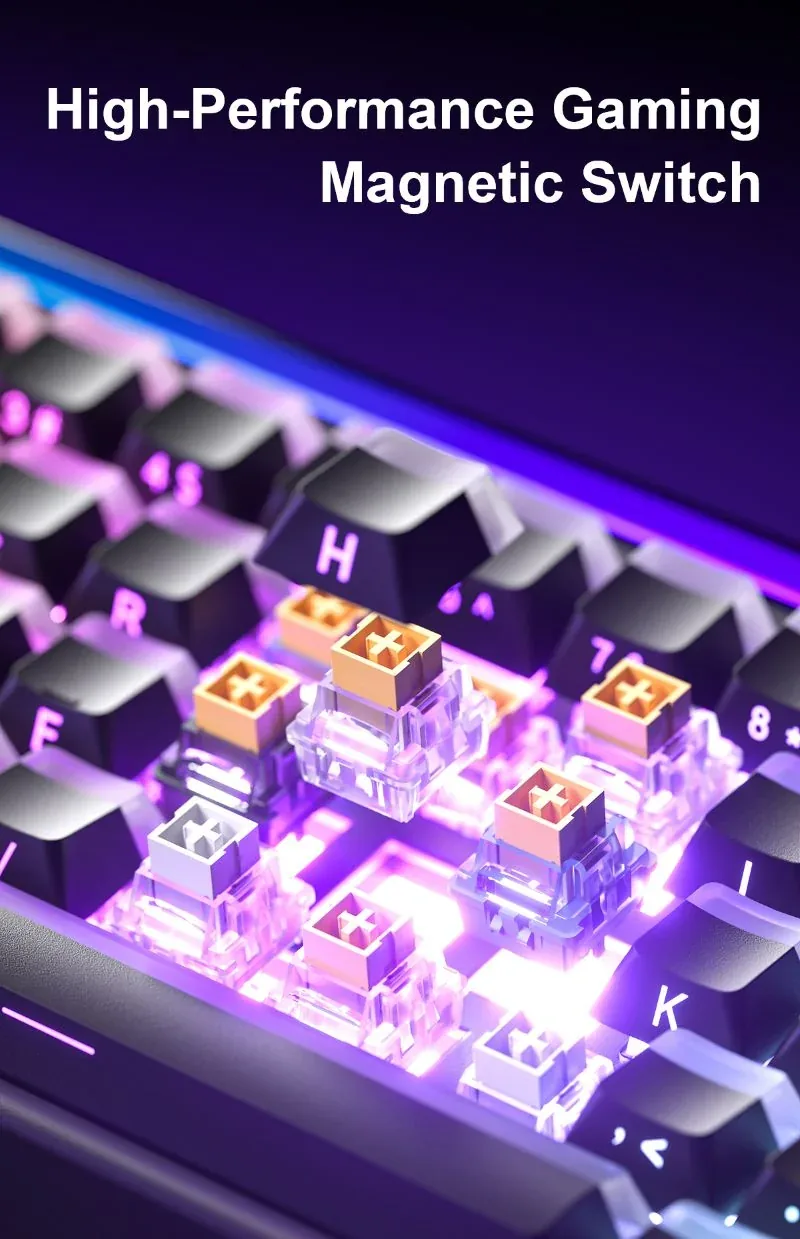
0.01 mm: the key fires where you set it

The sensor reads the magnet position continuously, so the actuation point is not one fixed value but any point within the 3.4 mm travel, in 0.01 mm steps. Rapid Trigger releases the key the moment it starts moving back, without returning to the top: you notice it in counter-strafing and in rhythm games that need fast repeats. AULA states there is no bottom dead zone with the stock switches.

Close-up of the AULA HERO 68 HE magnetic switches with the keycaps removed
03

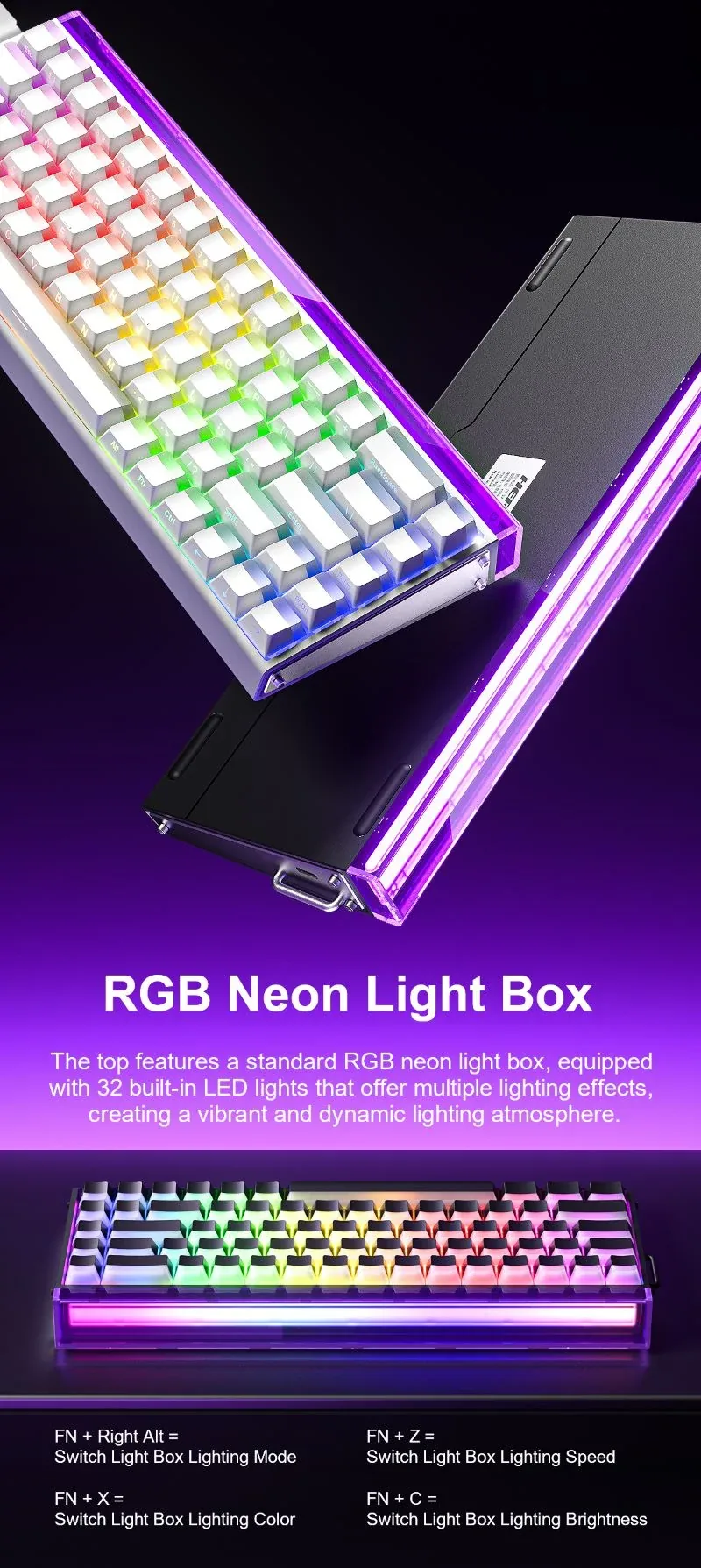
A neon bar with 32 LEDs

A clear light guide with 32 LEDs runs along the top edge of the case, throwing light at the wall or the monitor independently of the key backlight. Its mode, speed, colour and brightness switch with FN + right Alt, FN + Z, FN + X and FN + C, while the key effects cycle with FN + PgUp. The effect list includes waves, breathing, running light, a starry sky and steady-on.

The AULA HERO 68 HE neon RGB bar on the top edge, white and black versions

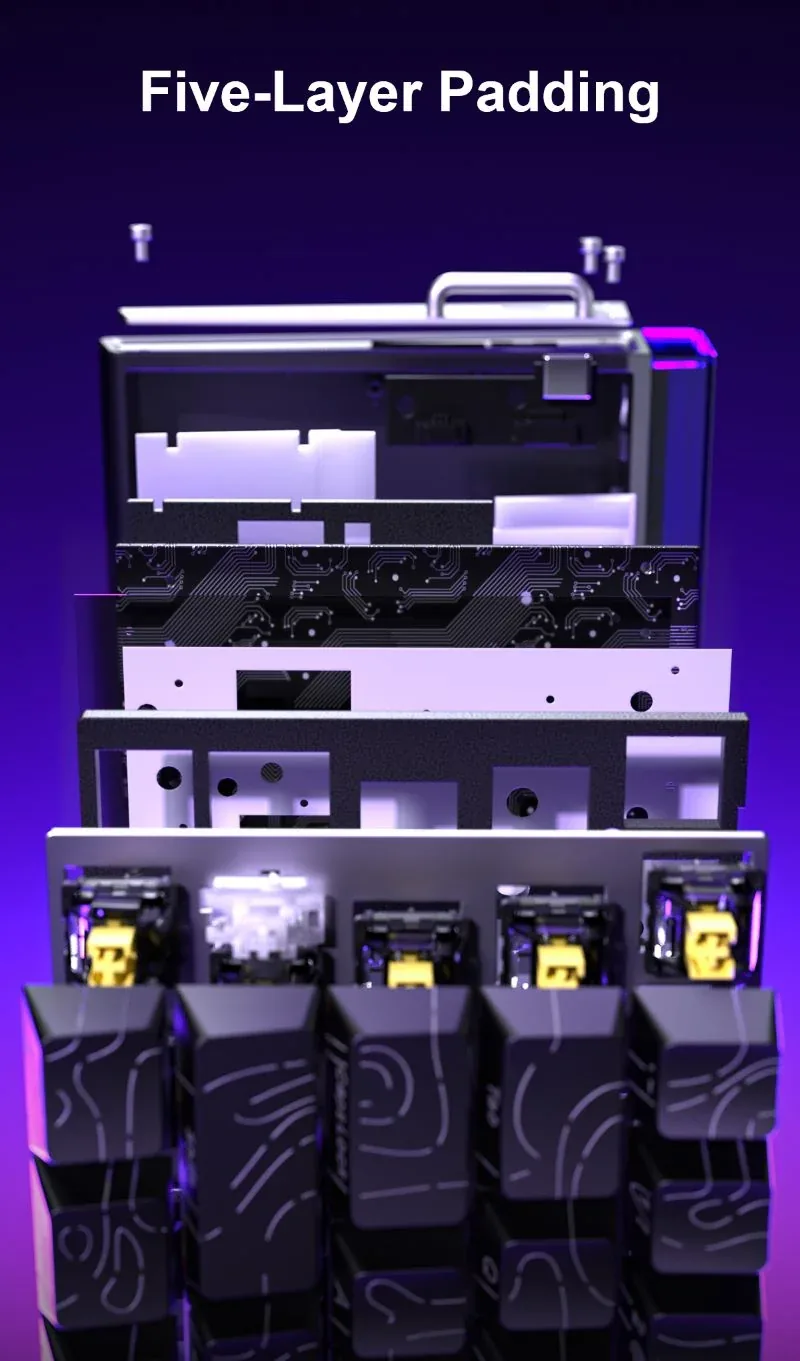
Five layers between the press and the desk

Under the metal plate sit PO sandwich foam, a fibre switch underlay, a PET pad, bottom foam and a moulded silicone bottom pad. The stack kills the hollow ring of the case and the metallic spring echo, so typing sounds shorter and denser. The assembly weighs about 799 g, which keeps the board from sliding during sharp movements.

Exploded view of the AULA HERO 68 HE case: plate, five damping layers and the PCB

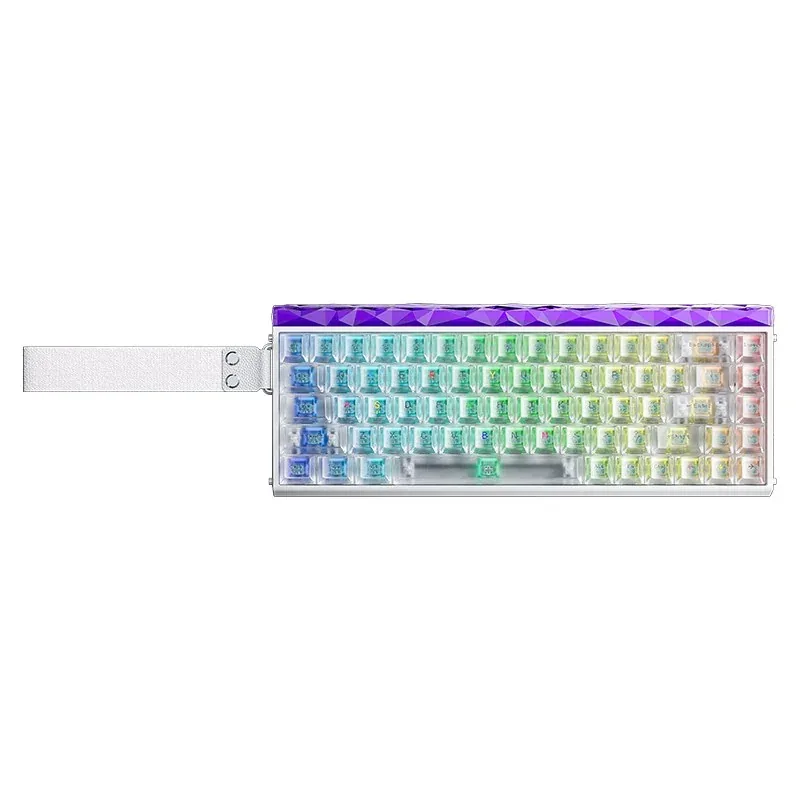
Seven colourways, four switches

You can order plain white and white CONTOUR, pink, purple and black-red gradients with side-engraved caps, plus the Lighthouse versions with translucent caps and a faceted top bar in white or black. The switch follows the colourway: Meteor and Black King on the white builds, Dragon King on the gradients, Jade King on Lighthouse. The force difference is small — 28 to 33 gf to actuate — so you can choose on looks.

AULA HERO 68 HE Lighthouse in white: translucent keycaps and a faceted top bar

Specifications

AULA HERO 68 HE specifications

65% without losing the arrows

The HERO 68 HE has 68 keys: the numpad and the top function row are gone, while the arrows and the right-hand column with Ins, Del, PgUp and PgDn stay. For shooters that is a sensible compromise — the mouse hand gets almost the whole right half of the desk, and you never have to reach the arrows through an FN layer. With the side panels the case is 322.4 mm long, without them 313.7 mm.

0.01 mm: the key fires where you set it

The sensor reads the magnet position continuously, so the actuation point is not one fixed value but any point within the 3.4 mm travel, in 0.01 mm steps. Rapid Trigger releases the key the moment it starts moving back, without returning to the top: you notice it in counter-strafing and in rhythm games that need fast repeats. AULA states there is no bottom dead zone with the stock switches.

A neon bar with 32 LEDs

A clear light guide with 32 LEDs runs along the top edge of the case, throwing light at the wall or the monitor independently of the key backlight. Its mode, speed, colour and brightness switch with FN + right Alt, FN + Z, FN + X and FN + C, while the key effects cycle with FN + PgUp. The effect list includes waves, breathing, running light, a starry sky and steady-on.

Five layers between the press and the desk

Under the metal plate sit PO sandwich foam, a fibre switch underlay, a PET pad, bottom foam and a moulded silicone bottom pad. The stack kills the hollow ring of the case and the metallic spring echo, so typing sounds shorter and denser. The assembly weighs about 799 g, which keeps the board from sliding during sharp movements.

Seven colourways, four switches

You can order plain white and white CONTOUR, pink, purple and black-red gradients with side-engraved caps, plus the Lighthouse versions with translucent caps and a faceted top bar in white or black. The switch follows the colourway: Meteor and Black King on the white builds, Dragon King on the gradients, Jade King on Lighthouse. The force difference is small — 28 to 33 gf to actuate — so you can choose on looks.

This product is ordered in. Delivery is expected on 18 November 2026. GEEKSHOP confirms stock, the final price and delivery. This information is not a public offer.

Model specifications: the official AULA site

Connection
wired, USB
Layout
65%, 68 keys
Polling rate
8,000 Hz
RT precision
0.01 mm
Lighting
RGB plus a 32-LED neon bar
Weight
about 799 g without the cable
Type
Wired gaming keyboard with magnetic switches
Series
AULA HERO 68 HE
Key scanning
Up to 128 kHz single-key, 48 kHz full-key
Switch type
Magnetic Hall-effect, hot-swappable
Switch options
Meteor / Black King / Dragon King / Jade King
Total travel
3.4 ± 0.1 mm
RT adjustment step
0.01 mm, no bottom dead zone
Initial force
Meteor 33 ± 5 gf, Black King 33 ± 5 gf, Dragon King 28 ± 5 gf, Jade King 30 ± 5 gf
Bottom-out force
Meteor 53 ± 5 gf, Black King 53 ± 5 gf, Dragon King 45 ± 5 gf, Jade King 48 ± 5 gf
Magnetic flux
Initial 90 ± 15 Gs on Meteor and 85 ± 15 Gs on the others, bottoming 480 ± 60 Gs (1.6 mm PCB)
Mixed switches
Supported: different magnetic switches on one board
Positioning plate
Metal
Sound dampening
Five layers: PO sandwich foam, fibre switch underlay, PET pad, bottom foam, moulded silicone bottom pad
Keycaps
Dual-shot moulding; some colourways use side engraving or translucent caps
Dimensions
313.70 × 119.86 × 40.35 mm (±0.1 mm) without side panels; 322.40 × 119.86 × 40.35 mm with them
Key lighting
RGB, about 16 million colours, 20 lighting modes
Neon light bar
32 LEDs along the top edge of the case
Shortcuts
FN + PgUp for key effects; FN + right Alt / Z / X / C for neon bar mode, speed, colour and brightness
Driver
AULA web driver: actuation point, key remapping, macros, lighting
Video

Hear how it sounds.

Questions

The short answers.

When is delivery expected?

Delivery is expected on 18 November 2026. A pre-order locks the price and your place in the batch; GEEKSHOP confirms the exact date.

How do the Meteor, Black King, Dragon King and Jade King switches differ?

All four are magnetic with 3.4 ± 0.1 mm of travel and differ only in force. The lightest is Dragon King: 28 ± 5 gf to actuate and 45 ± 5 gf to bottom out. Then Jade King (30 ± 5 and 48 ± 5 gf), then Meteor and Black King, both at 33 ± 5 and 53 ± 5 gf. A lighter switch suits fast repeats; a firmer one reduces accidental presses. Which switch you get follows the colourway you pick.

Do I need to install software to set the actuation point?

No installation is needed: AULA uses a web driver that opens on the manufacturer's site while the keyboard is connected by cable. There you set the actuation and reset points in 0.01 mm steps, Rapid Trigger, key remapping, macros and lighting. The basics — lighting effects and the neon bar's speed, colour and brightness — switch from the keyboard itself with FN combinations, no computer required.

Can I swap the switches and keycaps?

Yes, the sockets are hot-swap with no soldering, and AULA explicitly allows mixing different switches on one board — lighter ones under WASD, for example. One important caveat: only Hall-effect magnetic switches fit; ordinary Cherry-compatible mechanical switches will not work in this case. Keycaps with a standard MX stem come off with a puller and can be changed freely.

This is a preorder — when will the keyboard arrive?

The HERO 68 HE is sold on preorder. Delivery takes about a month from the moment a GEEKSHOP manager confirms the order: the colourway and switch are agreed first, then the batch is ordered from AULA and shipped to Uzbekistan. The manager will contact you, confirm the build you chose and give an approximate date when the keyboard reaches the warehouse.

Who confirms the price, stock and delivery?

GEEKSHOP confirms stock, the final price and delivery. The information on this site is not a public offer.

How do I order?

Add products to the cart and send the order — it opens in Telegram with a GeekShop manager, who confirms stock, the final price and timing. Nothing is paid on the site.

How much is delivery?

Delivery anywhere in Uzbekistan costs 50,000 UZS. The manager gives the timing when confirming the order.

How to buy

Three presses to your AULA.

Message on Telegram@geekshop_manager
  1. Cart

    Build the order on the site — or message the manager on Telegram straight away.

  2. Confirmation

    The order goes to GeekShop: a manager confirms stock, price and timing.

  3. Delivery

    Anywhere in Uzbekistan — 50,000 UZS. Payment is agreed with the manager after confirmation.

  • Orders through GEEKSHOP
  • 1-month warranty
  • Genuine, factory-sealed
  • Nothing paid on the site

Goes well with

AULA SC380 Pro
AULA SC380 Pro

Black 55g gaming mouse with PAW3311 and tri-mode connectivity

55 g and a PAW3311 sensor · Cable, receiver or Bluetooth · 500 mAh and charging-dock support

315,000 UZS In stock
AULA SC580X
AULA SC580X

Black tri-mode gaming mouse with 10–12K DPI and 6 programmable buttons

Solid shell, around 82 g · Three modes for desktop and laptop · Up to 1000 Hz and a 500 mAh battery

273,000 UZS In stock
AULA SC590 Pro
AULA SC590 Pro

Black 64g gaming mouse with PAW3311, 20K DPI and Smart Display

Mouse status on its display · Compact solid shell, about 64 g · Three connections and adjustable DPI

304,500 UZS In stock
AULA SC620
AULA SC620

Black 67g gaming mouse with PAW3311, 12K DPI and tri-mode

Honeycomb shell, 67 g · PAW3311 and accessible side buttons · 400 mAh and three ways to connect

262,500 UZS In stock
Full catalog

Your cart

Nothing here yet. Press any key — in the catalog.

Full catalog