AULA F65 — 1

AULA F65mechanical keyboard

AULA F65 — mechanical keyboard.

A compact 65% with a gasket mount and three modes

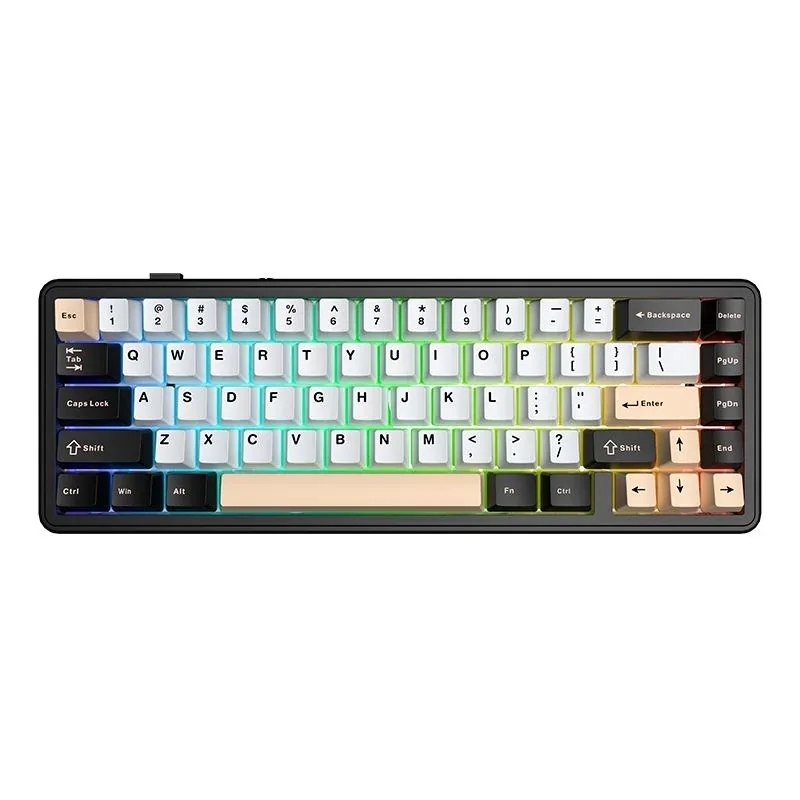
A compact 65% mechanical keyboard with a gasket mount, hot-swappable switches and three connection modes.

Version White Pink Black · Star Vector
505,000 UZS Pre-order

Expected: 18 November

Ordered in for you — GEEKSHOP confirms the exact date

Pre-order — no payment now. A GEEKSHOP manager will contact you to confirm availability, the delivery date and payment.

Price and stock come live from GeekShop

  • 67keys keys
  • 3modes connection modes
  • 266.5h with lights off
  • 804g weight

Why people pick it

What you get

01

65% — desk room for the mouse, not for a numpad

The F65 carries 67 keys: the alphabet, the number row, the arrows and a short column with Delete, Page Up, Page Down and End on the right. The F-row and the numpad move onto the Fn layer. At 325 mm wide the board frees up exactly the slice of desk a full-size model gives to the number pad, so the mouse hand gets more space and your shoulders stay closer together. If you work with numbers all day, judge first how comfortable you will be without a numpad.

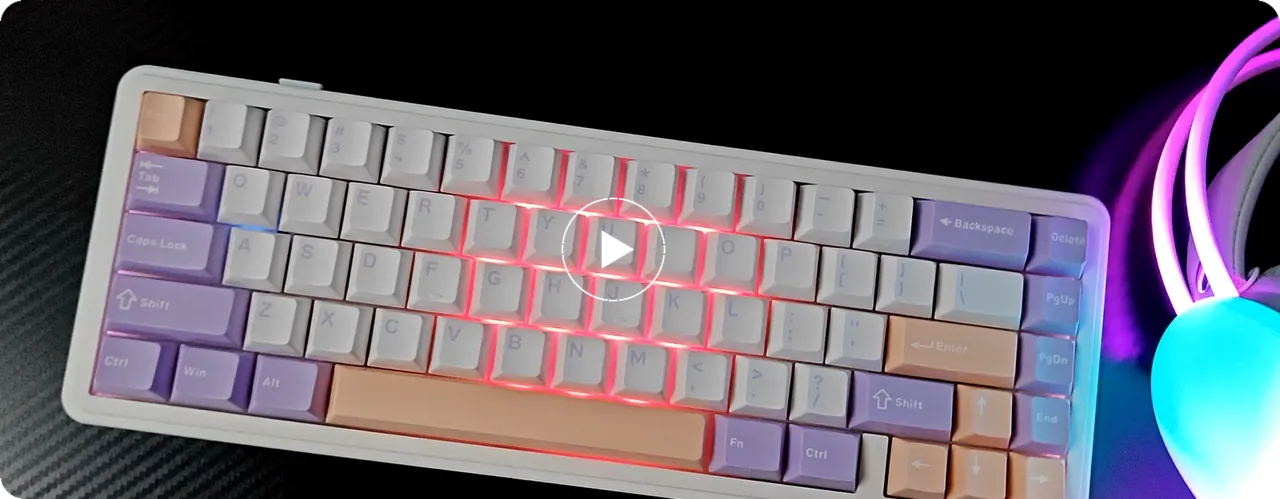
The AULA F65 on a desk at an angle: white case, purple and pink keycaps, RGB lighting on
02

Three modes and a slider within reach

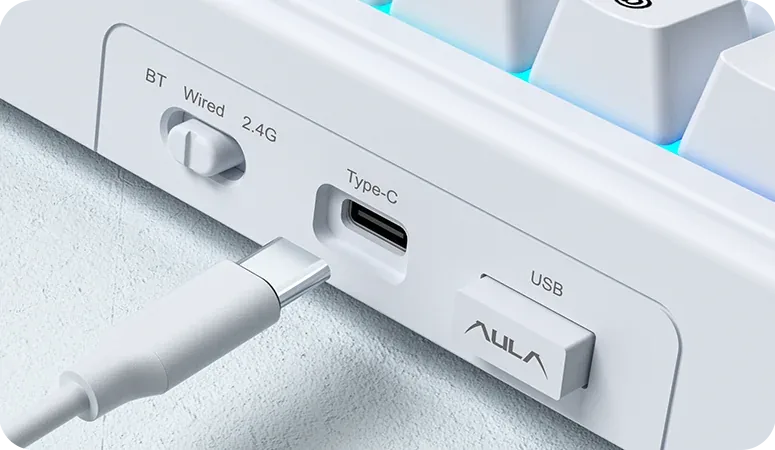
The mode is chosen with a physical slider on the left edge rather than a key combination: BT — Wired — 2.4G. Next to it sit the USB Type-C port and the bay that holds the USB receiver, so it is hard to lose while travelling. Bluetooth 5.0 suits a tablet or a phone, the 2.4 GHz link suits a gaming PC, and the cable is there for when you want to type and charge at once.

The edge of the AULA F65: the BT — Wired — 2.4G slider, the USB Type-C port and the receiver bay
03

A gasket build and hot-swap sockets

The F65 plate is not screwed hard into the case; it rests on soft pads — that is the gasket mount. In practice it gives a softer bottom-out and a duller, more contained sound instead of the ring of a bare plastic shell. Hot-swap works on every key: a switch lifts out with a puller and goes back in without a soldering iron, so the sound and the typing force can be retuned later without replacing the whole board.

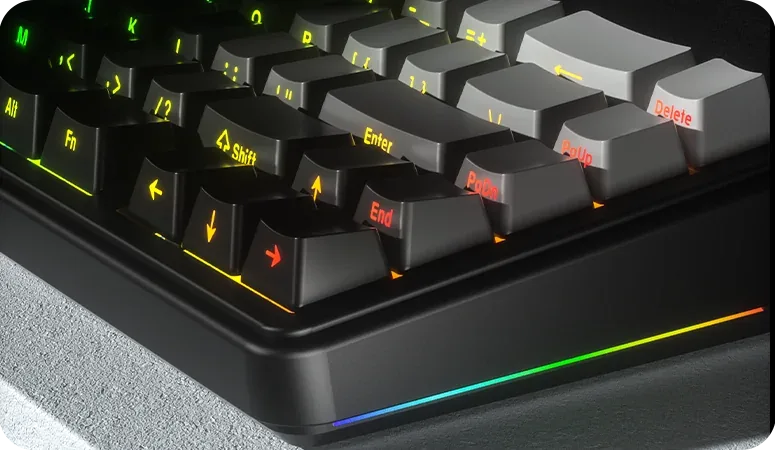
A close-up of the AULA F65 corner: the glowing RGB strip around the case and the keycaps

Two colourways — and two different switches

Two factory versions go on preorder, and the choice is about more than colour. The White + Pink + Black build uses Star Vector switches; the White + Purple + Pink build uses Nimbus V3. Both stay fully hot-swappable, so the stock switch sets the first impression without locking you in. AULA does not publish force and travel figures for these two switches on the F65, so we do not quote any.

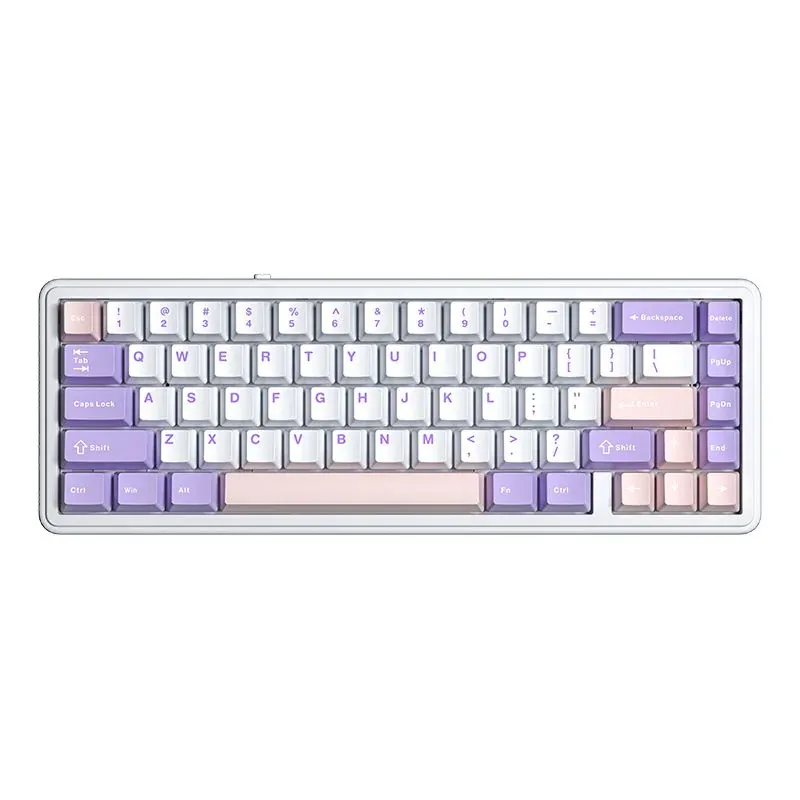
AULA F65 from above: white case with purple and pink keycaps

Specifications

AULA F65 specifications

65% — desk room for the mouse, not for a numpad

The F65 carries 67 keys: the alphabet, the number row, the arrows and a short column with Delete, Page Up, Page Down and End on the right. The F-row and the numpad move onto the Fn layer. At 325 mm wide the board frees up exactly the slice of desk a full-size model gives to the number pad, so the mouse hand gets more space and your shoulders stay closer together. If you work with numbers all day, judge first how comfortable you will be without a numpad.

Three modes and a slider within reach

The mode is chosen with a physical slider on the left edge rather than a key combination: BT — Wired — 2.4G. Next to it sit the USB Type-C port and the bay that holds the USB receiver, so it is hard to lose while travelling. Bluetooth 5.0 suits a tablet or a phone, the 2.4 GHz link suits a gaming PC, and the cable is there for when you want to type and charge at once.

A gasket build and hot-swap sockets

The F65 plate is not screwed hard into the case; it rests on soft pads — that is the gasket mount. In practice it gives a softer bottom-out and a duller, more contained sound instead of the ring of a bare plastic shell. Hot-swap works on every key: a switch lifts out with a puller and goes back in without a soldering iron, so the sound and the typing force can be retuned later without replacing the whole board.

Two colourways — and two different switches

Two factory versions go on preorder, and the choice is about more than colour. The White + Pink + Black build uses Star Vector switches; the White + Purple + Pink build uses Nimbus V3. Both stay fully hot-swappable, so the stock switch sets the first impression without locking you in. AULA does not publish force and travel figures for these two switches on the F65, so we do not quote any.

This product is ordered in. Delivery is expected on 18 November 2026. GEEKSHOP confirms stock, the final price and delivery. This information is not a public offer.

Model specifications: the official AULA site
Layout
65%, 67 keys
Connection
Bluetooth 5.0 / 2.4 GHz / USB Type-C
Mounting
Gasket
Hot-swap
All keys
Lighting
RGB
Runtime
up to 266.5 h with lights off
Type
Mechanical keyboard
Model
AULA F65
Dimensions
325,09 × 115,62 × 43,81 ±0,10 mm
Weight
about 804 g
Switches as shipped
Star Vector or Nimbus V3, depending on the colourway
Switches in AULA’s catalogue
AULA also documents Gray Wood V3 and Reaper for the F65
Anti-ghosting
Full anti-ghosting on all keys
Modes
Bluetooth 5.0, 2.4 GHz (USB receiver), USB Type-C
Mode switching
A physical slider on the edge of the case
Receiver storage
A bay inside the keyboard case
Port
USB Type-C
Systems
Windows / macOS / iOS / Android

Video

Hear how it sounds.

Questions

The short answers.

When is delivery expected?

Delivery is expected on 18 November 2026. A pre-order locks the price and your place in the batch; GEEKSHOP confirms the exact date.

Which switches does it ship with, and can I change them?

The switch depends on the colourway: White + Pink + Black ships with Star Vector, White + Purple + Pink with Nimbus V3. You can change them — AULA lists the F65 among its hot-swappable models, so a switch lifts out with a puller and goes back without soldering. Before buying third-party switches, check the pin count of the ones you pick; that is the only thing worth verifying here.

What exactly do you lose with a 65% layout?

You physically lose the F1–F12 row and the number pad. The arrows stay, and so does the separate column with Delete, Page Up, Page Down and End — that is exactly what separates 65% from the tighter 60% format. The function keys, PrtSc and the media controls run through Fn. If you type numbers all day or live in a spreadsheet, a layout with a numpad will serve you better; for gaming and everyday work the 65% size usually reads as a win, because the mouse gets more room.

How long does the battery last, and how do I charge it?

AULA quotes about 17.5 hours with the default lighting effect and about 266.5 hours with the lights off, so the figure depends heavily on how brightly you run the backlight. The keyboard charges through the same USB Type-C port it uses for the wired mode, so in wired use it both works and tops up. The manufacturer does not publish a battery capacity for this model.

How does the preorder work and when does the keyboard arrive?

This item is sold on preorder. You place a request, a GEEKSHOP manager contacts you and confirms the order together with your chosen colourway and switch. The indicative delivery time is about one month from that confirmation. The manager will give you the exact date and the collection method when confirming.

Who confirms the price, stock and delivery?

GEEKSHOP confirms stock, the final price and delivery. The information on this site is not a public offer.

How do I order?

Add products to the cart and send the order — it opens in Telegram with a GeekShop manager, who confirms stock, the final price and timing. Nothing is paid on the site.

How much is delivery?

Delivery anywhere in Uzbekistan costs 50,000 UZS. The manager gives the timing when confirming the order.

How to buy

Three presses to your AULA.

Message on Telegram@geekshop_manager
  1. Cart

    Build the order on the site — or message the manager on Telegram straight away.

  2. Confirmation

    The order goes to GeekShop: a manager confirms stock, price and timing.

  3. Delivery

    Anywhere in Uzbekistan — 50,000 UZS. Payment is agreed with the manager after confirmation.

  • Orders through GEEKSHOP
  • 1-month warranty
  • Genuine, factory-sealed
  • Nothing paid on the site

Goes well with

AULA SC380 Pro
AULA SC380 Pro

Black 55g gaming mouse with PAW3311 and tri-mode connectivity

55 g and a PAW3311 sensor · Cable, receiver or Bluetooth · 500 mAh and charging-dock support

315,000 UZS In stock
AULA SC580X
AULA SC580X

Black tri-mode gaming mouse with 10–12K DPI and 6 programmable buttons

Solid shell, around 82 g · Three modes for desktop and laptop · Up to 1000 Hz and a 500 mAh battery

273,000 UZS In stock
AULA SC590 Pro
AULA SC590 Pro

Black 64g gaming mouse with PAW3311, 20K DPI and Smart Display

Mouse status on its display · Compact solid shell, about 64 g · Three connections and adjustable DPI

304,500 UZS In stock
AULA SC620
AULA SC620

Black 67g gaming mouse with PAW3311, 12K DPI and tri-mode

Honeycomb shell, 67 g · PAW3311 and accessible side buttons · 400 mAh and three ways to connect

262,500 UZS In stock
Full catalog

Your cart

Nothing here yet. Press any key — in the catalog.

Full catalog