AULA F2088 Air — 1

AULA F2088 Airmechanical keyboard

AULA F2088 Air (F2088Air) — mechanical keyboard.

A full-size board that follows you from one screen to the next

A full-size 104-key mechanical keyboard with three connection modes, hot-swap switches, a metal knob and a wrist rest.

Version Ice Blue
315,000 UZS Pre-order

Expected: 18 November

Ordered in for you — GEEKSHOP confirms the exact date

Pre-order — no payment now. A GEEKSHOP manager will contact you to confirm availability, the delivery date and payment.

Price and stock come live from GeekShop

  • 104keys keys, 100% layout
  • 3modes connection modes
  • 50M presses per key
  • 20FX lighting effects

Why people pick it

What you get

01

Full size, with none of the keys cut

The F2088 Air follows the classic 100% plan: 104 keys, a function row, a navigation cluster, separate arrows and a complete number pad. Nothing hides behind an FN layer or gets shared between two keys. Three M1–M3 media buttons sit above the number pad, so a track or a pause is one press away without leaving the board.

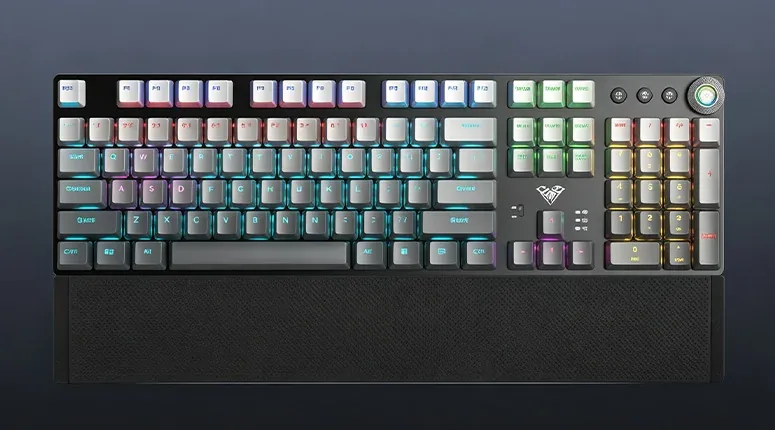
AULA F2088 Air in AULA’s gradient gray finish from above: 104 keys, the M1–M3 buttons, the knob and the wrist rest
02

Three connection modes and a power switch on the case

The board connects over Bluetooth 5.0, a 2.4 GHz wireless channel or a USB Type-C cable, so the mode follows the task: tablet, work laptop, gaming PC. A physical slider on the case keeps the battery from draining while the keyboard sits idle, and three indicators show battery charge, Num Lock and Caps Lock.

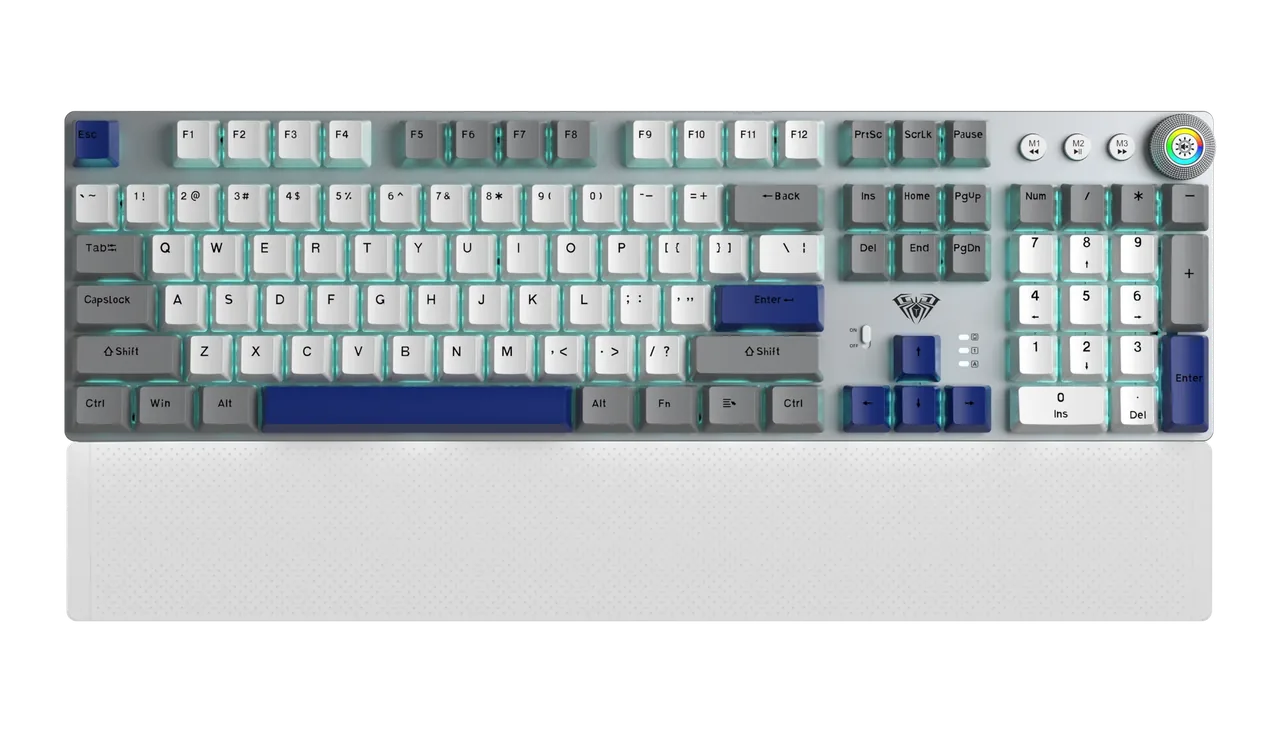
AULA F2088 Air in Ice Blue: silver case, white and blue keycaps, control knob and a white wrist rest
03

Hot-swap switches — pick your own sound and travel

The hot-swap sockets let you pull a switch out with a puller and drop another one in — no soldering, no opening the case. Most common mechanical switches fit, so the board can be tuned towards the sound and weight you want over time. The stock switches are rated for about 50 million presses; AULA names a linear Red and a tactile Brown for this model.

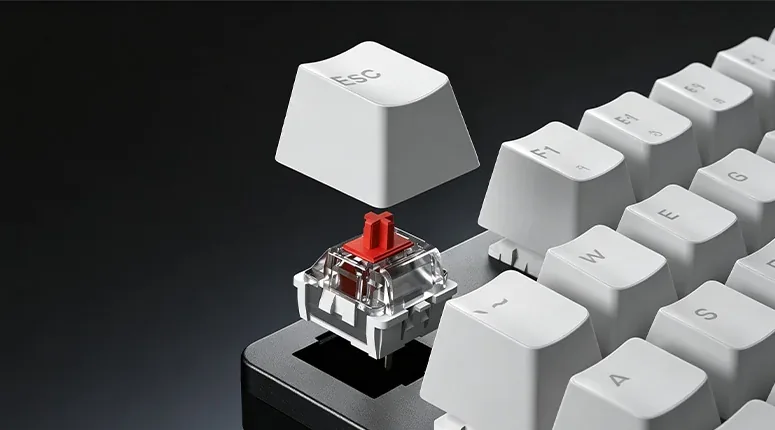
The Esc keycap lifted off the AULA F2088 Air, exposing a mechanical switch in its hot-swap socket

A metal knob instead of extra buttons

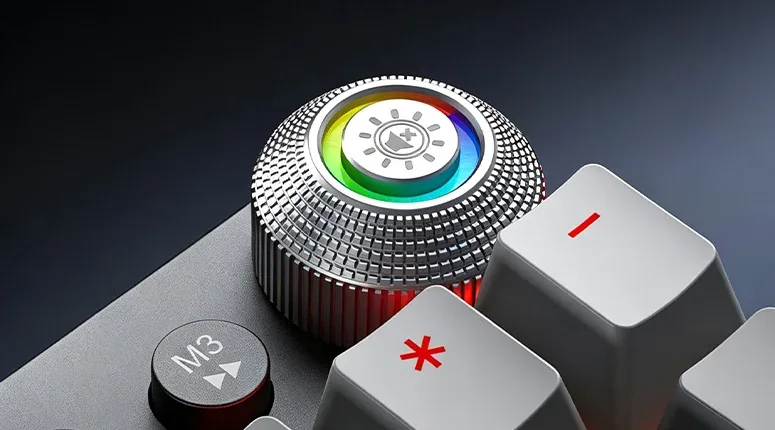
A metal knob with a lit RGB ring sits in the top-right corner. Press it to change the lighting mode; turn it either way for volume or brightness, or to mute. It is quicker than hunting for the right FN combination, and handy mid-match or mid-call.

The AULA F2088 Air metal knob with its lit RGB ring, next to the M3 button

Zoned RGB and a wrist rest across the front

The backlight is split into zones: the function row, the main block, the navigation cluster and the number pad each take their own colour, across 20 dynamic effects. The brushed metal top plate catches that light well. A separate wrist rest runs the full width of the board along the front edge, so your palm is not left hanging off the desk during a long session.

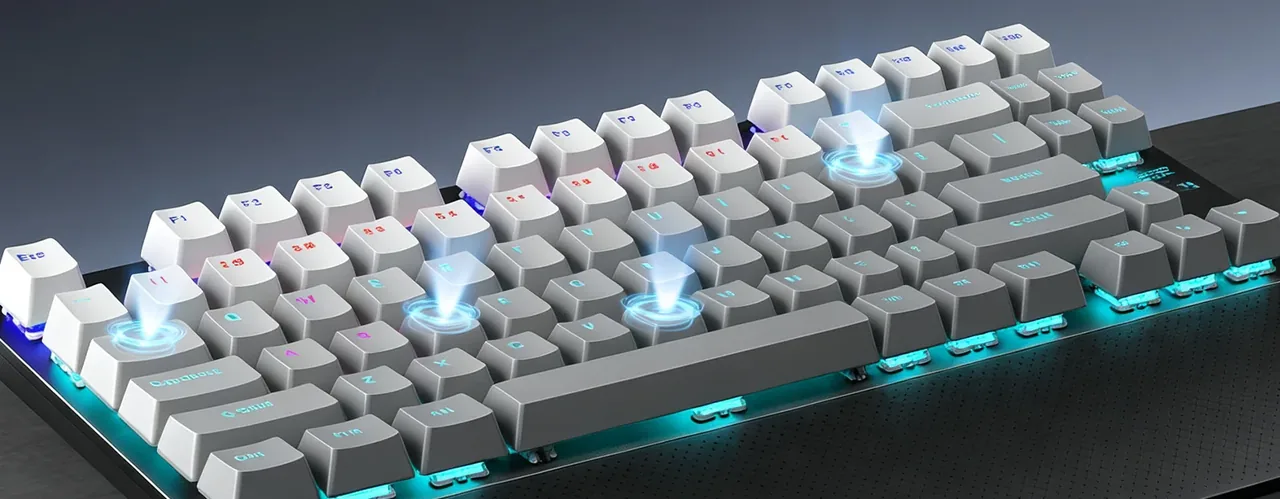
Angled view of the AULA F2088 Air showing zoned RGB lighting and the lit case edge

Specifications

AULA F2088 Air specifications

Full size, with none of the keys cut

The F2088 Air follows the classic 100% plan: 104 keys, a function row, a navigation cluster, separate arrows and a complete number pad. Nothing hides behind an FN layer or gets shared between two keys. Three M1–M3 media buttons sit above the number pad, so a track or a pause is one press away without leaving the board.

Three connection modes and a power switch on the case

The board connects over Bluetooth 5.0, a 2.4 GHz wireless channel or a USB Type-C cable, so the mode follows the task: tablet, work laptop, gaming PC. A physical slider on the case keeps the battery from draining while the keyboard sits idle, and three indicators show battery charge, Num Lock and Caps Lock.

Hot-swap switches — pick your own sound and travel

The hot-swap sockets let you pull a switch out with a puller and drop another one in — no soldering, no opening the case. Most common mechanical switches fit, so the board can be tuned towards the sound and weight you want over time. The stock switches are rated for about 50 million presses; AULA names a linear Red and a tactile Brown for this model.

A metal knob instead of extra buttons

A metal knob with a lit RGB ring sits in the top-right corner. Press it to change the lighting mode; turn it either way for volume or brightness, or to mute. It is quicker than hunting for the right FN combination, and handy mid-match or mid-call.

Zoned RGB and a wrist rest across the front

The backlight is split into zones: the function row, the main block, the navigation cluster and the number pad each take their own colour, across 20 dynamic effects. The brushed metal top plate catches that light well. A separate wrist rest runs the full width of the board along the front edge, so your palm is not left hanging off the desk during a long session.

This product is ordered in. Delivery is expected on 18 November 2026. GEEKSHOP confirms stock, the final price and delivery. This information is not a public offer.

Model specifications: the official AULA site

Layout
100%, 104 keys
Connection
Bluetooth 5.0 / 2.4 GHz / USB Type-C
Switches
Mechanical, hot-swap
Keystroke life
About 50 million presses
Lighting
Zoned RGB, 20 effects
Controls
Metal knob plus M1–M3 buttons
Model
AULA F2088 Air
Type
Mechanical gaming keyboard
Top plate
Metal-texture finish
Wrist rest
Separate, the full width of the case
Indicators
Battery, Num Lock, Caps Lock
Modes
Bluetooth 5.0, 2.4 GHz wireless, USB Type-C wired
Power switch
Physical, on the case
Compatibility
AULA states support for multiple operating systems — over Bluetooth, 2.4 GHz or cable
Options
AULA lists a linear Red and a tactile Brown; the manager confirms which one is available
Socket compatibility
Most common mechanical switches
Rated life
About 50 million presses
Rotary knob
Metal with a lit ring: press for lighting mode, turn for volume, brightness or mute
Extra buttons
M1, M2, M3 — media controls: previous, play/pause, next
Macros
Macro programming is supported

Questions

The short answers.

When is delivery expected?

Delivery is expected on 18 November 2026. A pre-order locks the price and your place in the batch; GEEKSHOP confirms the exact date.

How do I switch between Bluetooth, 2.4 GHz and the cable?

The keyboard supports all three modes and moves between them with an FN combination; power comes on with the slider on the case. The 2.4 GHz mode uses a receiver, Bluetooth 5.0 uses the built-in radio, and wired mode runs over the USB Type-C cable. The exact shortcuts are printed in the manual that ships with the keyboard.

Can I change the switches?

Yes, the sockets are hot-swappable. A puller lifts a switch out and the new one drops straight in — no soldering. Most common mechanical switches fit, so you can build your own mix: linears under the gaming keys and tactiles everywhere else, for example.

Is the wrist rest included?

The rest is a separate piece that runs the full width of the board, and AULA shows it in every official photo of the model. The maker does not publish the box contents separately, so a GEEKSHOP manager confirms the final packing list when the preorder is placed.

How soon will my order arrive?

This model ships as a preorder. After a GEEKSHOP manager confirms the order, delivery takes about a month; the manager will give you the exact timing and the available switch option at confirmation.

Who confirms the price, stock and delivery?

GEEKSHOP confirms stock, the final price and delivery. The information on this site is not a public offer.

How do I order?

Add products to the cart and send the order — it opens in Telegram with a GeekShop manager, who confirms stock, the final price and timing. Nothing is paid on the site.

How much is delivery?

Delivery anywhere in Uzbekistan costs 50,000 UZS. The manager gives the timing when confirming the order.

How to buy

Three presses to your AULA.

Message on Telegram@geekshop_manager
  1. Cart

    Build the order on the site — or message the manager on Telegram straight away.

  2. Confirmation

    The order goes to GeekShop: a manager confirms stock, price and timing.

  3. Delivery

    Anywhere in Uzbekistan — 50,000 UZS. Payment is agreed with the manager after confirmation.

  • Orders through GEEKSHOP
  • 1-month warranty
  • Genuine, factory-sealed
  • Nothing paid on the site

Goes well with

AULA SC380 Pro
AULA SC380 Pro

Black 55g gaming mouse with PAW3311 and tri-mode connectivity

55 g and a PAW3311 sensor · Cable, receiver or Bluetooth · 500 mAh and charging-dock support

315,000 UZS In stock
AULA SC580X
AULA SC580X

Black tri-mode gaming mouse with 10–12K DPI and 6 programmable buttons

Solid shell, around 82 g · Three modes for desktop and laptop · Up to 1000 Hz and a 500 mAh battery

273,000 UZS In stock
AULA SC590 Pro
AULA SC590 Pro

Black 64g gaming mouse with PAW3311, 20K DPI and Smart Display

Mouse status on its display · Compact solid shell, about 64 g · Three connections and adjustable DPI

304,500 UZS In stock
AULA SC620
AULA SC620

Black 67g gaming mouse with PAW3311, 12K DPI and tri-mode

Honeycomb shell, 67 g · PAW3311 and accessible side buttons · 400 mAh and three ways to connect

262,500 UZS In stock
Full catalog

Your cart

Nothing here yet. Press any key — in the catalog.

Full catalog