AULA F2088 — 1

AULA F2088mechanical keyboard

AULA F2088 — mechanical keyboard.

Retro caps, living light, a knob at your fingertips

Full-size mechanics in a punk style: round glowing keycaps, a metal knob and a wrist rest.

Version Blue Switch
275,000 UZS Pre-order

Expected: 18 November

Ordered in for you — GEEKSHOP confirms the exact date

Pre-order — no payment now. A GEEKSHOP manager will contact you to confirm availability, the delivery date and payment.

Price and stock come live from GeekShop

  • 104 keys
  • 22 lighting effects
  • 50M key rating
  • 60g actuation force

Why people pick it

What you get

01

Round keycaps that glow

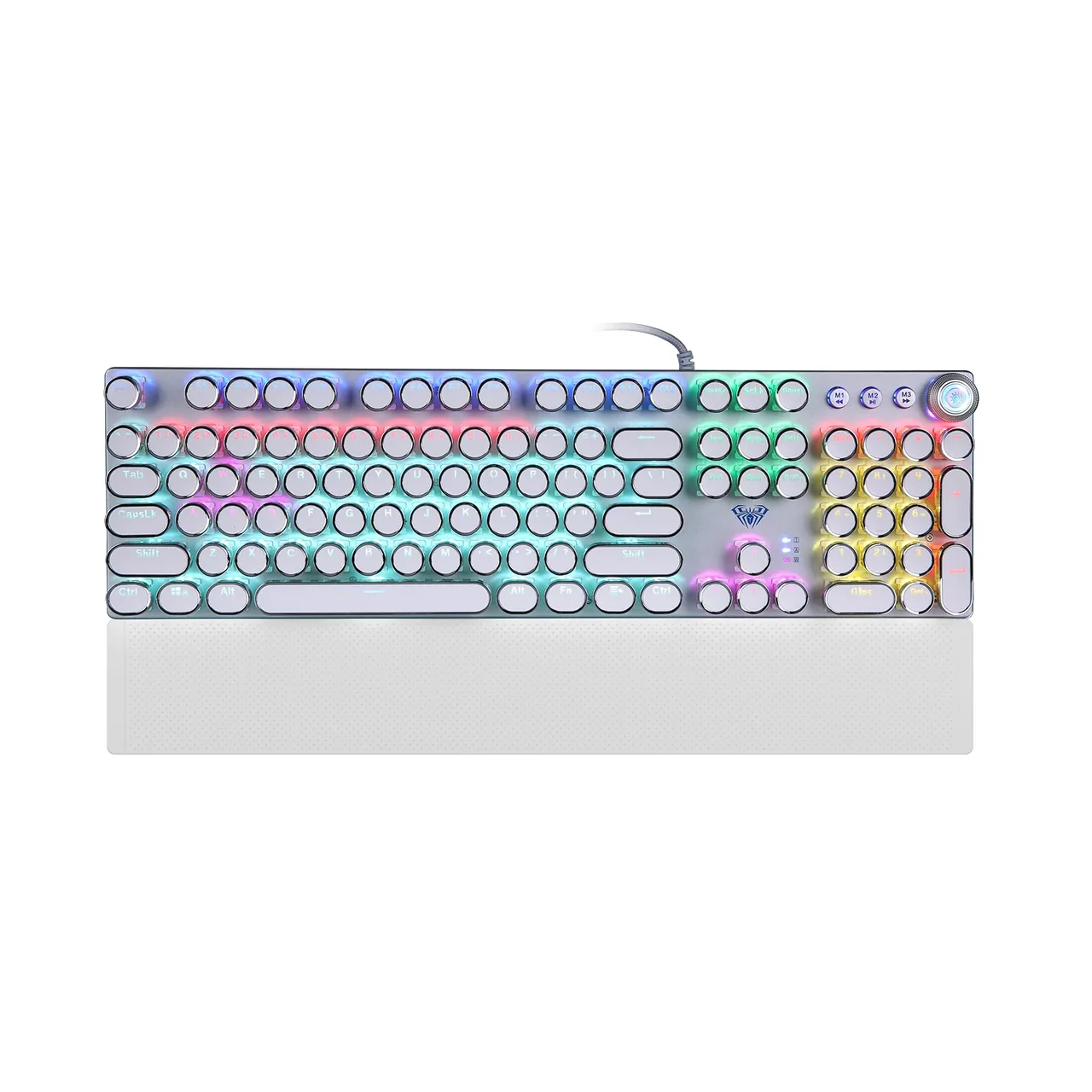
The defining feature of the F2088 is its round retro keycaps in silver and white — a style AULA calls punk. The legends let light through, so the backlight stays readable in the dark. The caps sit on an exposed metal plate, so light escapes from underneath them as well as through the legends.

AULA F2088 mechanical keyboard at three quarters: round white punk keycaps, RGB backlighting and the wrist rest
02

A knob and three media buttons

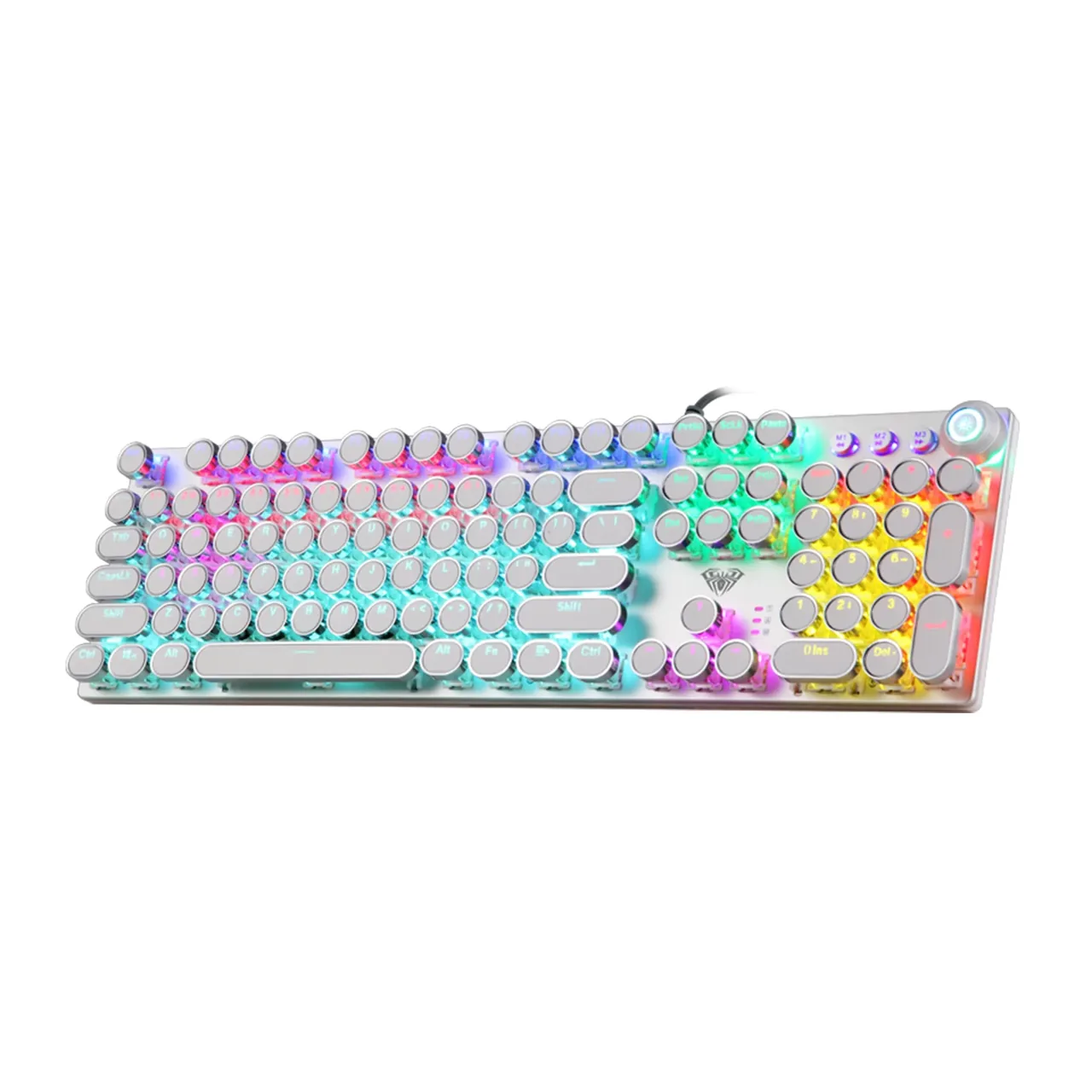
The top right carries a metal knob with a lit ring and, next to it, three round buttons: M1, M2 and M3. The buttons handle previous track, play/pause and next track; turning the knob changes the backlight brightness, while pressing it mutes the sound and switches mode. The full set of media commands is duplicated on FN+F1…F12 shortcuts, from the calculator to locking the keyboard.

AULA F2088 from above: the full-size layout, the knob and the M1–M3 media buttons on the right, wrist rest attached
03

Zoned light and three presets

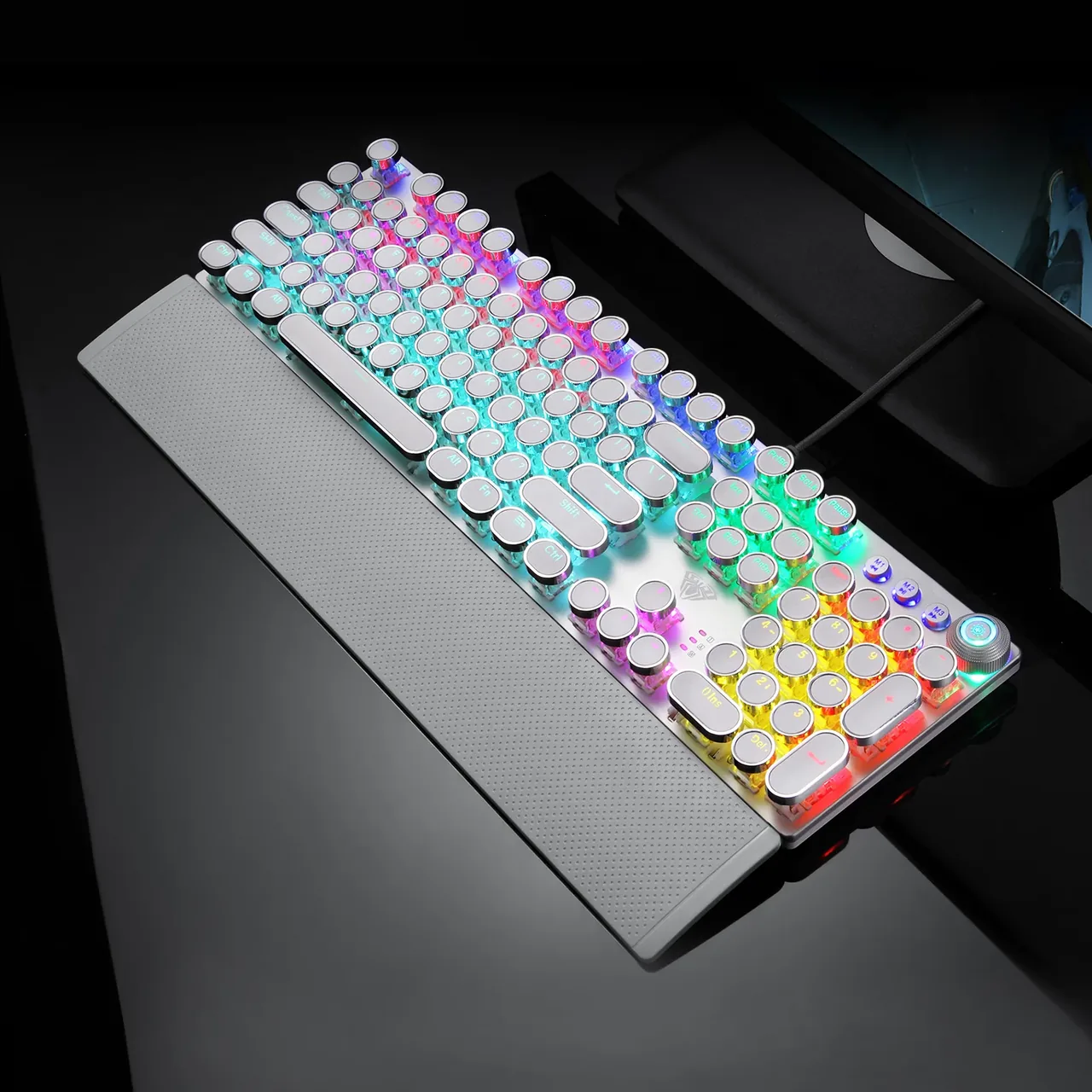
The backlight mixes colour across zones instead of washing the board in one shade: neighbouring blocks on the left and right glow differently. One key cycles 22 effects, and the knob sets the brightness. The M1, M2 and M3 buttons hold lighting presets for the gaming key area and can be reconfigured, so you can keep one scheme for shooters and another for work.

AULA F2088 at an angle without the rest: different backlight colours across the zones and the lit ring around the knob

Metal, angle and a wrist rest

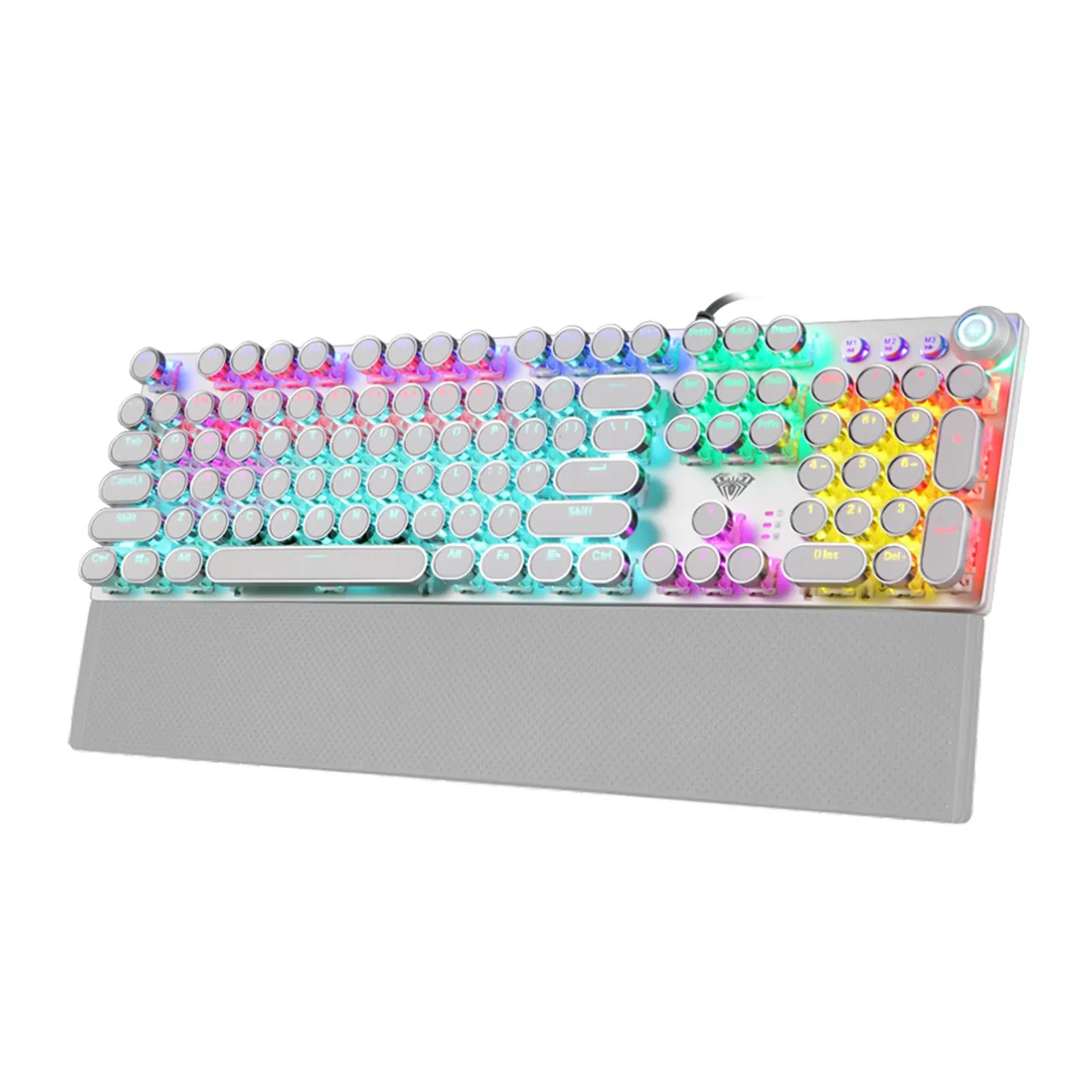
The top plate is alloy: AULA gives it an anti-static nano-anode treatment, and the surface itself is sandblasted — matte, grippy and pleasant to the touch. The case is tall and clearly angled, which lets the hand settle naturally. The wrist rest attaches with magnets: pull it off in one motion when you need the desk space, then put it back without fiddling with clips.

AULA F2088 on a dark desk: the glowing round keycaps and the wrist rest in a gaming setting

Specifications

AULA F2088 specifications

Round keycaps that glow

The defining feature of the F2088 is its round retro keycaps in silver and white — a style AULA calls punk. The legends let light through, so the backlight stays readable in the dark. The caps sit on an exposed metal plate, so light escapes from underneath them as well as through the legends.

A knob and three media buttons

The top right carries a metal knob with a lit ring and, next to it, three round buttons: M1, M2 and M3. The buttons handle previous track, play/pause and next track; turning the knob changes the backlight brightness, while pressing it mutes the sound and switches mode. The full set of media commands is duplicated on FN+F1…F12 shortcuts, from the calculator to locking the keyboard.

Zoned light and three presets

The backlight mixes colour across zones instead of washing the board in one shade: neighbouring blocks on the left and right glow differently. One key cycles 22 effects, and the knob sets the brightness. The M1, M2 and M3 buttons hold lighting presets for the gaming key area and can be reconfigured, so you can keep one scheme for shooters and another for work.

Metal, angle and a wrist rest

The top plate is alloy: AULA gives it an anti-static nano-anode treatment, and the surface itself is sandblasted — matte, grippy and pleasant to the touch. The case is tall and clearly angled, which lets the hand settle naturally. The wrist rest attaches with magnets: pull it off in one motion when you need the desk space, then put it back without fiddling with clips.

This product is ordered in. Delivery is expected on 18 November 2026. GEEKSHOP confirms stock, the final price and delivery. This information is not a public offer.

Model specifications: the official AULA site

Format
full-size, 104 keys
Connection
wired, USB
Switches
mechanical, Blue
Backlight
zoned RGB, 22 effects
Controls
knob and 3 media buttons
Dimensions
442 × 132 × 49.7 mm
Type
wired mechanical keyboard
Layout
full-size, 100%
Keys
104 main keys + 3 multimedia buttons and the knob (108 in AULA’s spec)
Supported systems
Windows Vista / 7 / 8 / 10, Mac
Legends
Latin (EN)
Actuation force
60 ± 10 g
Actuation travel
2 mm ± 0.6
Total key travel
4.0 mm
Key rating
about 50 million presses
Keycaps
round punk caps with light-through legends
Anti-ghosting
yes, 6-key and N-key modes (FN+PrtSc / FN+ScrLk)
Lighting effects
22, switched with one key
Brightness
by turning the knob
M1 / M2 / M3 buttons
customisable gaming-area lighting presets, also the track controls
Macros
key programming through the AULA utility
Multimedia
3 buttons, the knob and FN+F1…F12 shortcuts
Top plate
alloy, sandblasted matte surface, anti-static treatment
Wrist rest
detachable, held by magnets
Weight
870 g
Power
DC 5 V / 250 mA over USB, no separate supply
In the box

  • AULA F2088 keyboard
  • Magnetic wrist rest
  • User manual

Questions

The short answers.

When is delivery expected?

Delivery is expected on 18 November 2026. A pre-order locks the price and your place in the batch; GEEKSHOP confirms the exact date.

Which switches are in this batch?

Blue: a noticeable tactile step and a distinct click at actuation. AULA builds the F2088 with other switches too, but the batch GEEKSHOP brings in on preorder uses Blue. If you type next to colleagues or family, bear in mind that these switches are audible.

Do I need to install a driver or software?

Not for typing, lighting or anti-ghosting — the keyboard works as an ordinary USB device as soon as you plug it in. Software is only needed if you want to record macros and reconfigure the M1–M3 lighting presets; AULA publishes it on aulastar.com under Downloads → Web Drive, on the F2088 model page.

Does the wrist rest come in the box?

Yes. According to AULA's package list the box holds the keyboard itself, the wrist rest and a manual. The rest is held by magnets, so you can take it off and put it back as often as you like; nothing needs to be bought separately.

This is a preorder — how long is the wait?

Preorders open on 18 November 2026. Delivery takes about a month from the moment a GEEKSHOP manager confirms the order; the same manager will give you the exact timing and what is in the batch.

Who confirms the price, stock and delivery?

GEEKSHOP confirms stock, the final price and delivery. The information on this site is not a public offer.

How do I order?

Add products to the cart and send the order — it opens in Telegram with a GeekShop manager, who confirms stock, the final price and timing. Nothing is paid on the site.

How much is delivery?

Delivery anywhere in Uzbekistan costs 50,000 UZS. The manager gives the timing when confirming the order.

How to buy

Three presses to your AULA.

Message on Telegram@geekshop_manager
  1. Cart

    Build the order on the site — or message the manager on Telegram straight away.

  2. Confirmation

    The order goes to GeekShop: a manager confirms stock, price and timing.

  3. Delivery

    Anywhere in Uzbekistan — 50,000 UZS. Payment is agreed with the manager after confirmation.

  • Orders through GEEKSHOP
  • 1-month warranty
  • Genuine, factory-sealed
  • Nothing paid on the site

Goes well with

AULA SC380 Pro
AULA SC380 Pro

Black 55g gaming mouse with PAW3311 and tri-mode connectivity

55 g and a PAW3311 sensor · Cable, receiver or Bluetooth · 500 mAh and charging-dock support

315,000 UZS In stock
AULA SC580X
AULA SC580X

Black tri-mode gaming mouse with 10–12K DPI and 6 programmable buttons

Solid shell, around 82 g · Three modes for desktop and laptop · Up to 1000 Hz and a 500 mAh battery

273,000 UZS In stock
AULA SC590 Pro
AULA SC590 Pro

Black 64g gaming mouse with PAW3311, 20K DPI and Smart Display

Mouse status on its display · Compact solid shell, about 64 g · Three connections and adjustable DPI

304,500 UZS In stock
AULA SC620
AULA SC620

Black 67g gaming mouse with PAW3311, 12K DPI and tri-mode

Honeycomb shell, 67 g · PAW3311 and accessible side buttons · 400 mAh and three ways to connect

262,500 UZS In stock
Full catalog

Your cart

Nothing here yet. Press any key — in the catalog.

Full catalog