AULA F2058 — 1

AULA F2058magnetic keyboard

AULA F2058 — magnetic keyboard.

A knob under your finger, a rest under your wrist

The AULA F2058 full-size mechanical keyboard with a media knob, 22 lighting effects and a magnetic wrist rest.

Version Black · Blue
275,000 UZS Pre-order

Expected: 18 November

Ordered in for you — GEEKSHOP confirms the exact date

Pre-order — no payment now. A GEEKSHOP manager will contact you to confirm availability, the delivery date and payment.

Price and stock come live from GeekShop

  • 104 keys
  • 22 lighting effects
  • 4.0mm key travel
  • 60M key rating

Why people pick it

What you get

01

A knob and three buttons instead of hunting through menus

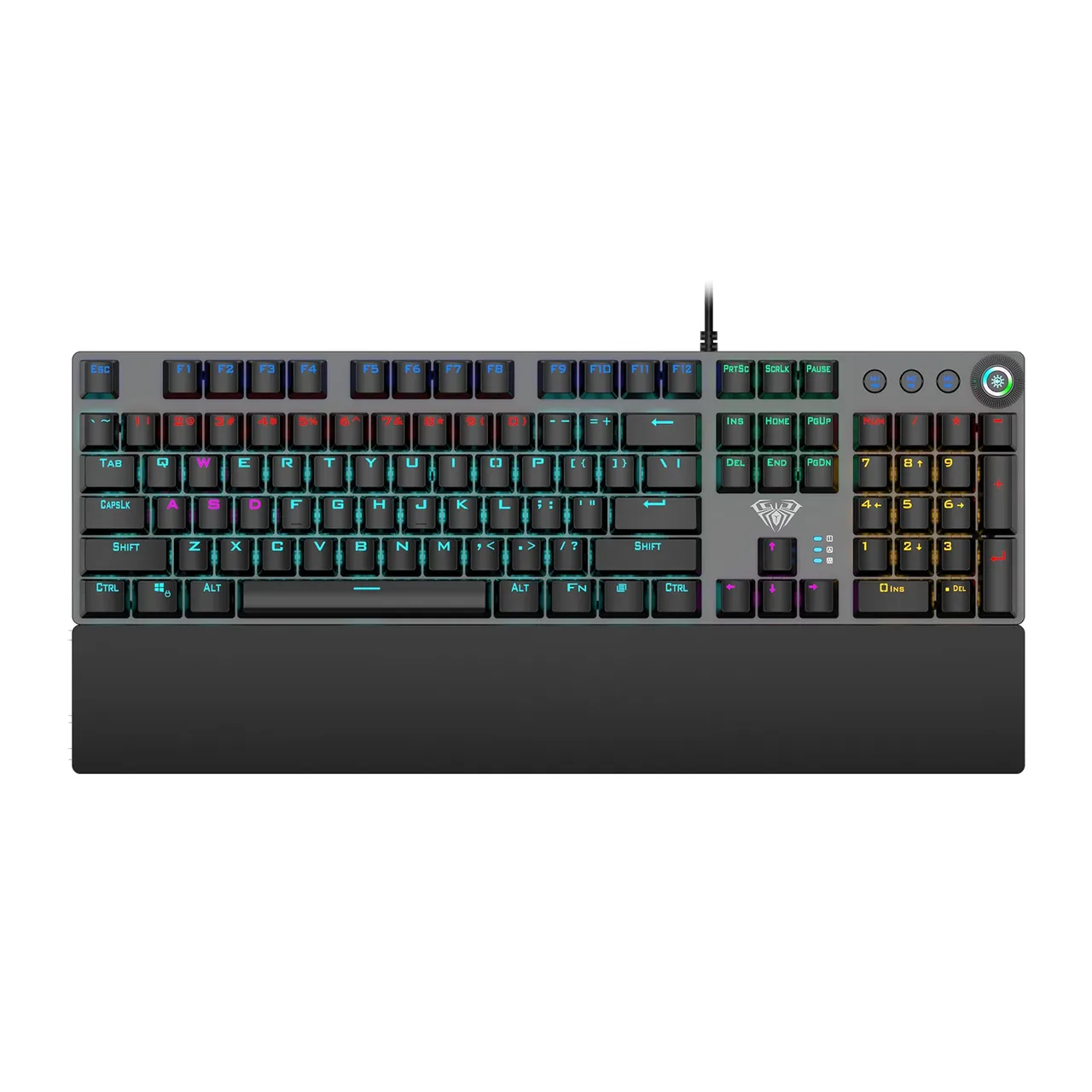
In the top right corner sit a knob with a lit ring and three buttons, M1, M2 and M3. The buttons handle previous track, play/stop and next, turning the knob sets the backlight brightness, and pressing it mutes the sound and switches mode. Each M button can store its own lighting preset: set the light up for a game, then come back to it with one press.

AULA F2058 mechanical keyboard from above: 104 keys, the knob with M1–M3 buttons and the magnetic wrist rest
02

A magnetic wrist rest that comes off in a second

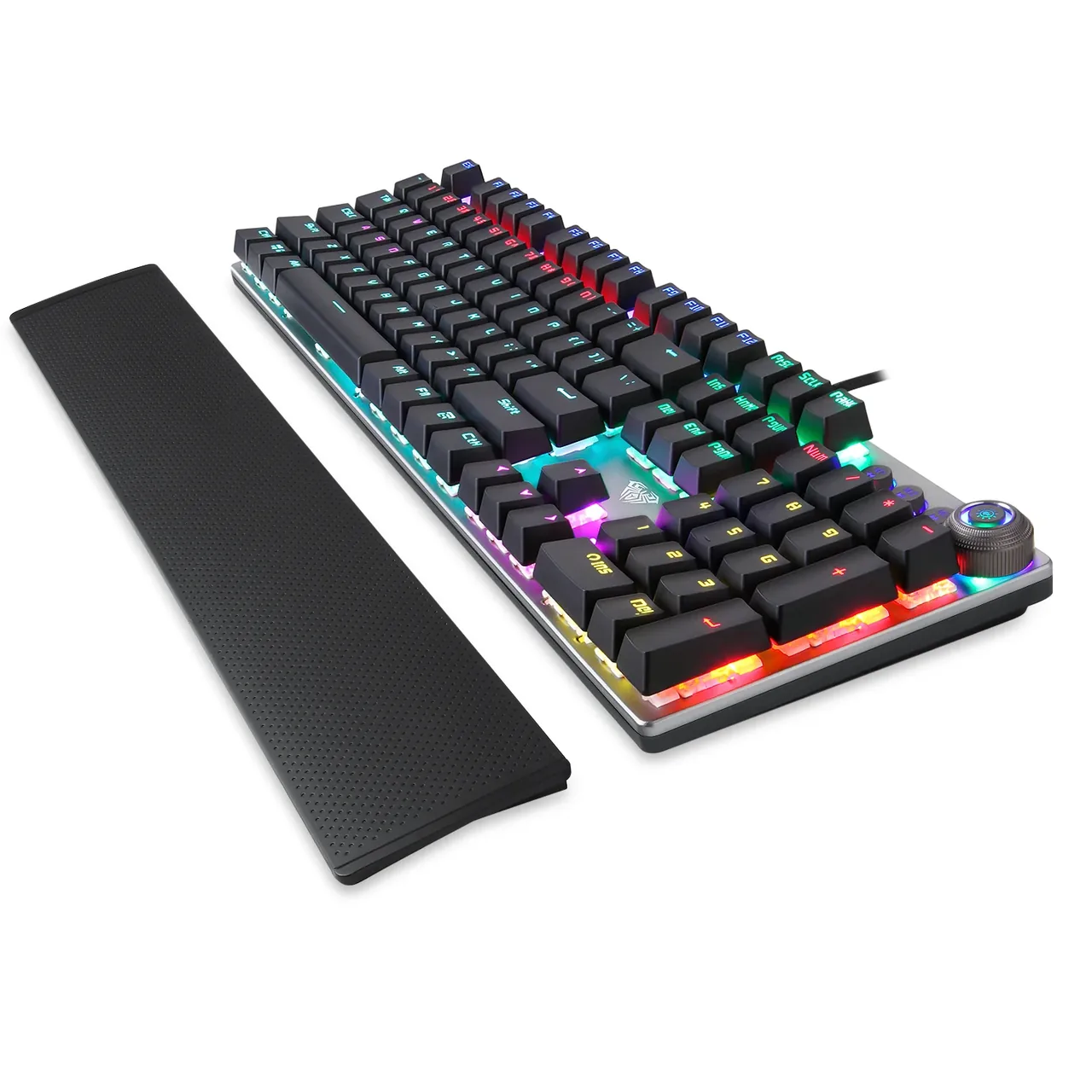
The wide wrist rest is held on by magnets: it snaps on square and does not wander while you type, yet lifts off in one movement when you need the desk back or want to pack the board away. The surface is soft to the touch with a fine perforation. With the rest attached the keyboard is 193.58 mm deep; without it, noticeably less.

AULA F2058 with the magnetic wrist rest detached and lying next to the keyboard
03

22 effects and light by zone

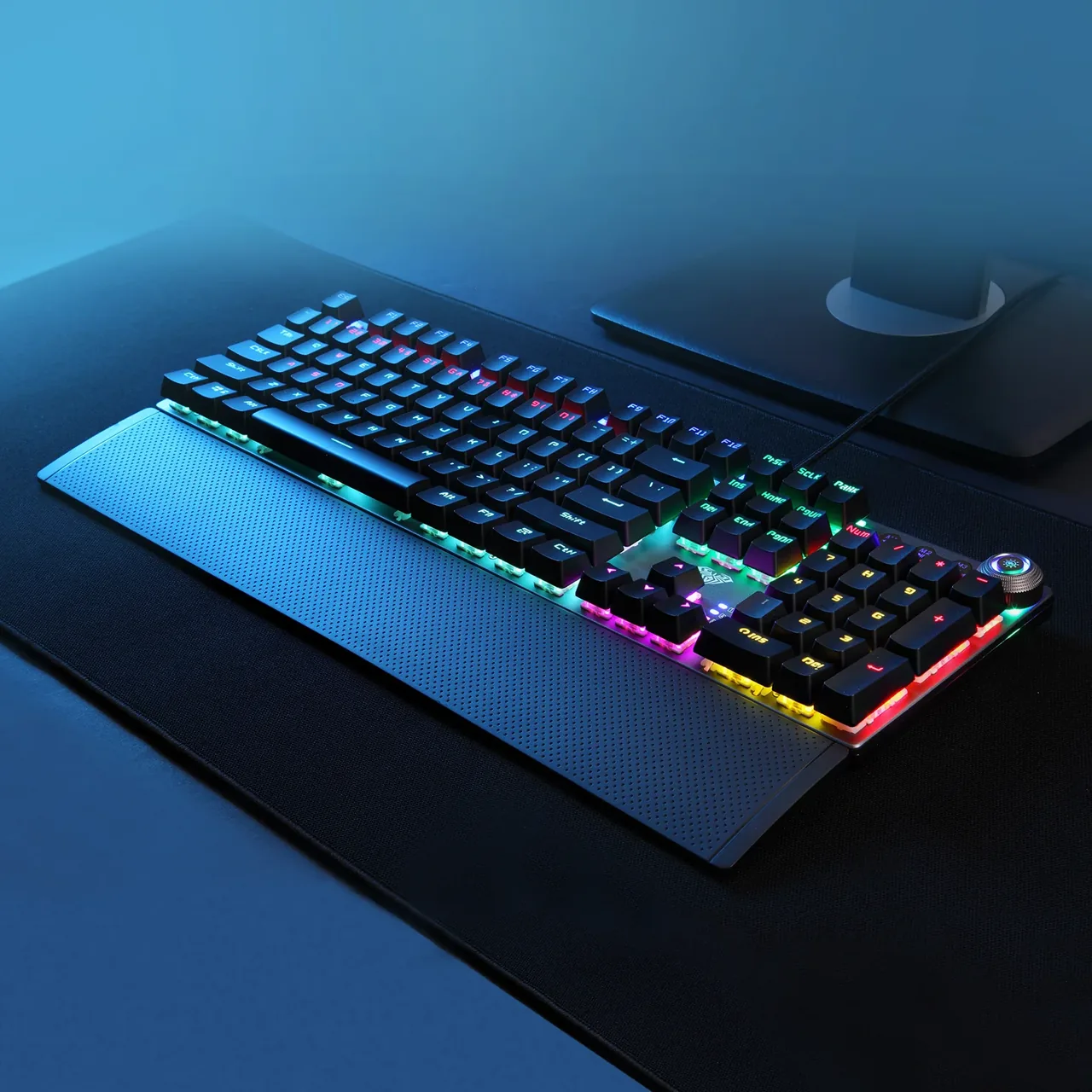
The lighting is arranged in zones: the main block, the navigation cluster and the number pad each glow in their own colour, with a light strip along the edge of the case. There are 22 effects in all — steady glow, waves, press-reactive modes — cycled straight from the keyboard, with brightness set by the knob. In the evening the board lights the desk; by day you can take the glow down to nothing.

AULA F2058 on a desk in blue light: the lit keys and the glowing ring around the knob

A metal plate, macros and anti-ghosting

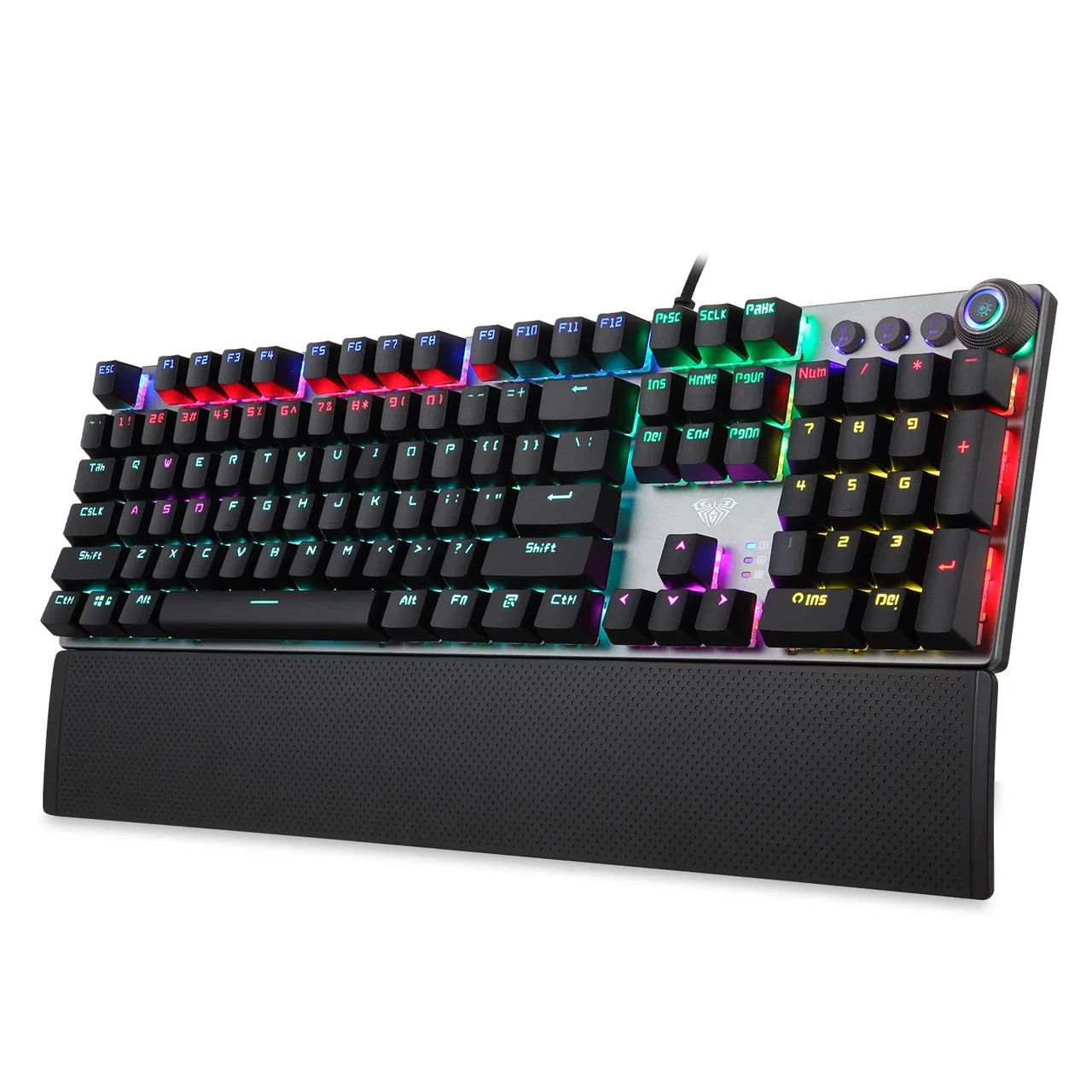
The keys stand on a matte, sandblasted metal plate with an anti-static coating — the case does not flex under a hard press and does not hold fingerprints. The rollover mode is chosen from the keyboard: FN+PrtSc keeps six keys, FN+ScrLk turns on full anti-ghosting. Macros can be assigned to any of the 104 keys in AULA's Windows utility, which holds three profiles and restores the factory settings with one button.

AULA F2058 at three quarters: the metal plate, the zoned lighting and the wrist rest

Specifications

AULA F2058 specifications

A knob and three buttons instead of hunting through menus

In the top right corner sit a knob with a lit ring and three buttons, M1, M2 and M3. The buttons handle previous track, play/stop and next, turning the knob sets the backlight brightness, and pressing it mutes the sound and switches mode. Each M button can store its own lighting preset: set the light up for a game, then come back to it with one press.

A magnetic wrist rest that comes off in a second

The wide wrist rest is held on by magnets: it snaps on square and does not wander while you type, yet lifts off in one movement when you need the desk back or want to pack the board away. The surface is soft to the touch with a fine perforation. With the rest attached the keyboard is 193.58 mm deep; without it, noticeably less.

22 effects and light by zone

The lighting is arranged in zones: the main block, the navigation cluster and the number pad each glow in their own colour, with a light strip along the edge of the case. There are 22 effects in all — steady glow, waves, press-reactive modes — cycled straight from the keyboard, with brightness set by the knob. In the evening the board lights the desk; by day you can take the glow down to nothing.

A metal plate, macros and anti-ghosting

The keys stand on a matte, sandblasted metal plate with an anti-static coating — the case does not flex under a hard press and does not hold fingerprints. The rollover mode is chosen from the keyboard: FN+PrtSc keeps six keys, FN+ScrLk turns on full anti-ghosting. Macros can be assigned to any of the 104 keys in AULA's Windows utility, which holds three profiles and restores the factory settings with one button.

This product is ordered in. Delivery is expected on 18 November 2026. GEEKSHOP confirms stock, the final price and delivery. This information is not a public offer.

Model specifications: the official AULA site

Format
full-size, 104 keys
Controls
knob + M1, M2, M3 buttons
Backlight
zoned, 22 effects
Wrist rest
Wide, held by magnets, removable
Switches
mechanical, Blue, 4.0 mm travel
Size and weight
435 × 193.58 × 35.7 mm (with the rest), 820 g
Type
Wired mechanical keyboard
Model
F2058
Form factor
Full-size, 100% layout
Number of keys
104 (105- and 106-key versions exist for other regions)
Layout supplied
English (US); no Russian legends on the caps
Interface
USB-A, powered from the port
Cable length
1.6 m
Operating systems
Windows 2000 / XP / 7 / 8 / 10
Switch type
Mechanical
Switch supplied
Blue
Key travel
4.0 mm
Key rating
60,000,000 presses
Simultaneous presses
Switchable: 6 keys (FN+PrtSc) or all keys (FN+ScrLk)
Key profile
Stepped rows of differing height
Knob
With a lit ring: turn for backlight brightness, press to mute and switch mode
M1, M2, M3 buttons
Previous track, play/stop, next track; each holds a lighting preset
Effects
22 modes, switched from the keyboard
Effect speed
5 steps: FN+→ faster, FN+← slower
Multimedia shortcuts
FN+F1…F12: my computer, search, calculator, player, volume, keyboard lock
Macros
Programmable on all 104 keys, 3 profiles in the Windows utility
Top plate
Metal, matte sandblasted finish, anti-static coating
Colour
Black, with a dark grey plate
Size with the rest
435 × 193.58 × 35.7 mm (± 0.2 mm)
Weight
820 g

In the box

  • AULA F2058 keyboard
  • Magnetic wrist rest
  • Manual

Questions

The short answers.

When is delivery expected?

Delivery is expected on 18 November 2026. A pre-order locks the price and your place in the batch; GEEKSHOP confirms the exact date.

Which switches are in this batch?

The batch GEEKSHOP is bringing in on preorder uses Blue mechanical switches: a crisp click, a pronounced tactile bump and a loud sound — fine for home and gaming, not for a quiet office. AULA's own page describes the F2058 with a Green axis, so it is worth checking the switch type with the manager before shipping.

Can the wrist rest be removed?

Yes. The rest is held by magnets and lifts off in one movement — the keyboard stays fully usable and takes up less desk space. Putting it back is just as easy: the magnets line it up with the case by themselves. The 435 × 193.58 mm figure in the specs is measured with the rest attached.

Are there Russian legends on the keys?

No. The version supplied has the English (US) layout — only Latin letters and symbols on the caps. Russian and Uzbek input is enabled in the operating system and works as usual, but you will have to remember where the letters are or add stickers. This version has 104 keys.

Is a driver needed for the knob and macros?

Typing, lighting, the knob and the M1–M3 buttons need no driver — the keyboard is recognised as soon as it is plugged into USB. AULA's Windows utility is only needed for macros: three profiles, a macro editor, effect and brightness selection, and a reset to factory settings.

How does the preorder work and when does it arrive?

The model is sold on preorder: you place the order, a GEEKSHOP manager contacts you and confirms it, and the keyboard is added to the next shipment. The usual wait is about a month from confirmation. The manager gives you the exact date when the order is confirmed.

Who confirms the price, stock and delivery?

GEEKSHOP confirms stock, the final price and delivery. The information on this site is not a public offer.

How do I order?

Add products to the cart and send the order — it opens in Telegram with a GeekShop manager, who confirms stock, the final price and timing. Nothing is paid on the site.

How much is delivery?

Delivery anywhere in Uzbekistan costs 50,000 UZS. The manager gives the timing when confirming the order.

How to buy

Three presses to your AULA.

Message on Telegram@geekshop_manager
  1. Cart

    Build the order on the site — or message the manager on Telegram straight away.

  2. Confirmation

    The order goes to GeekShop: a manager confirms stock, price and timing.

  3. Delivery

    Anywhere in Uzbekistan — 50,000 UZS. Payment is agreed with the manager after confirmation.

  • Orders through GEEKSHOP
  • 1-month warranty
  • Genuine, factory-sealed
  • Nothing paid on the site

Goes well with

AULA SC380 Pro
AULA SC380 Pro

Black 55g gaming mouse with PAW3311 and tri-mode connectivity

55 g and a PAW3311 sensor · Cable, receiver or Bluetooth · 500 mAh and charging-dock support

315,000 UZS In stock
AULA SC580X
AULA SC580X

Black tri-mode gaming mouse with 10–12K DPI and 6 programmable buttons

Solid shell, around 82 g · Three modes for desktop and laptop · Up to 1000 Hz and a 500 mAh battery

273,000 UZS In stock
AULA SC590 Pro
AULA SC590 Pro

Black 64g gaming mouse with PAW3311, 20K DPI and Smart Display

Mouse status on its display · Compact solid shell, about 64 g · Three connections and adjustable DPI

304,500 UZS In stock
AULA SC620
AULA SC620

Black 67g gaming mouse with PAW3311, 12K DPI and tri-mode

Honeycomb shell, 67 g · PAW3311 and accessible side buttons · 400 mAh and three ways to connect

262,500 UZS In stock
Full catalog

Your cart

Nothing here yet. Press any key — in the catalog.

Full catalog